In this article, learn how to add additional payments made to employees in the form of bonuses, commissions claim and allowances. Edit any of the existing conditions tied to it, CPF etc or add new ones of their own.
To add more Pay Items:
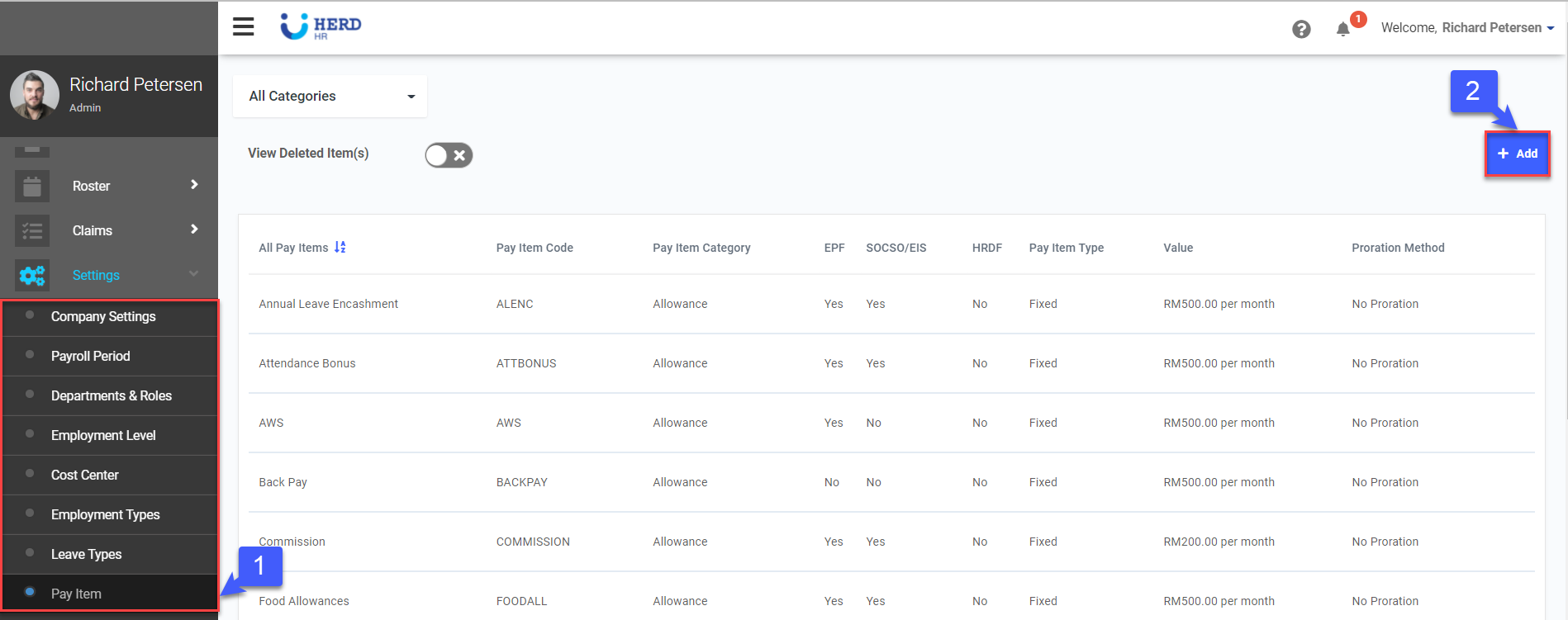
- On the left sidebar menu, Click Settings > Pay Item.
- Click + Add to create a new Pay Item.
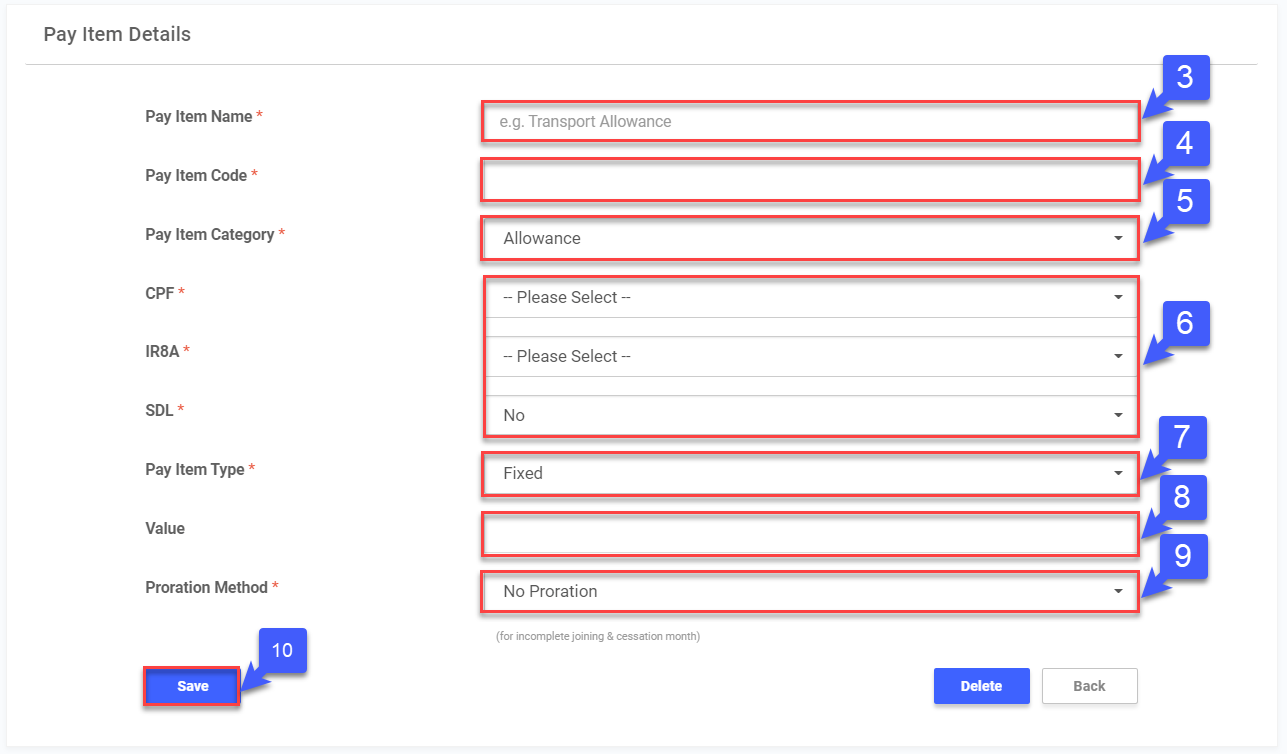
- Key in the Pay Item Name.
- Key in the Pay Item Code.
- Select the Pay Item Category (Allowance, Deduction, Additional Item, Non Payment Item).
- Select whether Pay Item amount will be subject to CPF / IR8A / SDL contributions.
- Select whether Pay Item Type is Fixed / Variable.
- If Pay Item Type is "Fixed", key in the Value for the Pay Item monthly.
- Select the Proration Method for the Pay Item, if any.
- Once done, click Save.
*Note: Items must be created here before they can be used in Payroll profile and Payslip.