Occur when an employee sets up their profile in Herd Time and clocks in / clocks out without having their profile set up in Herd Web.
To resolve this error:
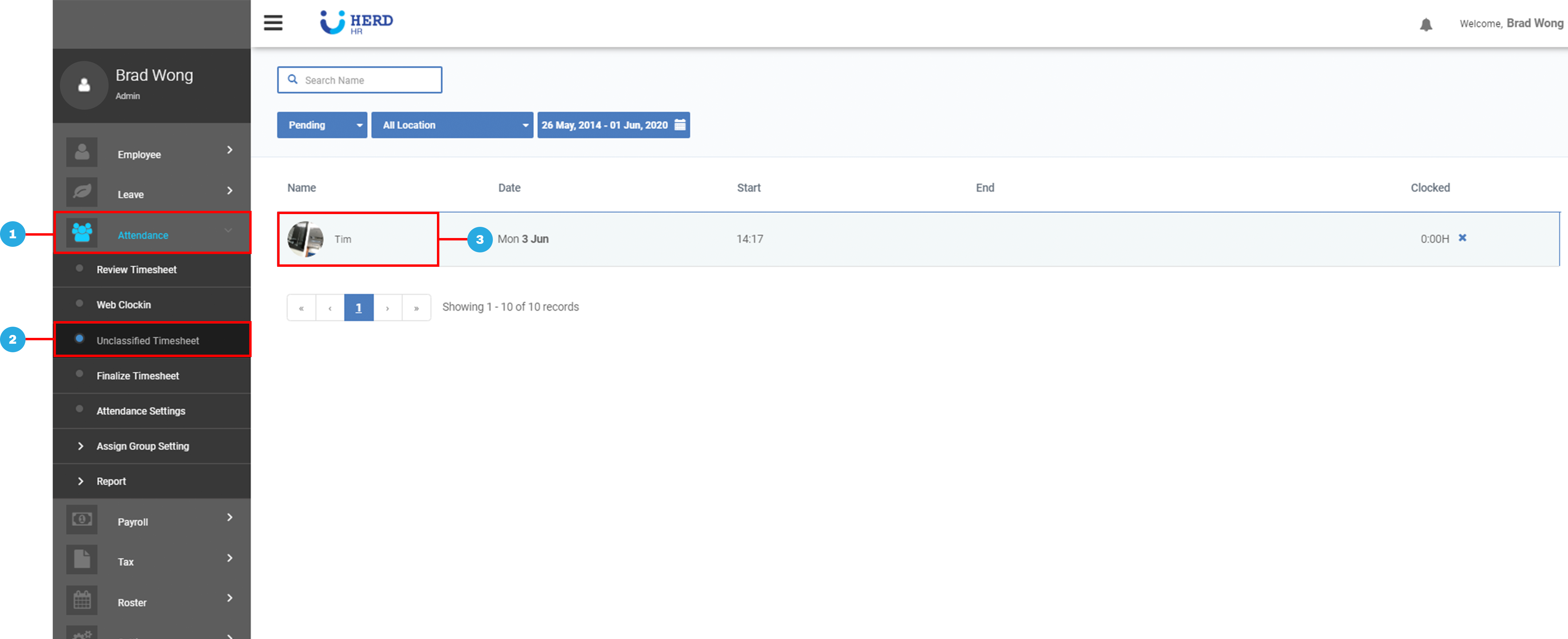
- On the left sidebar menu, Click Attendance
- Click Unclassified Timesheet
- Select an employee profile by clicking the employee’s name
- Select New or Merge
When to select New or Merge?
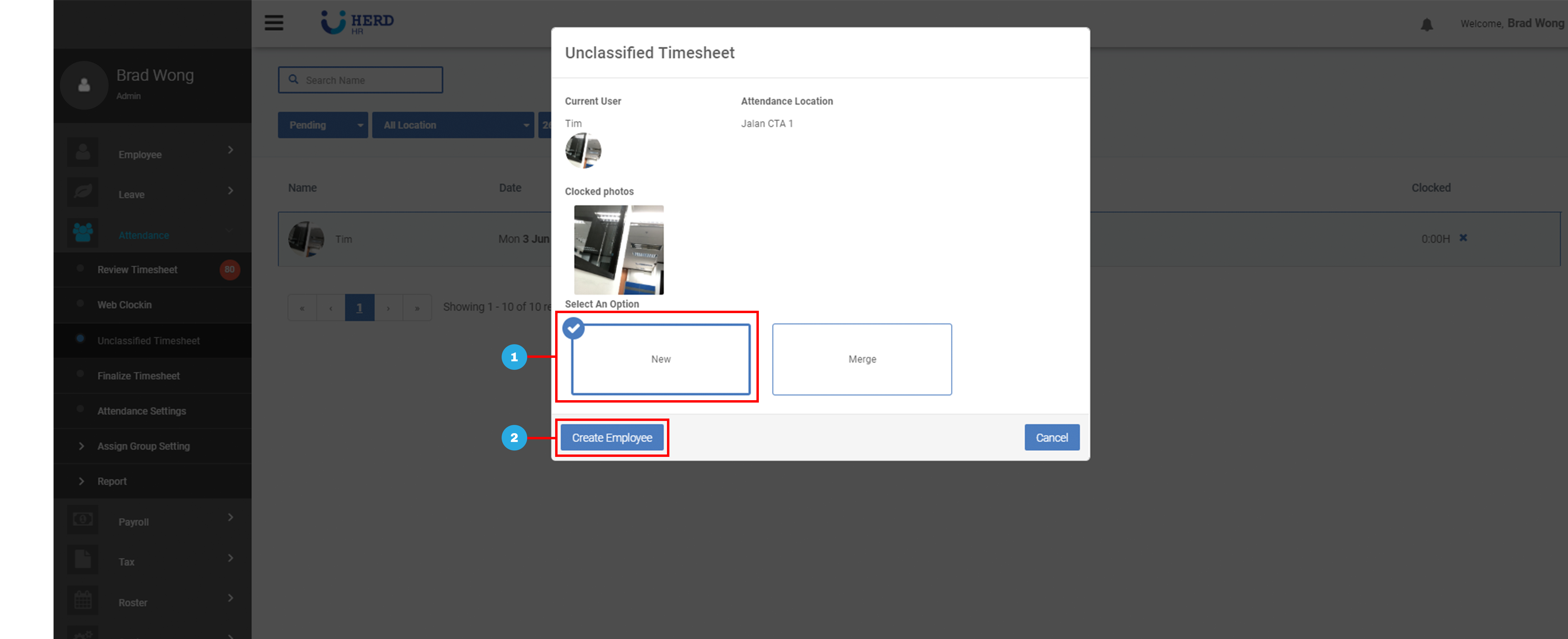
If clock in is done by a new user who has not been introduced on Herd Web:
- Click New
- Click Create Employee to proceed to the employee profile creation page.
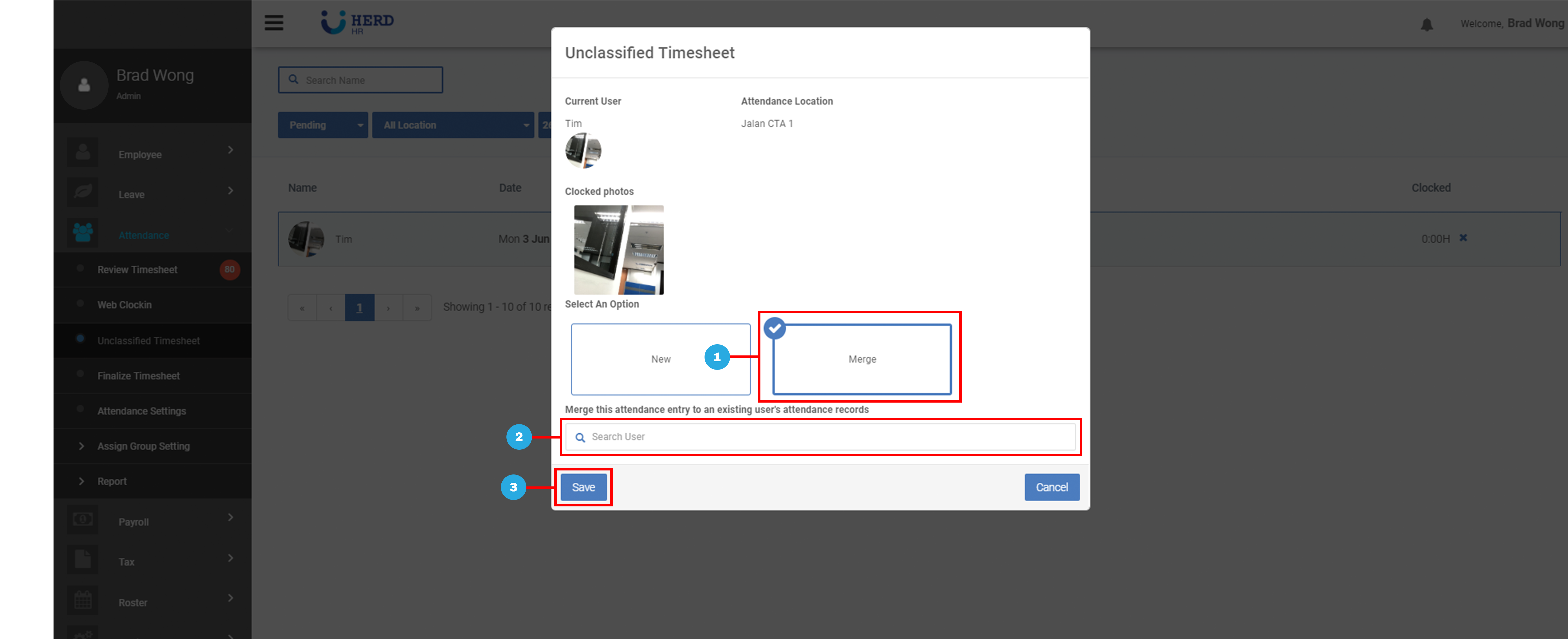
If clock in is done by an existing user:
- Click Merge
- Type the name of the selected employee to merge it back to his / her original attendance list.
- Click Save when you are done.