The Approval Matrix acts as an organisation chart which is the graphical representation of an organization's structure. Its purpose is to illustrate the reporting relationships and chains of command within the organization.
- On the left sidebar menu, click Workflow.
- Click Approval Matrix.
- Key in Employee Name in the search bar to search (if required)
- Click Discard to remove all the changes made since the last save.
- Click Publish to save.
- Use the
 icons to zoom in / out. You can also left click and drag the chart to navigate.
 - Click on the
 icon to view a Sitemap of the chart, as well as the list of Unassigned Employees.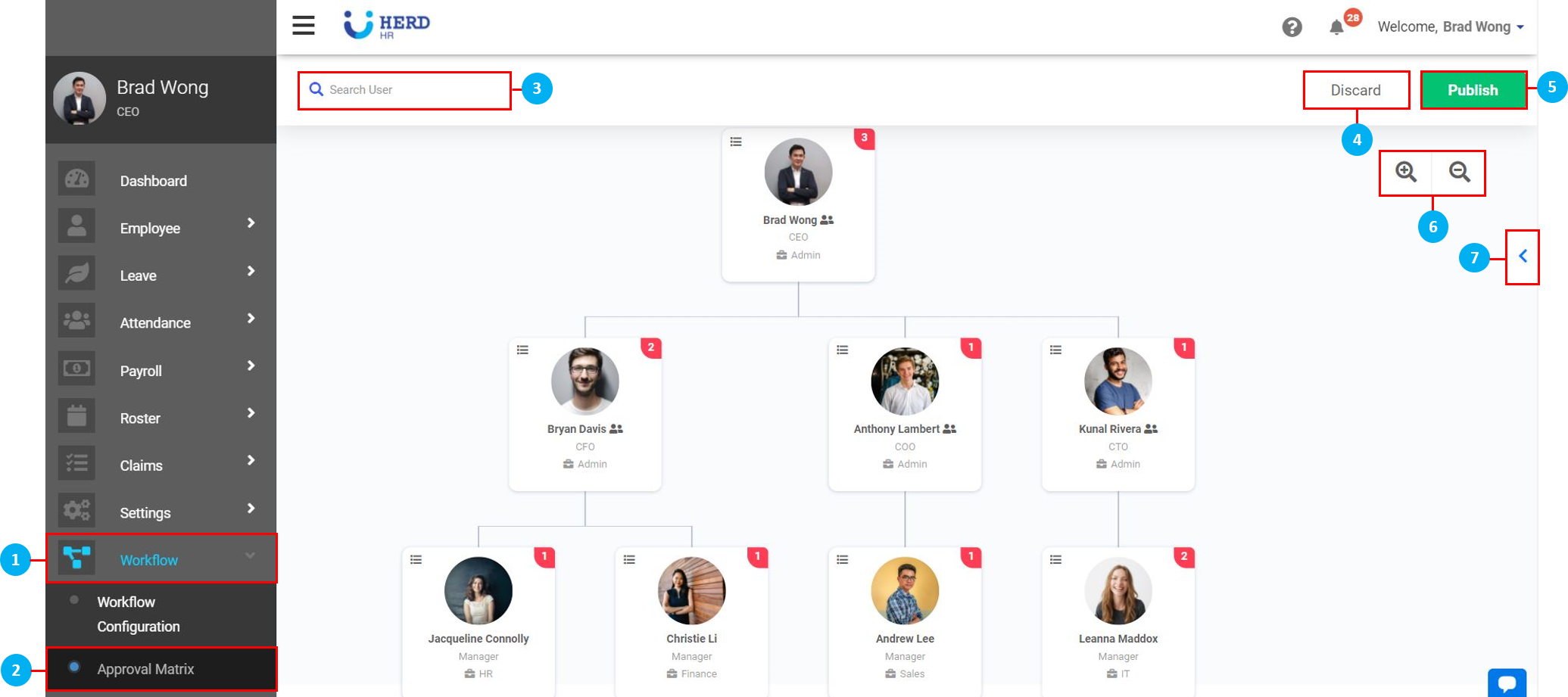
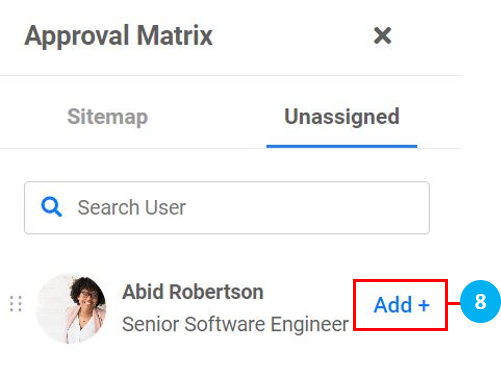
- To begin, click Add + to assign a new Reporting Officer(s) to the Employee.
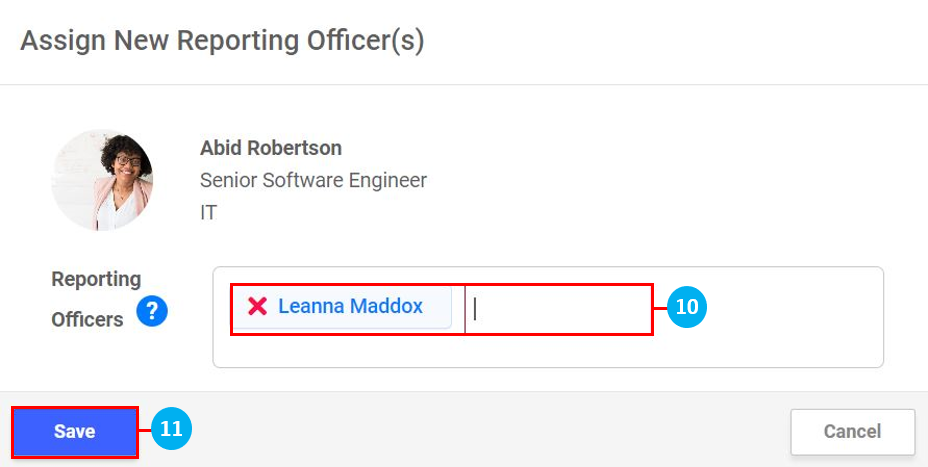
- Click in the box and select the Reporting Officer for this Employee from the a drop down list.
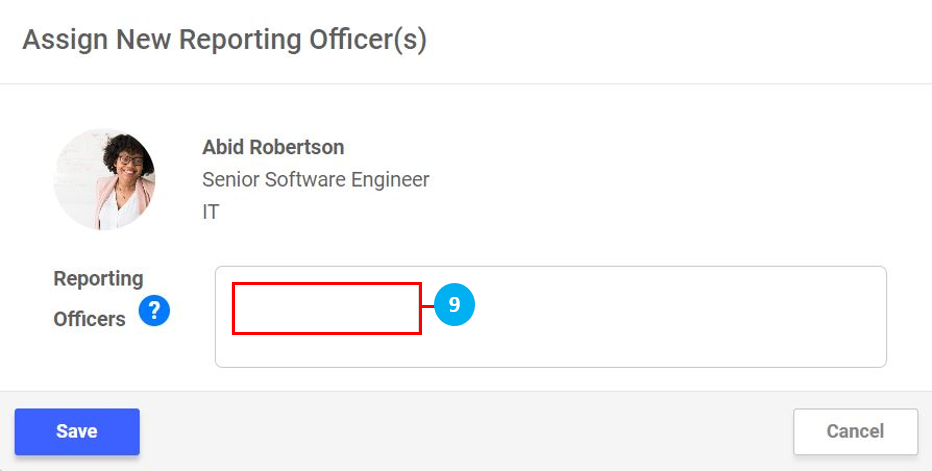
- Once selected, the Reporting Officer's name will appear. It is possible to select more than one Reporting Officer for an Employee by selecting another name.
- Once done, click Save.
- Click on the
 icon to edit the Reporting Officer settings for that particular Employee.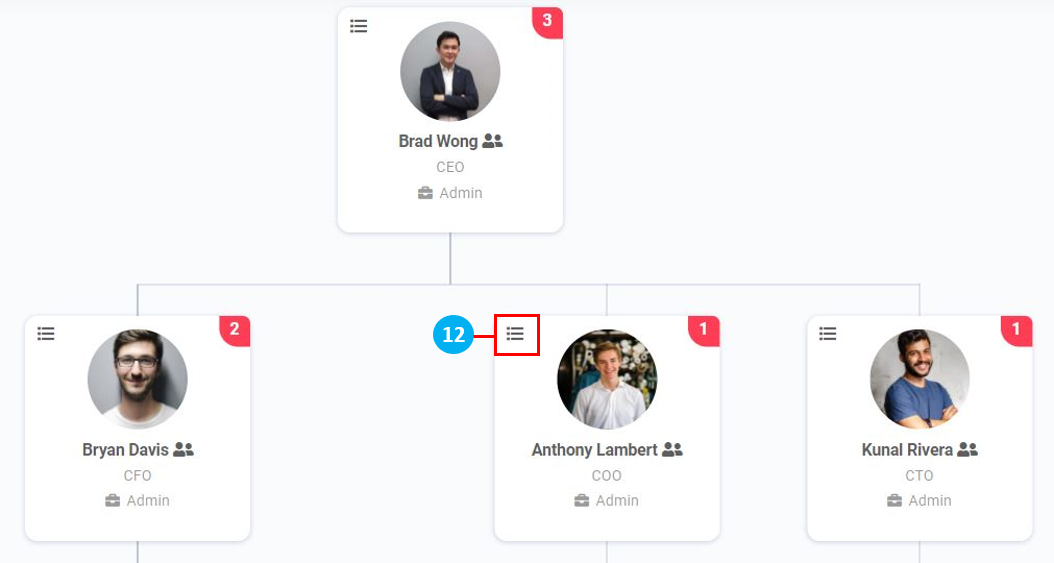
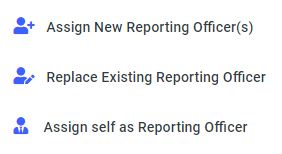
Assign New Reporting Officer(s)
- Click Assign New Reporting Officer(s).
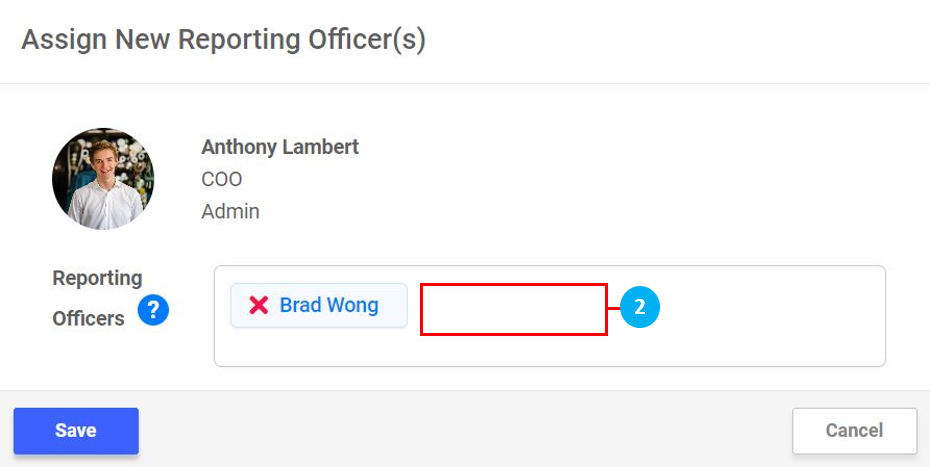
- Click in the box and select a new Reporting Officer for this Employee from the a drop down list. Once selected, the Reporting Officer's name will appear. It is possible to select more than one Reporting Officer for an Employee by selecting another name. Click on the 'X' to remove a Reporting Officer (if required).
- Once done, click Save.
Replace Existing Reporting Officer
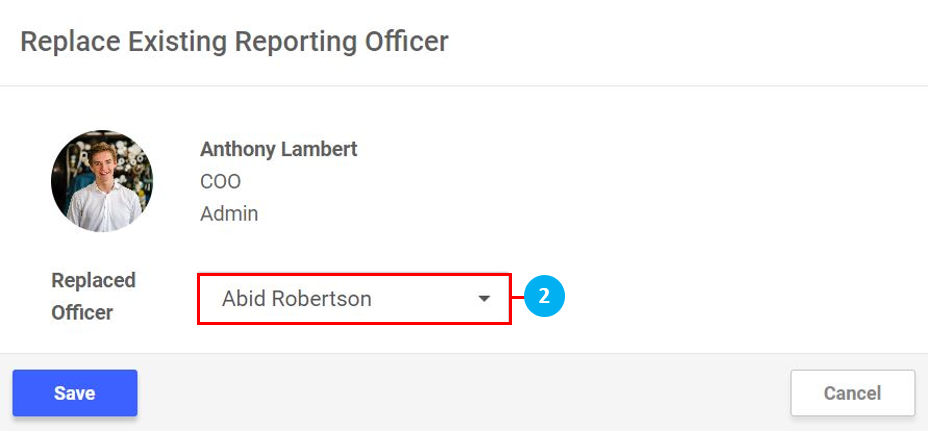
- Click Replace Existing Reporting Officer.
- Select another Reporting Officer to replace this current one (*Note: This function is used to ensure all the Employees who were reporting to the existing Reporting Officer, will now report to the Employee selected from the drop down list.)
- Once done, click Save.
Assign self as Reporting Officer
- Click Assign self as Reporting Officer.
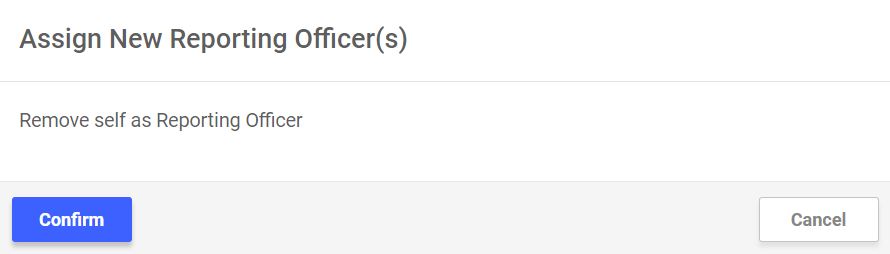
- Click Confirm to proceed. (*Note: This function is used this Employee is able to approve their own Leave application / acknowledge their own timesheets)