User Profile Set up - Employee Profile
To configure employees’ Job Details after the employee profile has already been created, simply Click Employee on the left sidebar menu > Click Profile > Select desired Employee > Click on the Job tab at the top.
Setting up employees’ Job Details
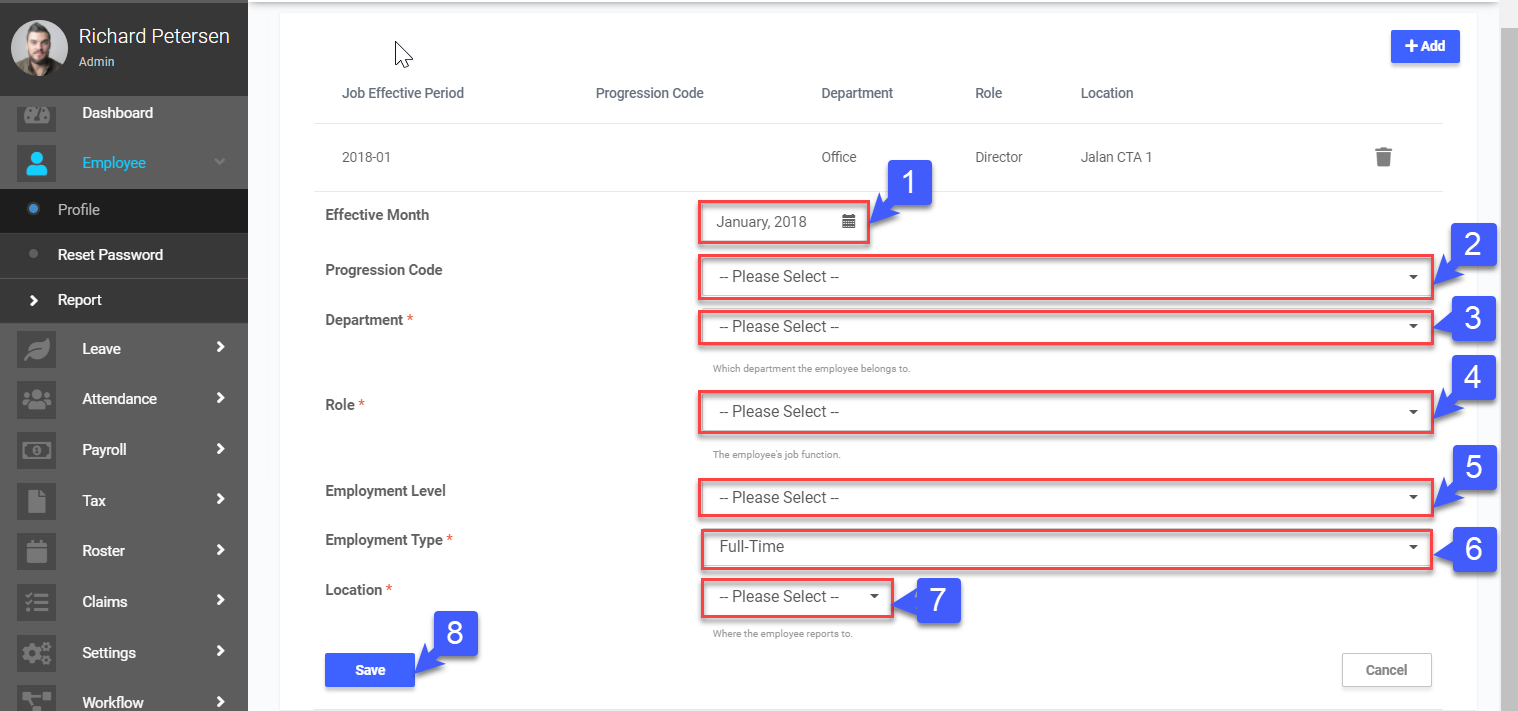
- Click “
 ” to select Effective Month (refers to the month employee is employed)
 - Select Progression Code
- Select Department
- Select Role
- Select Employment Level
- Select Employment Type (Full Time, Part-Time)
- Select Location
- Click Save
 *Note: Configure the options for Department and Role at the Departments & Roles setting
*Note: Clicking next will lead you to the configuration of your employees’ Attendance Setting