Admins can create standard templates for user Attendance Details which can be imported when adding new users.
Creating a Template
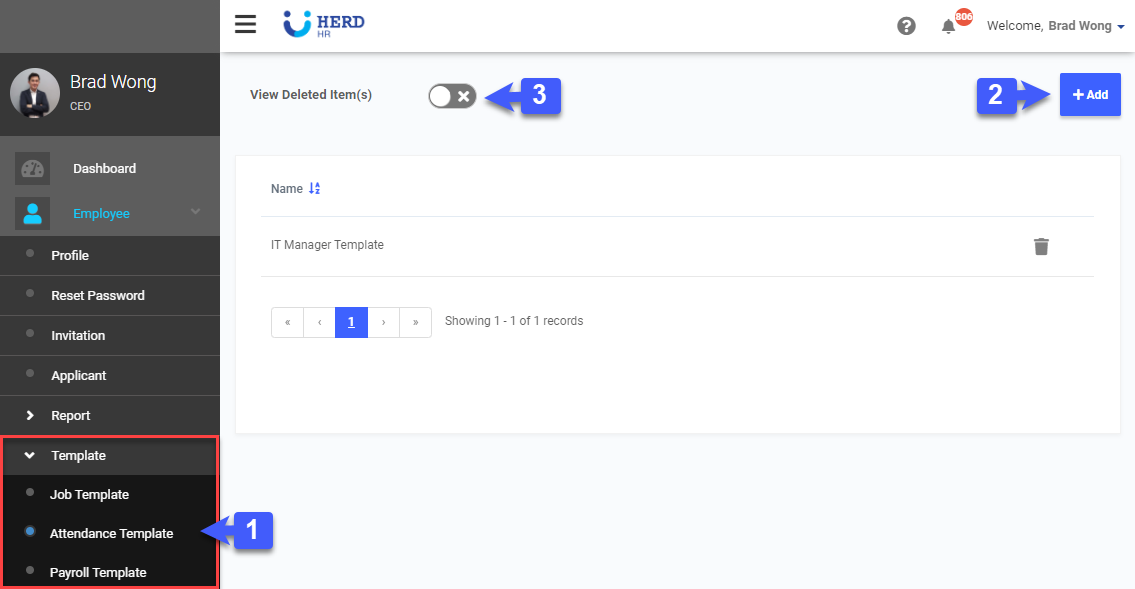
- On the left sidebar menu, Click Employees > Template > Job Template
- Click Add, to add New Template
- Toggle On to display Past Deleted Template
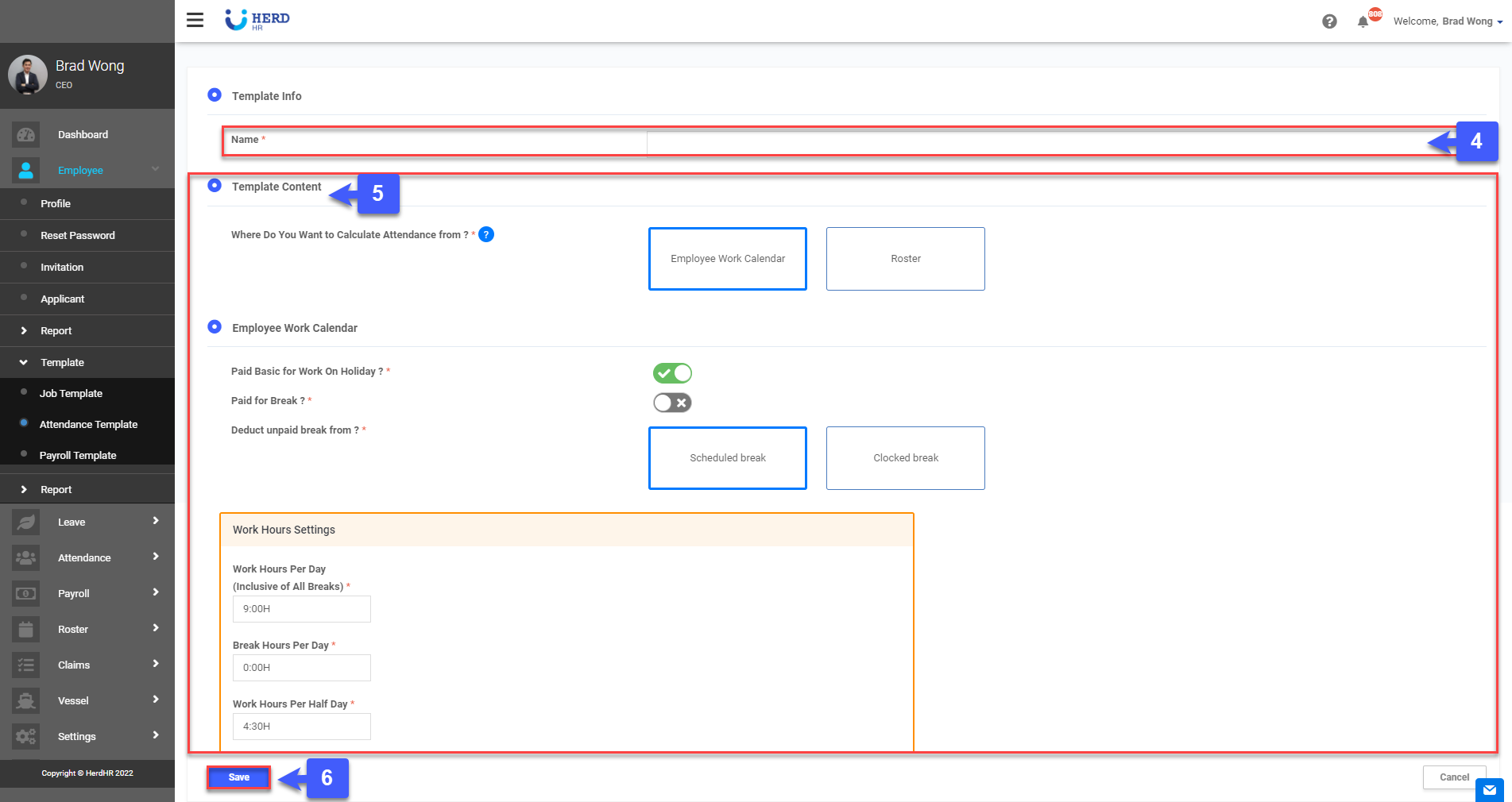
- Enter Template Name
- Enter Template Content
- Click Save, Done
Saving a Template
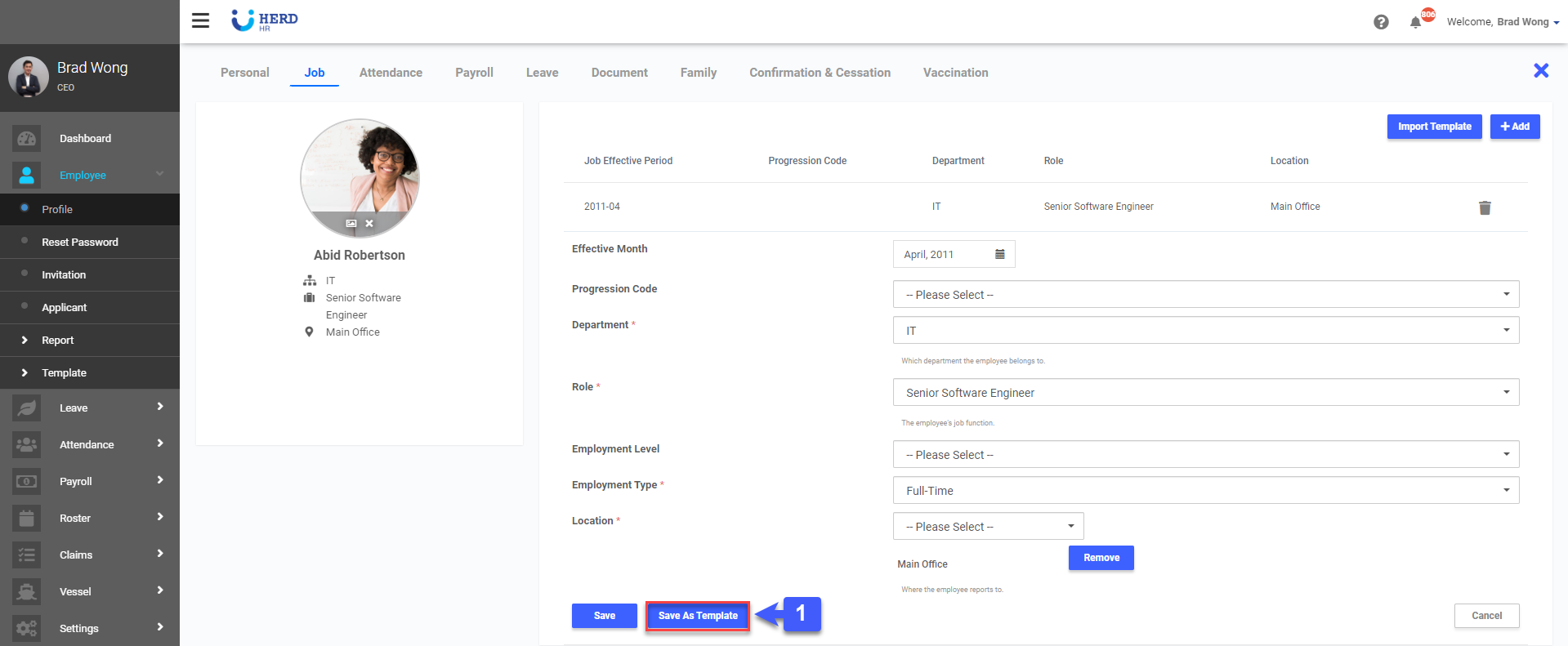
Newly Created Attendance Tabs/ Existing Attendance Tabs can be saved as a Attendance Template for future use.
- When creating or accessing an employee Attendance Tab found Under Employee > Profile. Click "Save Template"
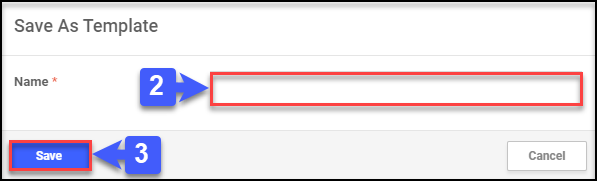
- A Pop Up Window appears. Enter your Attendance Template Name
- Click "Save", your template is now saved for future use.
Applying a Template
- When creating or accessing an employee Attendance Tab found Under Employee > Profile. Click "Import Template"
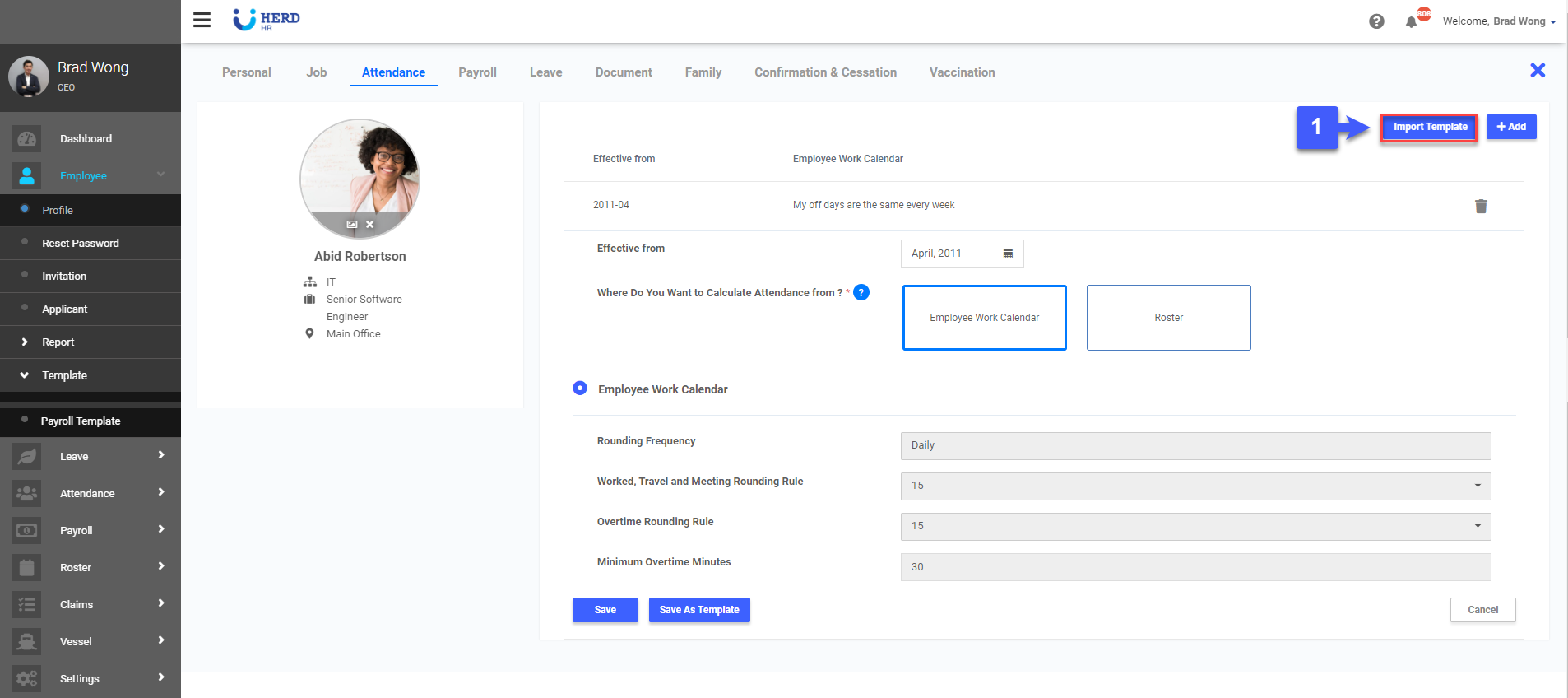
- A Pop Up Window appears. Select your required Job Template.
- Click "Import", Done
