User Profile Set up - Employee Payroll Setting
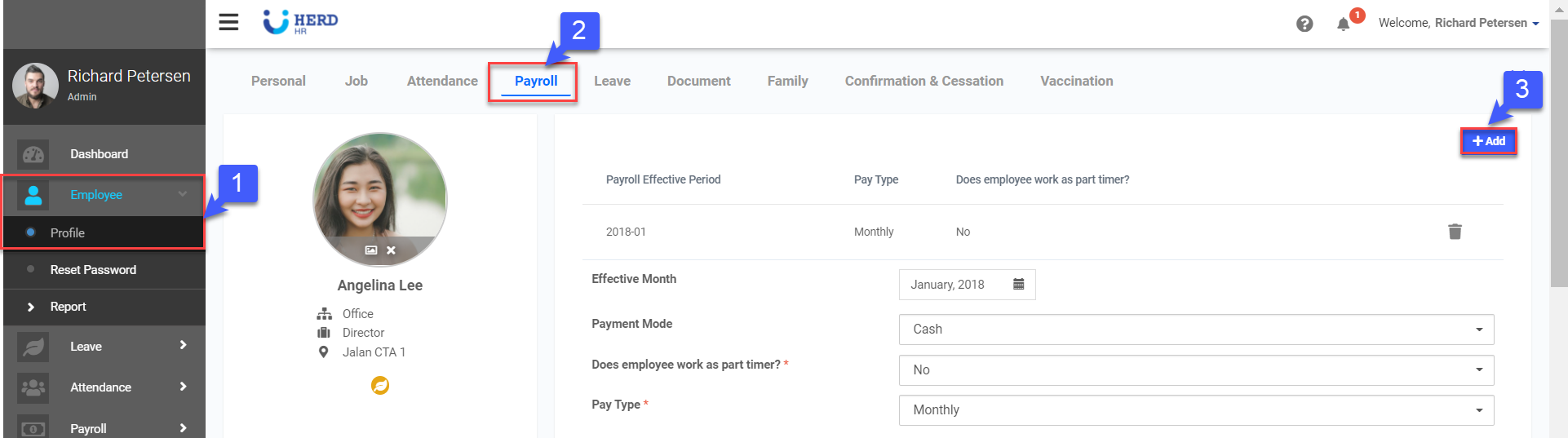
An employee profile will be created once the personal, job, and attendance settings have been completed. To access the employees’ payroll setting, Click Employee on the left sidebar menu > Click Profile > Select desired Employee > Click on the Payroll tab at the top.
Configuring Employees’ Payroll Setting
Step 1: Adding Basic Payroll Information
Step 2: Adding Allowances and Deductions
Step 3: Calculating Pay Rates
Step 1: Adding Basic Payroll Information
- Click on Employee > Profile, select desired employee
- Click on Payroll tab
- Click +Add
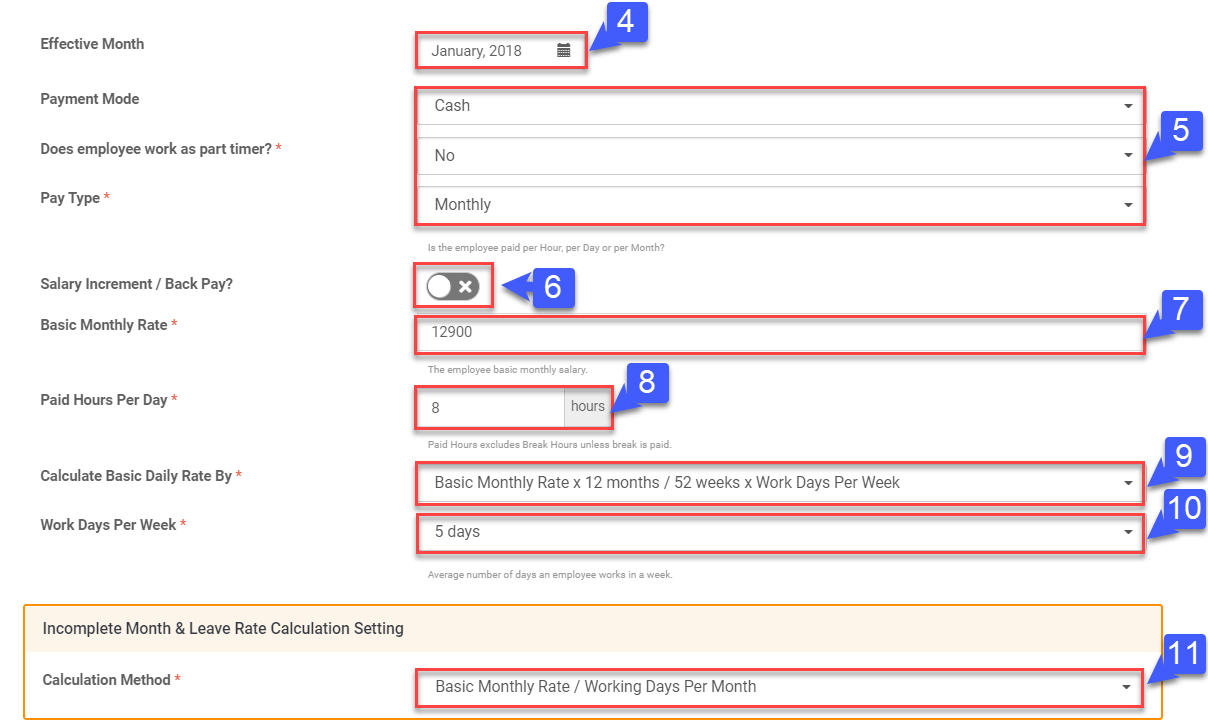
- Click “
 ” to select Effective Month
 - Select Payment Mode (Cash, Cheque, Bank), whether employee work as a part timer and Pay Type (Hourly, Monthly, Daily, etc.)
- Toggle on salary increment/Back Pay if required
- Enter Basic Rate (Hourly, Monthly, Daily, etc.)
- Key in Paid Hours Per Day
- Select Basic Daily Rate Rate By
- Select Work Hours Per Week
- Select Calculation Method for Incomplete Month & Leave Rate Calculation Setting
Step 2: Adding Allowances and Deductions
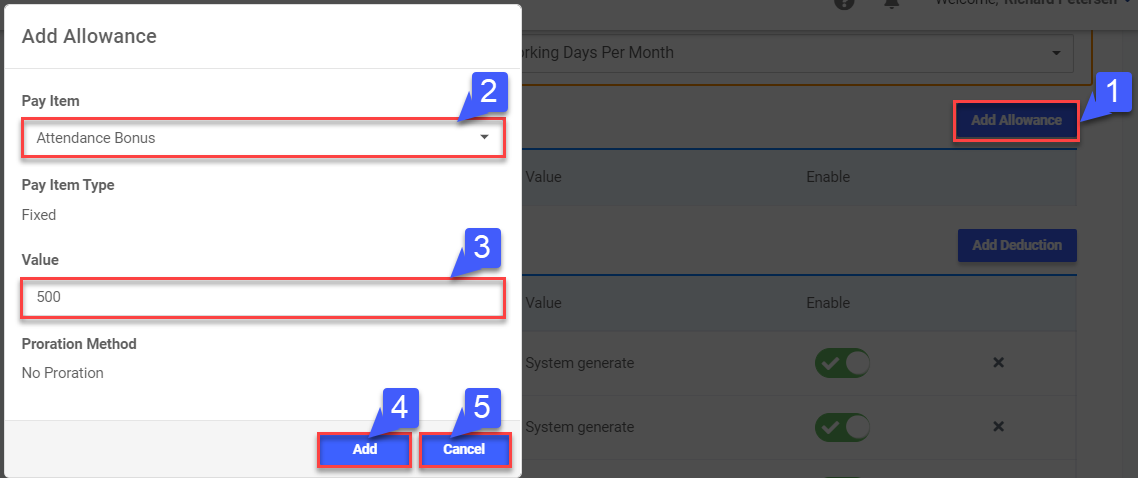
- Click Add Allowance
- Select Pay Item
- Enter Pay Item Value
- Click Add to save the record
- Click Cancel to not save record
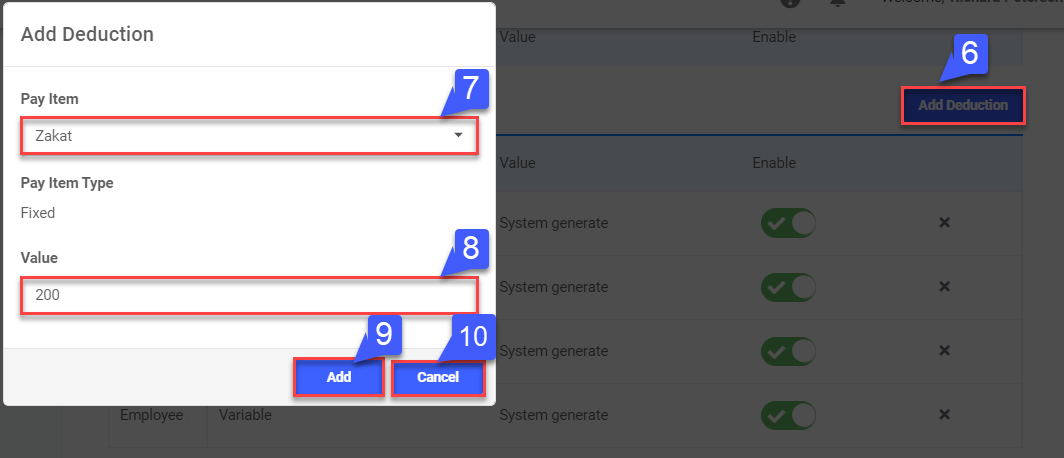
- Click Add Deduction
- Select Pay Item
- Enter Pay Item Value
- Click Add to save the record
- Click Cancel to not save record
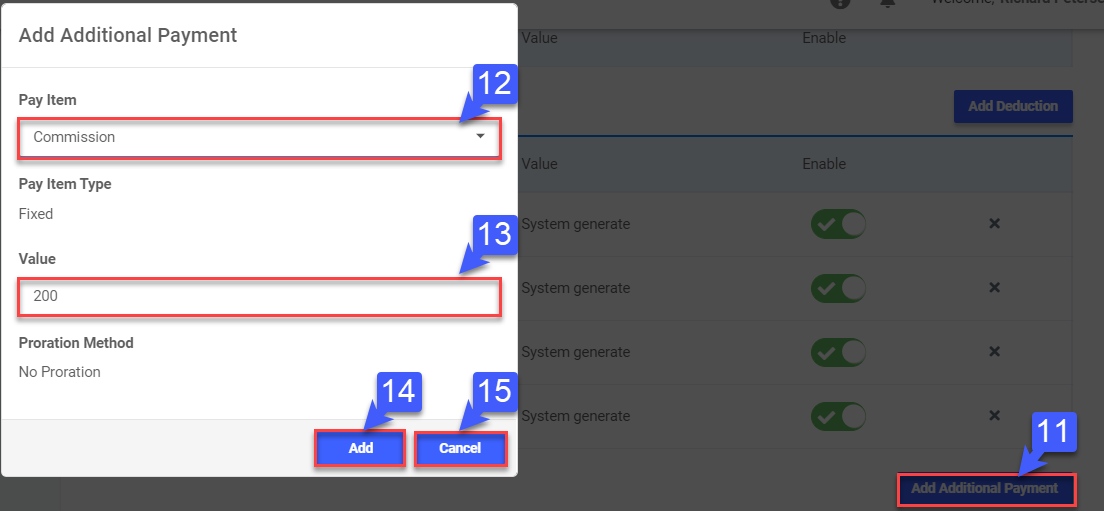
- Click Add Additional Payment
- Select Pay Item
- Enter Pay Item Value, if require
- Click Add to save the record
- Click Cancel to not save record
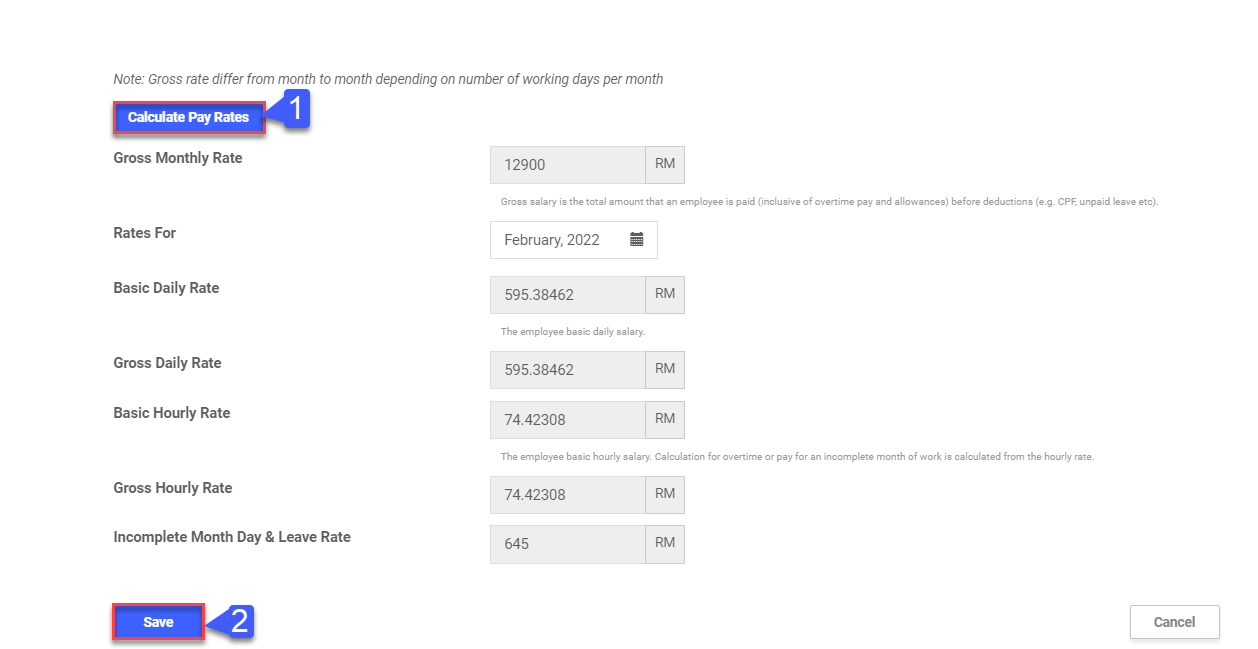
Step 3: Calculating Pay Rates
- Click Calculate Pay Rates
- Click Save