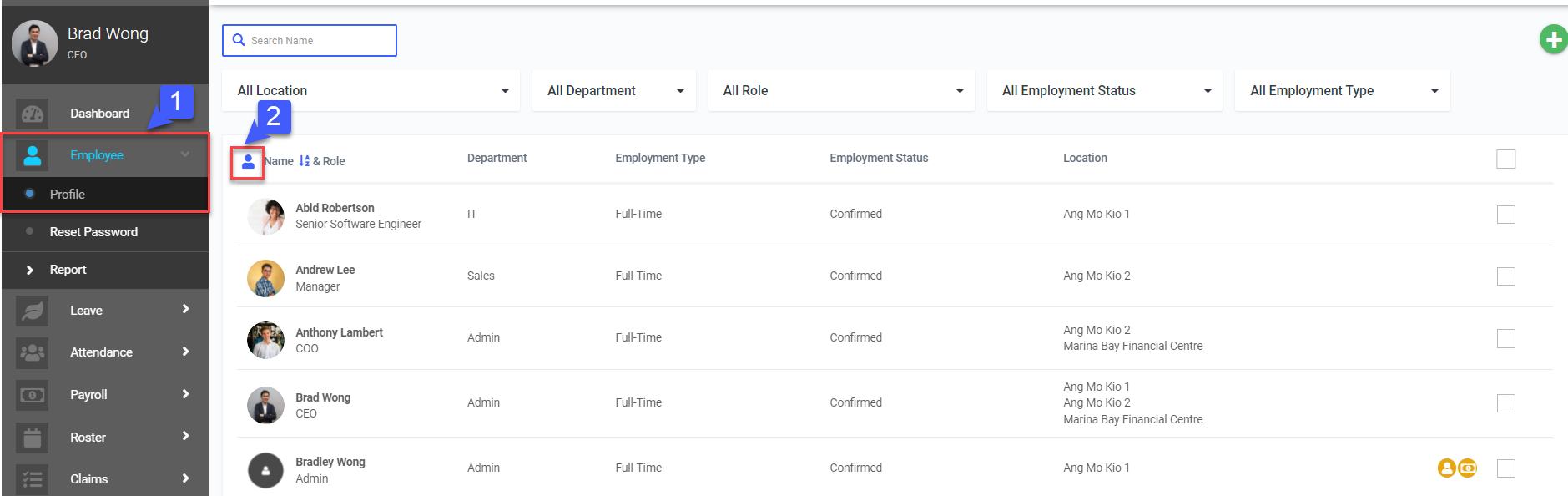
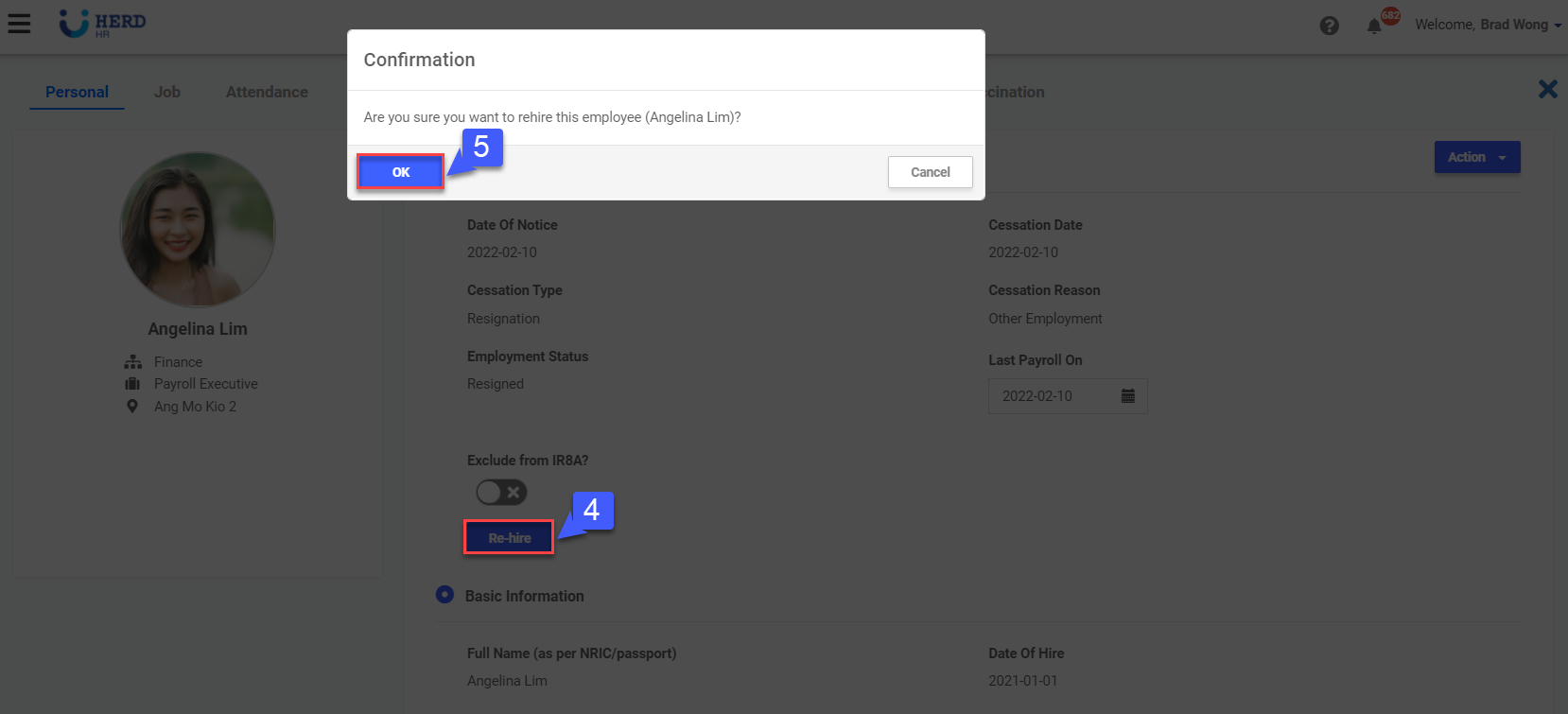
MY 3.7: How to reactivate an Employee? February 10, 2022 04:34 Updated Follow Managing Users - Reactive Employee Reactivating Employee On the left sidebar menu, Click Employee>Profile Click “” Select desired Employee Click Rehire Click OK to confirm Related articles MY 2.4: How to configure an Employee’s Payroll Setting? MY 2.8: How to configure an Employee's Confirmation / Cessation? MY 2.9: How to Create and Apply Job Template MY 13.1: How to integrate Xero with Herd? MY 8.1: How to configure Claims Settings?
 ”
” 

 ”
”