HerdHR Help Center home page
Submit a request
Sign in
  1. HerdHR
  2. Malaysia
  3. User Guide MY 3: Managing Users

Articles in this section

  • MY 3.1: How to reset / change an Employee's password?
  • MY 3.2: How to cease an Employee's employment?
  • MY 3.3: How to delete an Employee's record?
  • MY 3.4: How to mark an Employee as confidential?
  • MY 3.5: How to generate an Employee's QR Code?
  • MY 3.6: How to change an Employee's profile picture?
  • MY 3.7: How to reactivate an Employee?
  • MY 3.8: How to disable users from viewing the leave of other users in Herd App?

MY 3.5: How to generate an Employee's QR Code?

  • February 10, 2022 03:05
  • Updated
Follow

Managing Users - Generate Employee QR Code

Generate QR

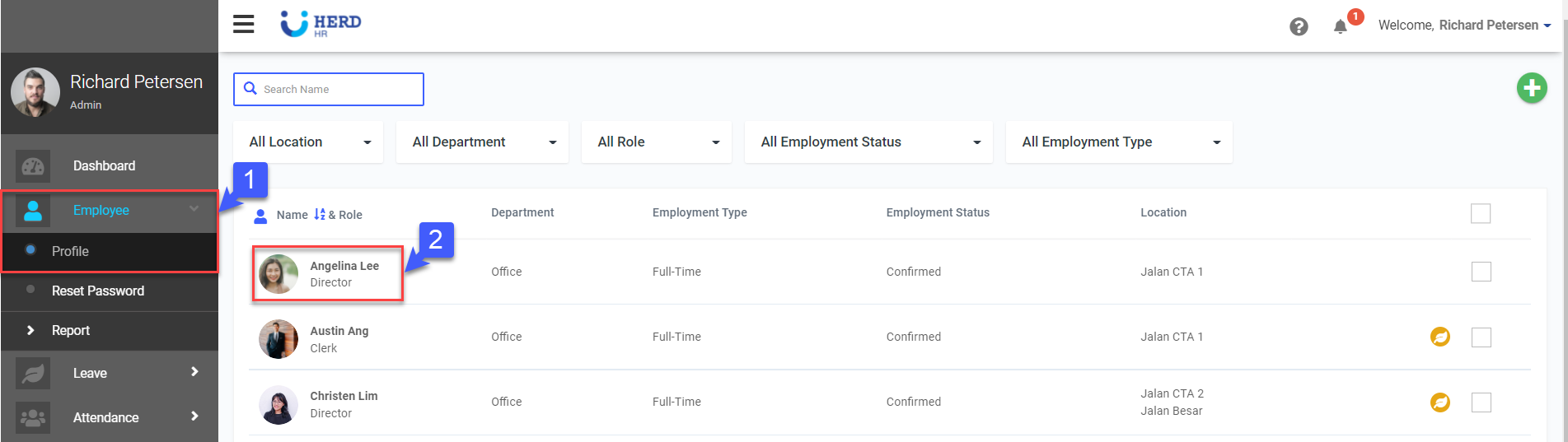
  1. On the left sidebar menu, Click Employee>Profile
  2. Select desired Employee2022-02-09_17-50-11.png
  3. Click Action
  4. Click Generate QR2022-02-10_10-15-03qr.png
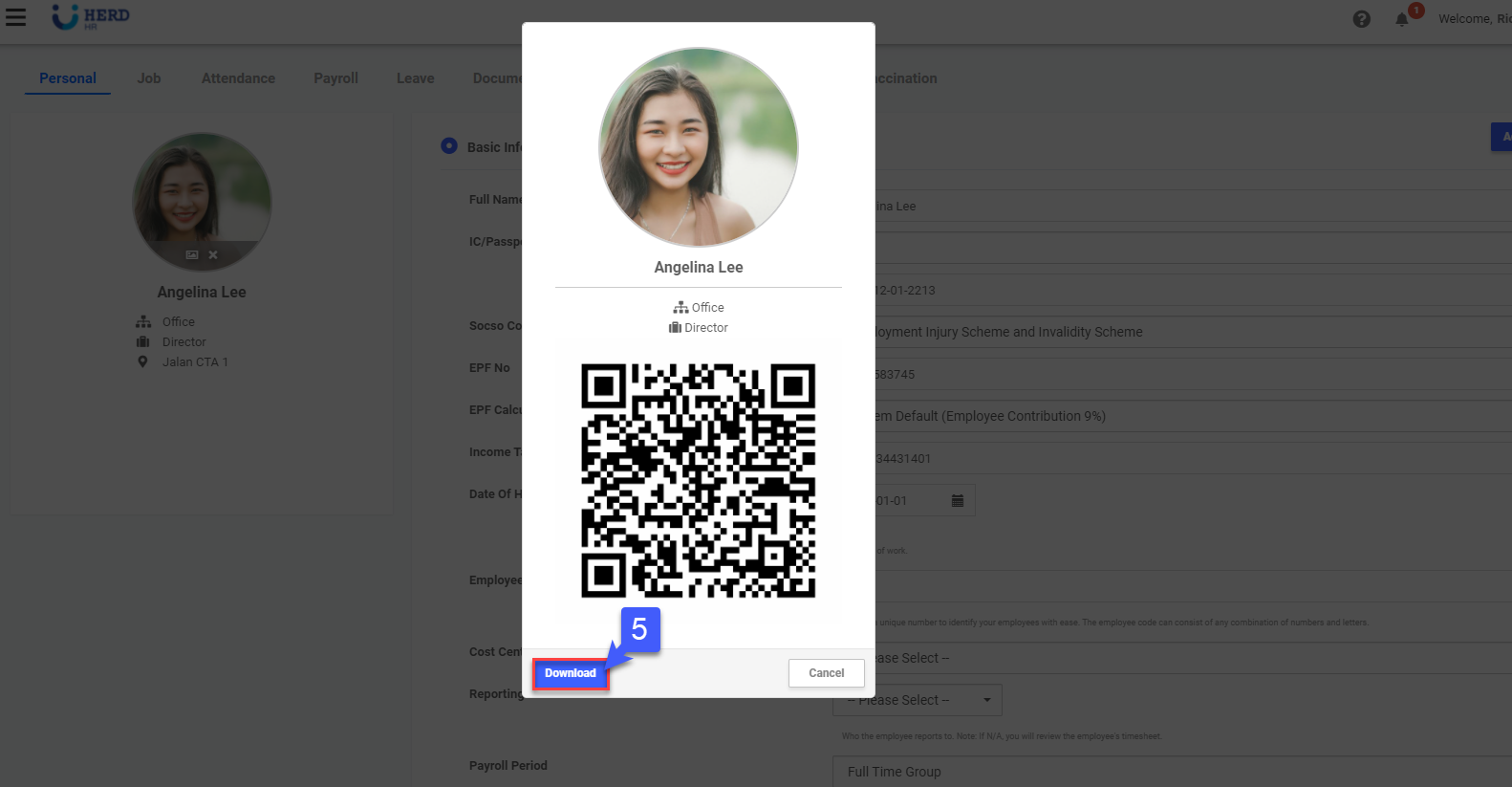
  5. Click Download to download QR code2022-02-10_11-02-33.png
  • Facebook
  • Twitter
  • LinkedIn
Was this article helpful?
0 out of 0 found this helpful
Have more questions? Submit a request
Return to top

Related articles

  • MY 3.6: How to change an Employee's profile picture?

HerdHR