Managing leave - Applying Leave
Applying leave
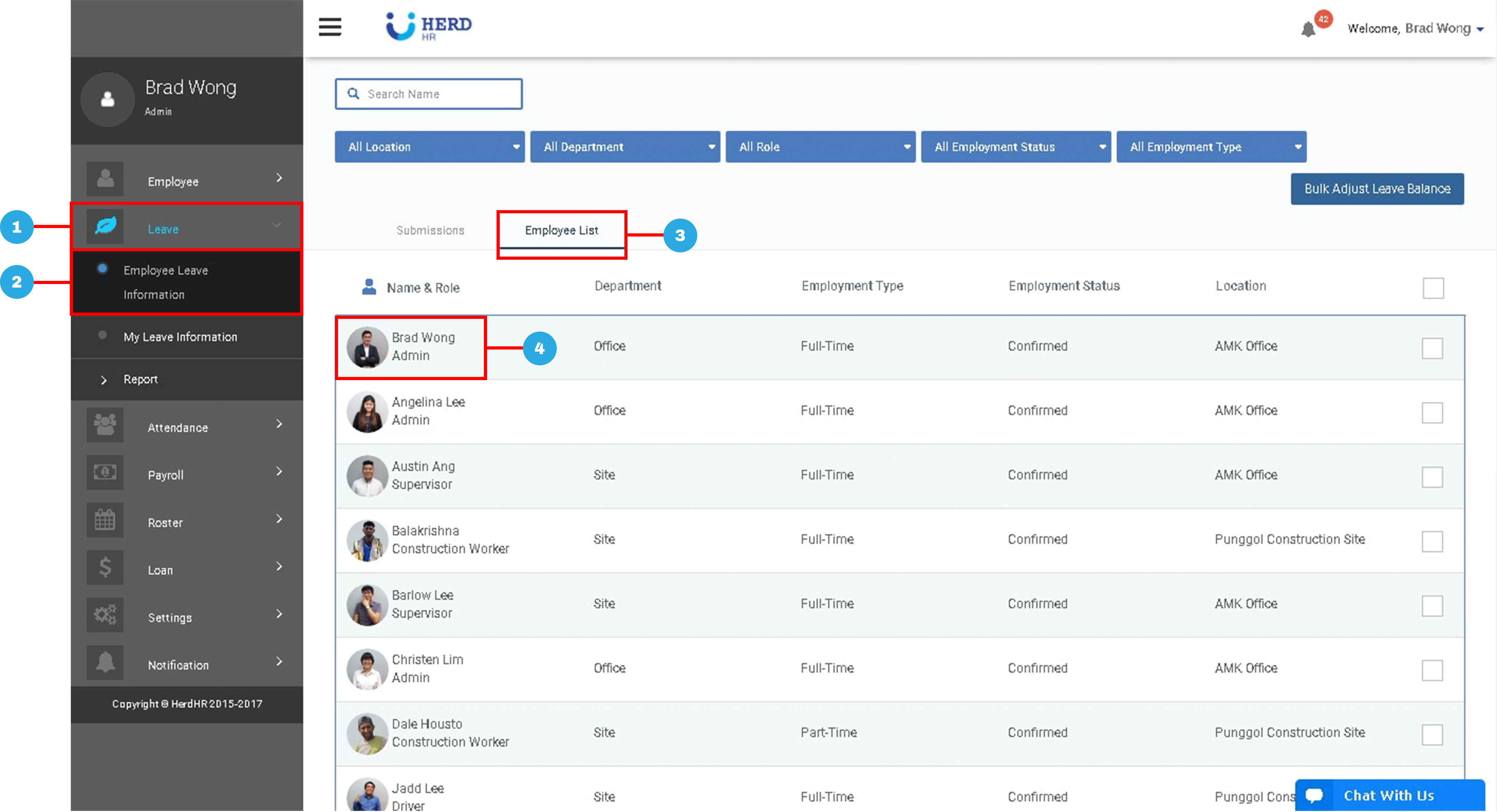
- On the left sidebar menu, Click Leave
- Click Employee Leave Information
- Click Employee List
- Select desired Employee
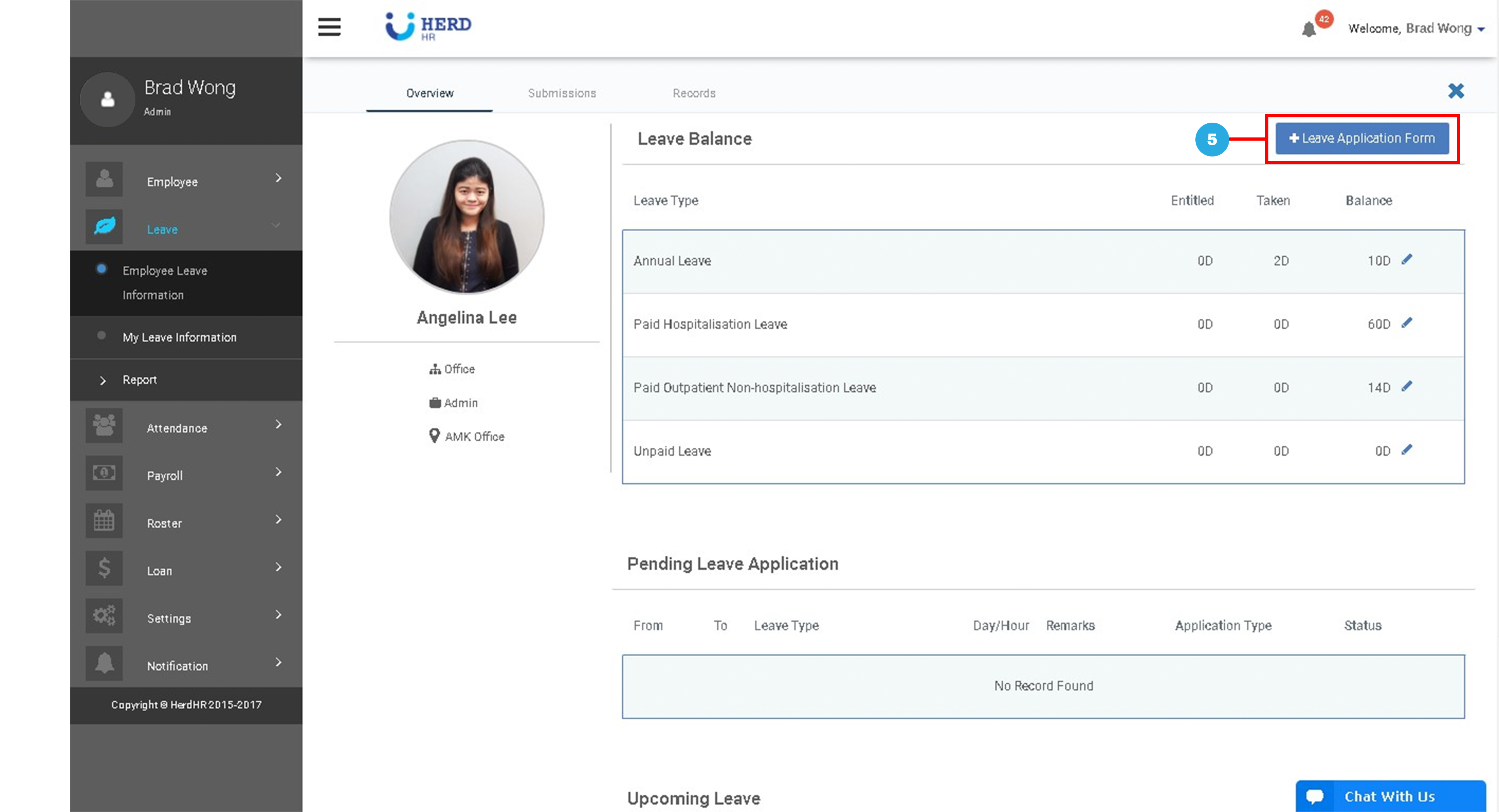
- Select +Leave application form
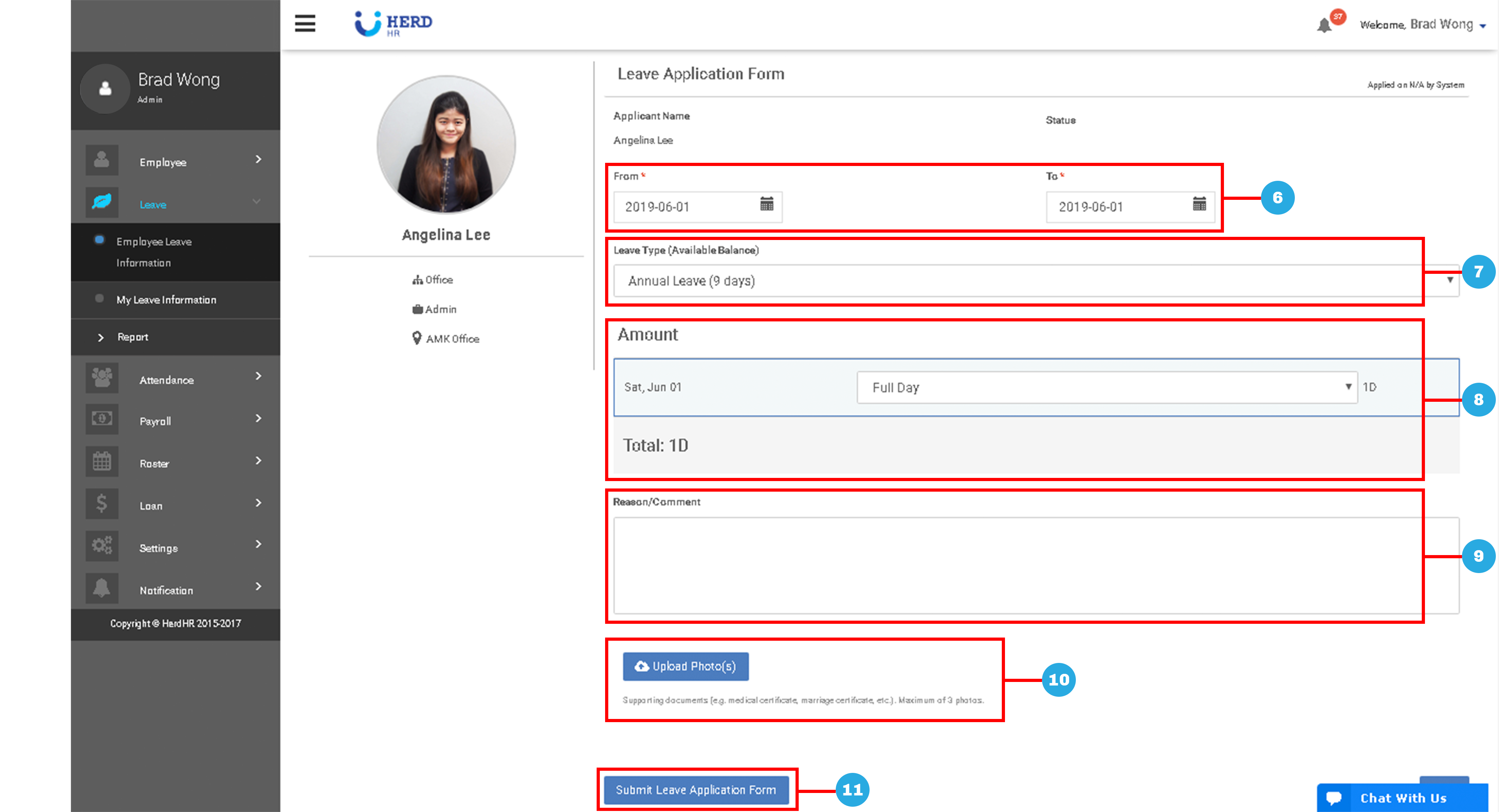
- Click “
 ” to select Start and End Dates
 - Select Leave Type
- Select Leave Duration (Half / Full day)
- Enter Reason or Comment, if any
- Upload Photo(s), if any
- Click Submit Leave Application Form