Eligible working parents of Singapore citizen children are entitled to 6 days of paid Childcare Leave per year for children under 7 years old. Parents of non-citizens can get 2 days of Childcare Leave a year in accordance with the Employment Act. Parents may also be eligible for Extended Childcare Leave for a child aged 7 to 12 years.
How to assign Childcare Leave to Employees?
To assign Childcare Leave to new Employees, or Employees who do not have Childcare Leave under the list of Leave Types assigned to them, follow these steps:
- On the left sidebar menu, click “Employee”.
- Click "Profile".
- Select the Employee and click.
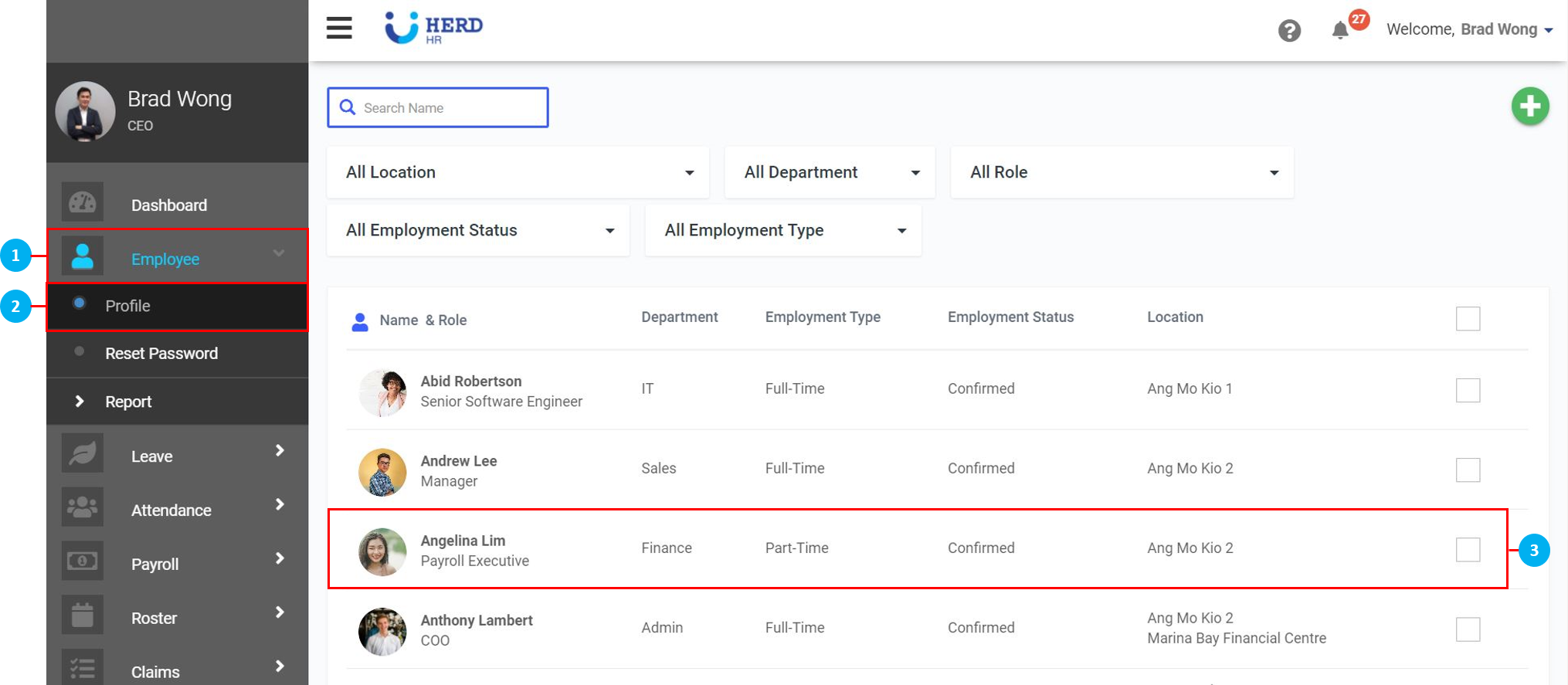
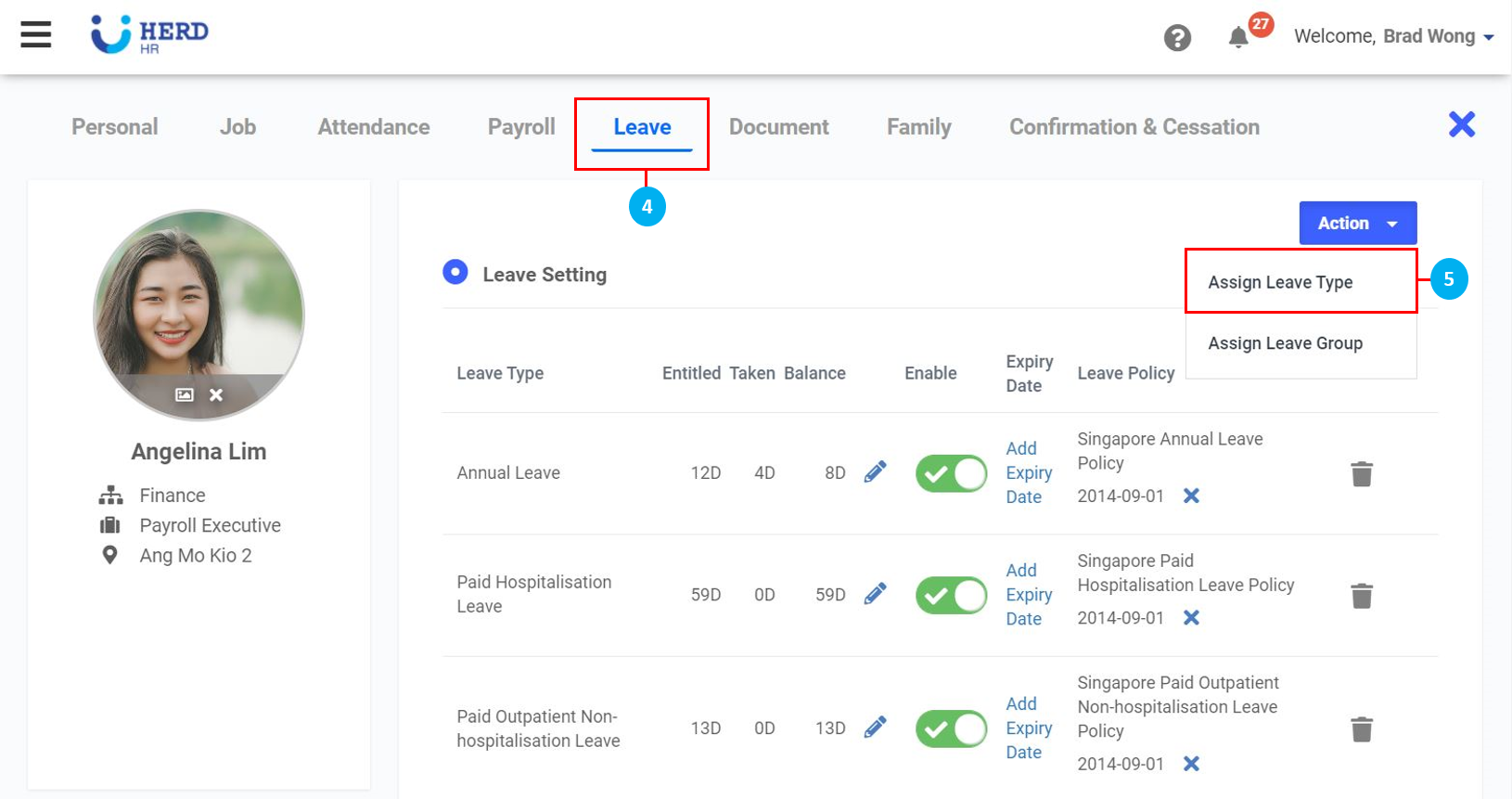
- Click "Leave".
- If Childcare Leave / Extended Childcare Leave do not appear under Leave Setting, click "Action" > "Assign Leave Type". (*Note: If they are already in the list, learn how to assign children to Childcare Leave here.)
- Select "Childcare Leave / Extended Childcare Leave" from the drop down list. (*Note: If Childcare Leave / Extended Childcare Leave does not appear in the list, they need to be configured. Click here to find out how to add Leave Type and Leave Policy.)
- Click on the
 icon to sync and repopulate the drop down list if Childcare Leave / Extended Childcare Leave does not appear in the list. (*Note: This is required if you opened up a new tab to create these Leave Types). Once done, click Assign.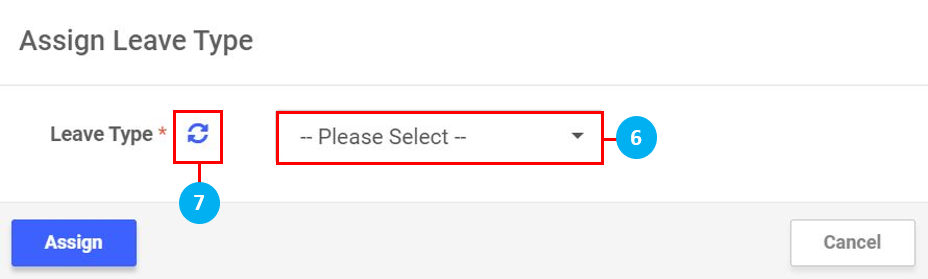
What to do if you have already created the Childcare Leave type manually in the system?
There is a default list of Leave Types most commonly used in Singapore preset in the system. You can use these Leave Types, or choose to create your own Leave Types in accordance with your company's practices. To learn to create your own Leave Types, click here.
For those of you who have already created a Childcare Leave type manually and started using it in the system to continue using your own Childcare Leave Type, follow these steps:
- On the left sidebar menu, click “Settings”.
- Click "Leave Types".
- Click on the Childcare Leave type you have previously created.
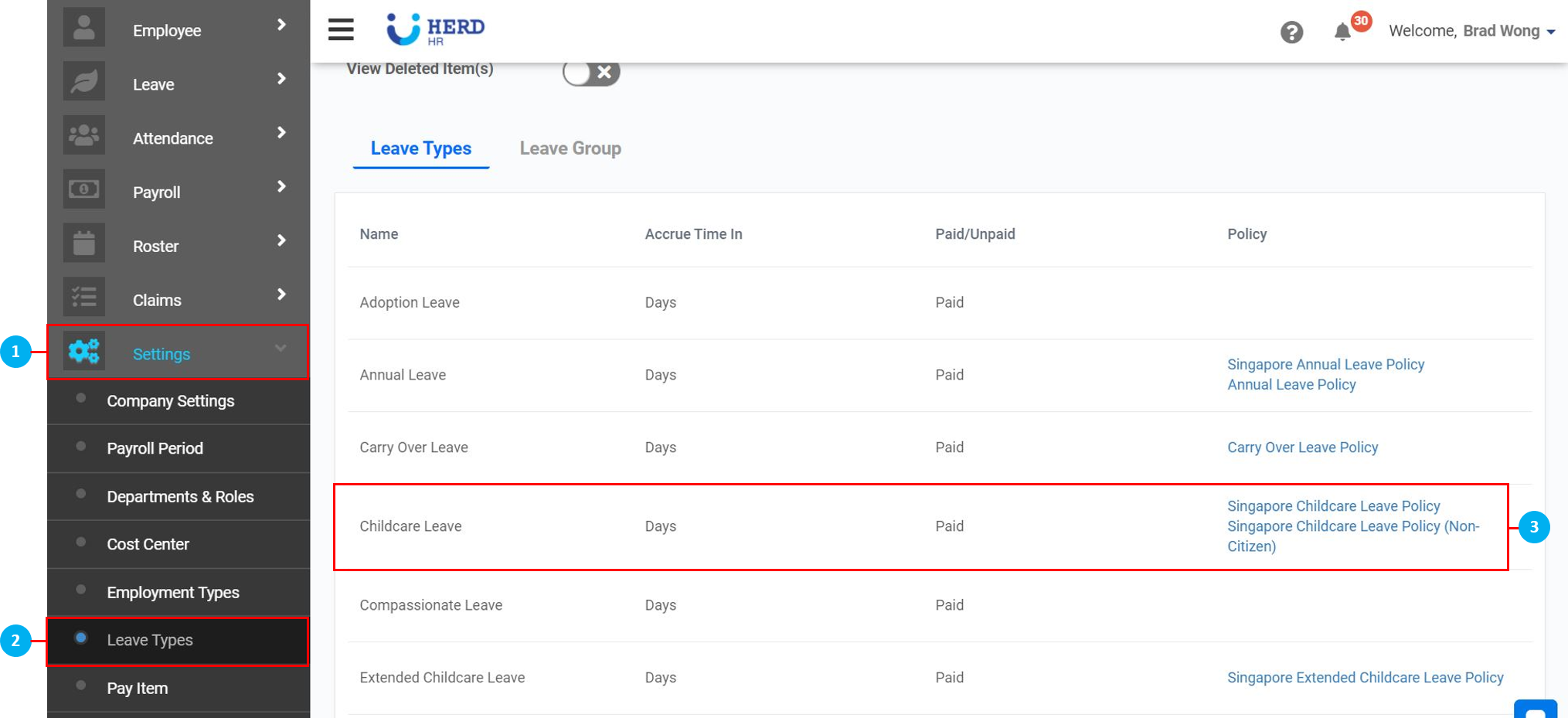
- Use the toggle switch to select this Leave Type you have created as the Default Childcare Leave. If you do this, you will not be able to set this Leave Type as Extended Childcare Leave. You are only allowed to select one or the other.
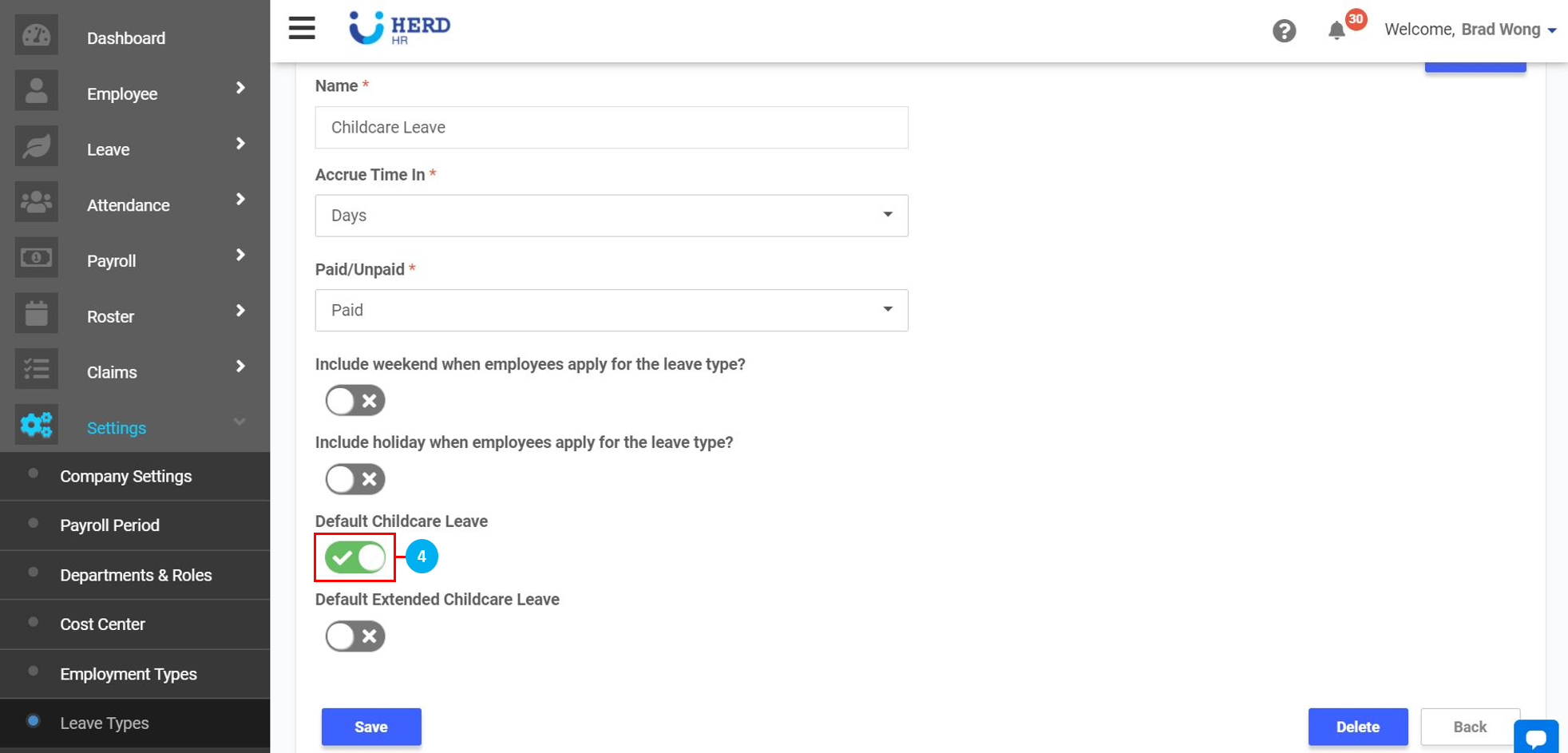 (*Note: If you have also created an Extended Childcare Leave type yourself, you can go to that Leave Type and use the toggle switch to select that Leave Type you have created as the Default Extended Childcare Leave as done in Step 4, or use the Extended Childcare Leave we have added to the system.)