Users who are disabled will not be able to clock in/ out on Herd+.
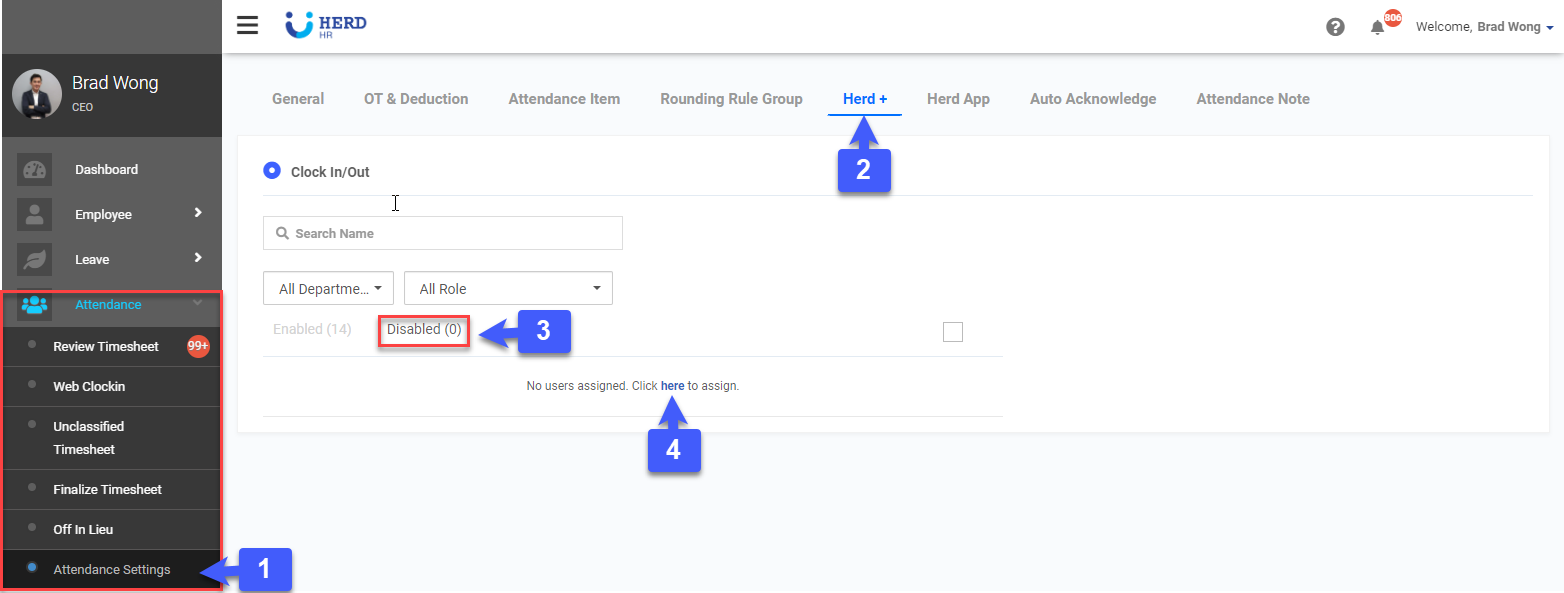
To disable users
- On the left sidebar menu, go to Attendance > Attendance Settings.
- Select Herd+ tab
- Click Disabled
- Click here to assign users.
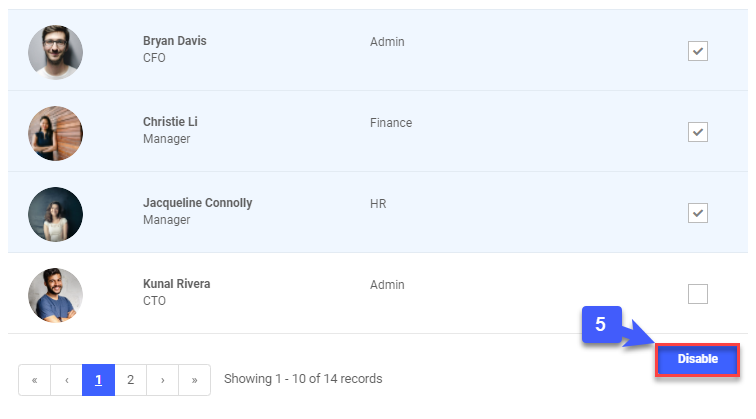
5. Select users and click Disable
Users who are disabled will not be able to clock in/ out on Herd+.
5. Select users and click Disable