Using Herd Web Kiosk:
Accessing Herd Web Kiosk
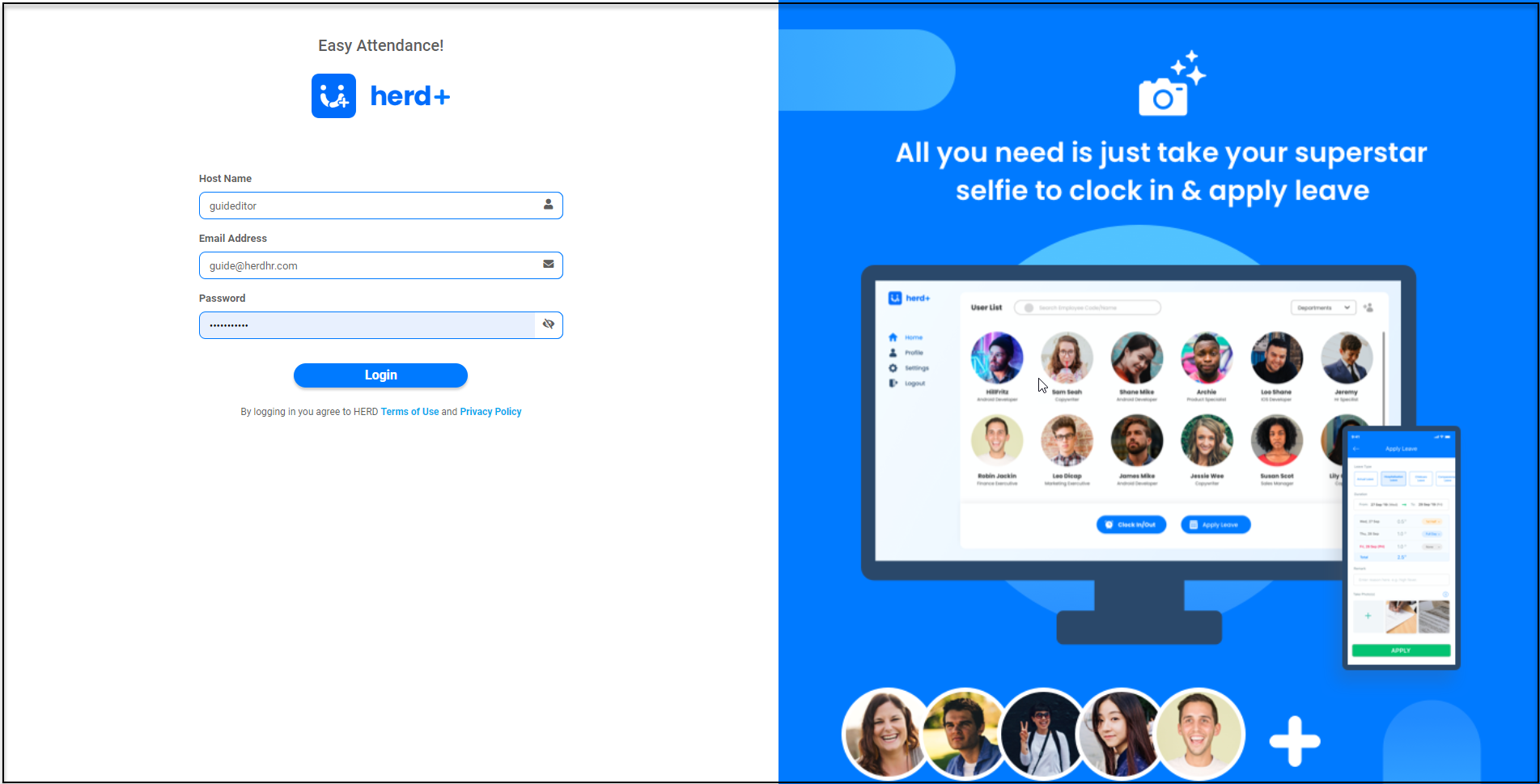
Access the Herd Web Kiosk on your Web Browser via https://portal.myherdhr.com/webkiosk.html#!/login or Click here.
Getting Started
-
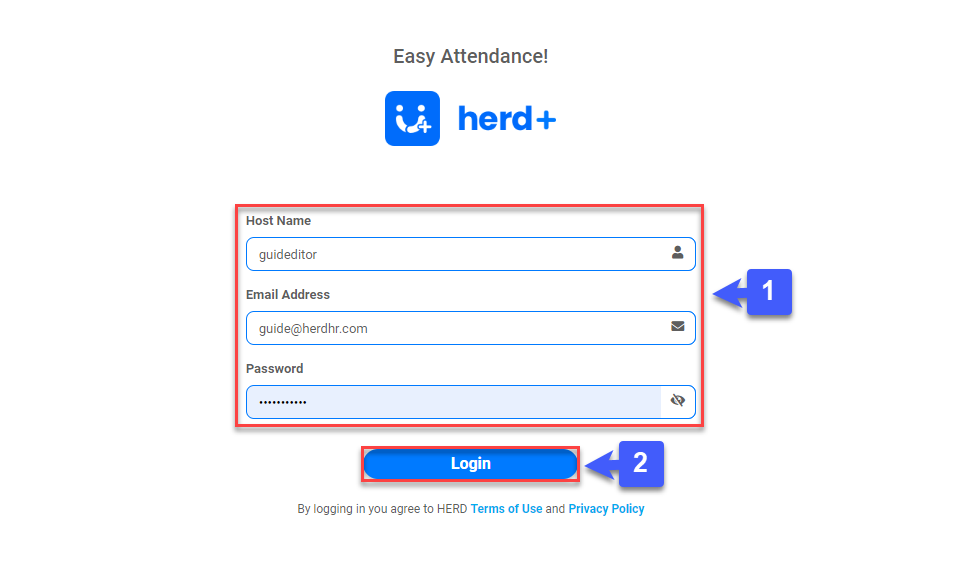
Sign in using your Herd account credentials which have been sent to you via email.
Hostname: herdhr <- Your Tenant Name
Email: sample@gmail.com <- Your working email address
Password: G@H#H$JF <- Enter your password
- Tap on Login at the bottom of the screen.
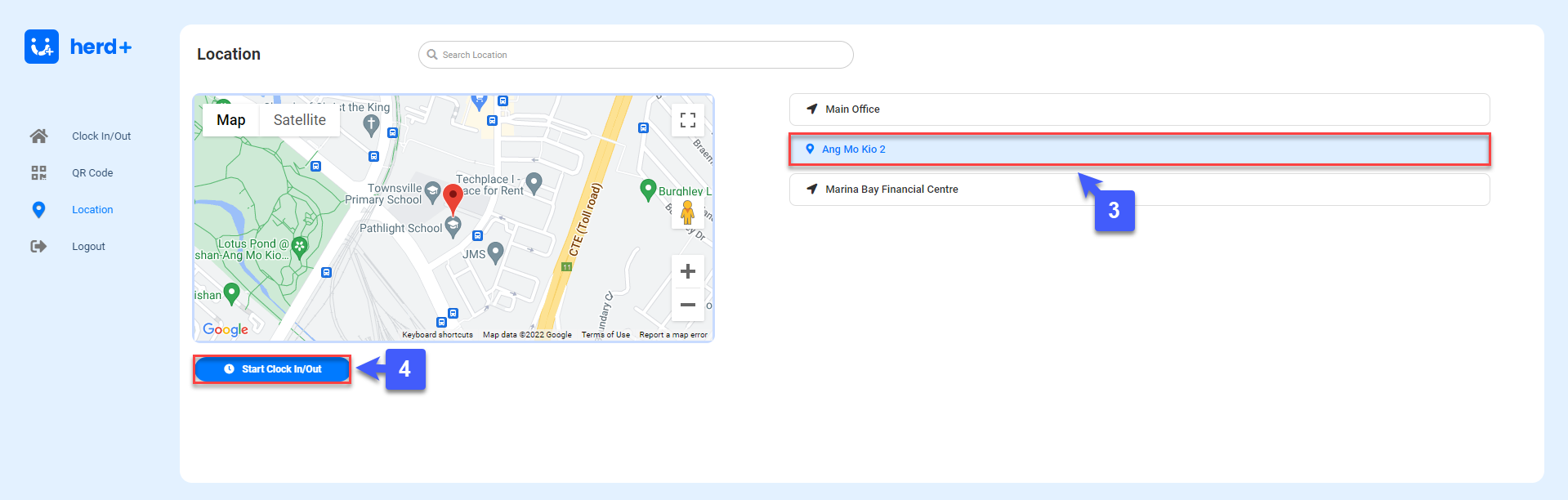
- Once you have signed in, you will be prompted to select your current location where your Employees will use the Web Kiosk for Attendance taking.
- Tap on "Start Clock In/Out" to begin.
Navigating Herd Web Kiosk
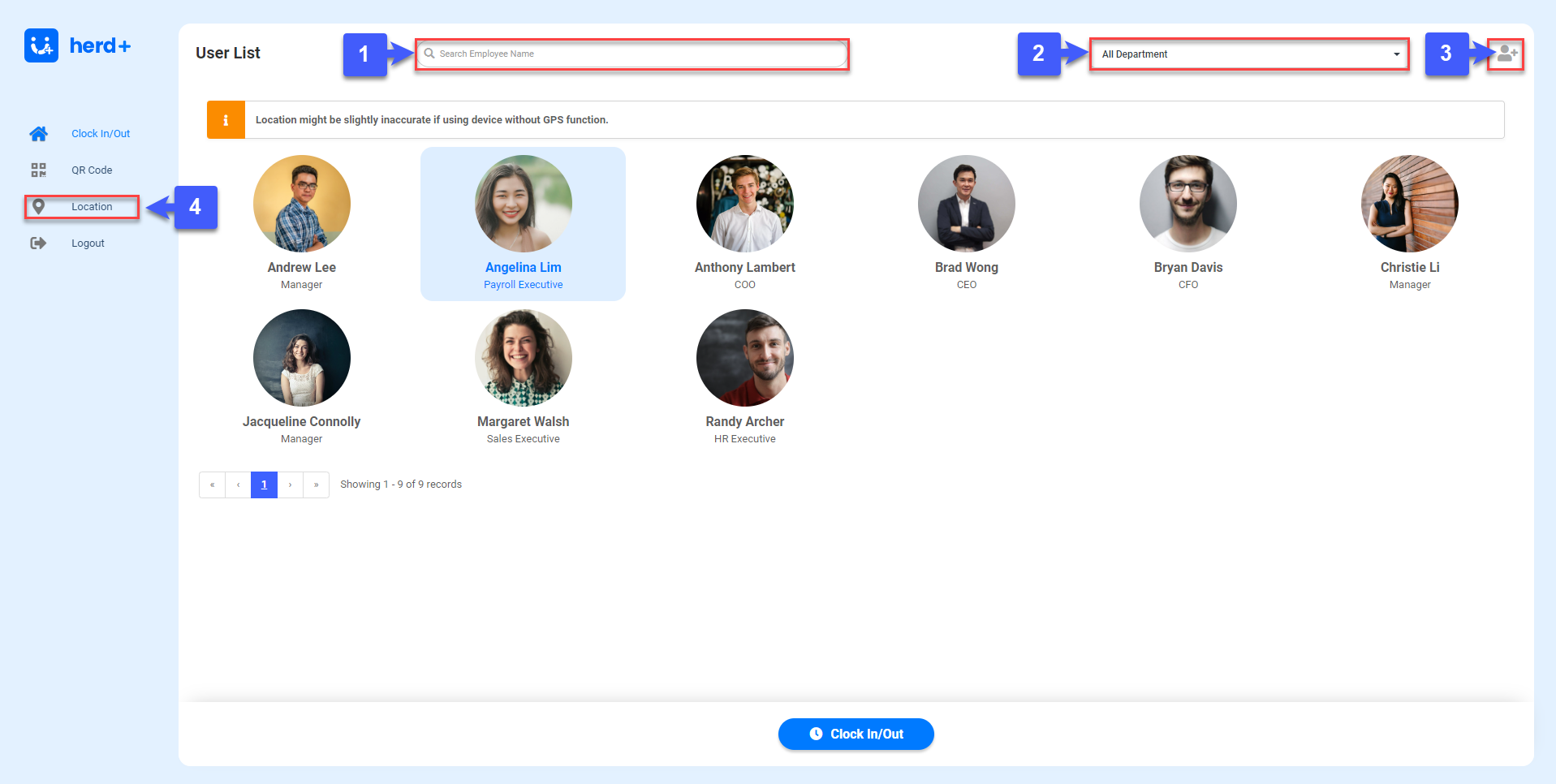
- Make Use of Search Bar to find individual Users
- Select and filter your User List by Department
- Click on "Add User Icon" to add a unclassified New User.
- Click on "Location" to change the current location where your Employees will use the Web Kiosk for Attendance taking.
Clocking In
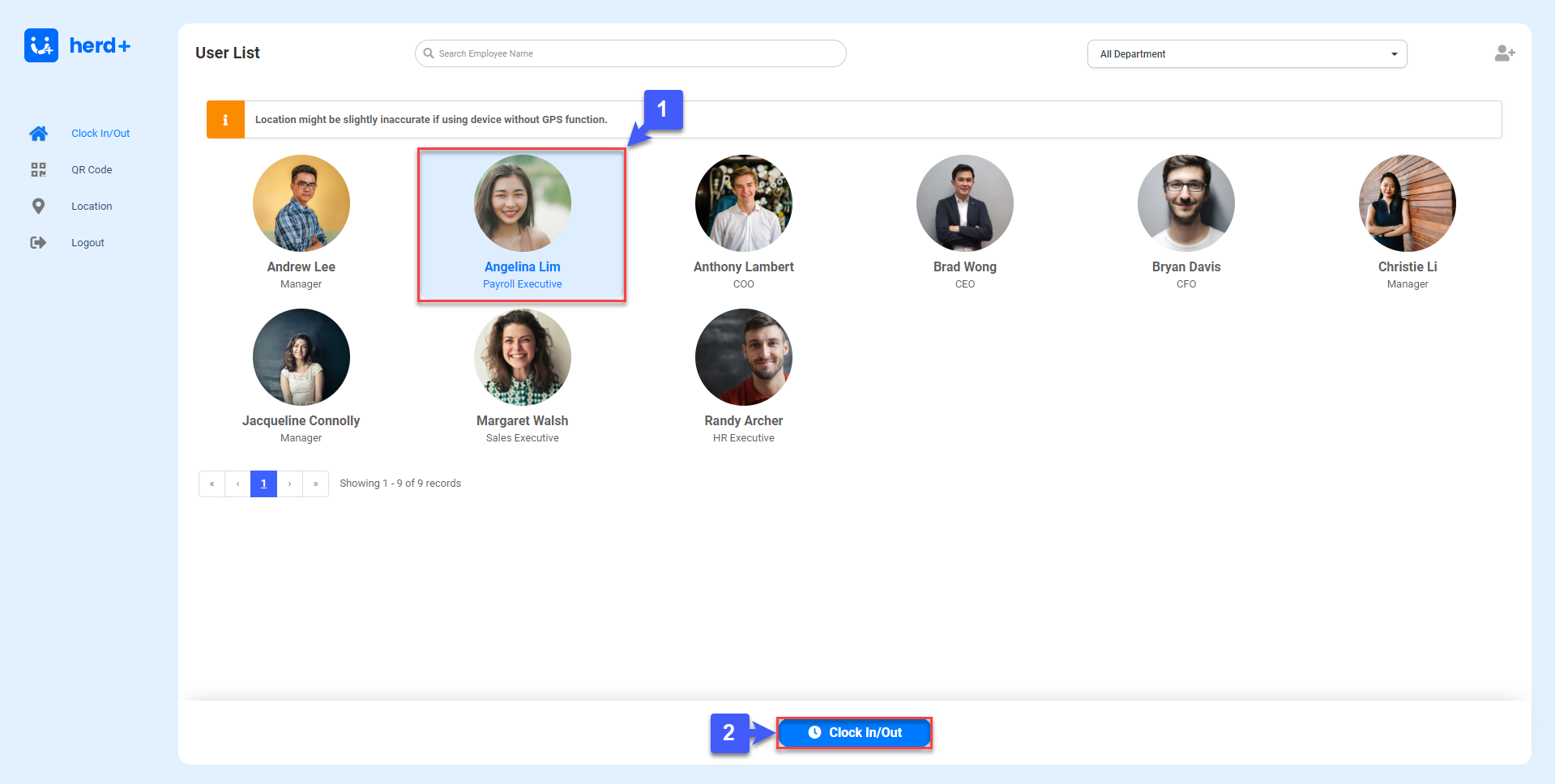
To Begin Clocking in on HERD Web Kiosk
- Select your User Profile
- Click on "Clock In/Out", to begin Clocking In.