Eligible working parents of Singapore citizen children are entitled to 6 days of paid Childcare Leave per year for children under 7 years old. Parents of non-citizens can get 2 days of Childcare Leave a year in accordance with the Employment Act. Parents may also be eligible for Extended Childcare Leave for a child aged 7 to 12 years.
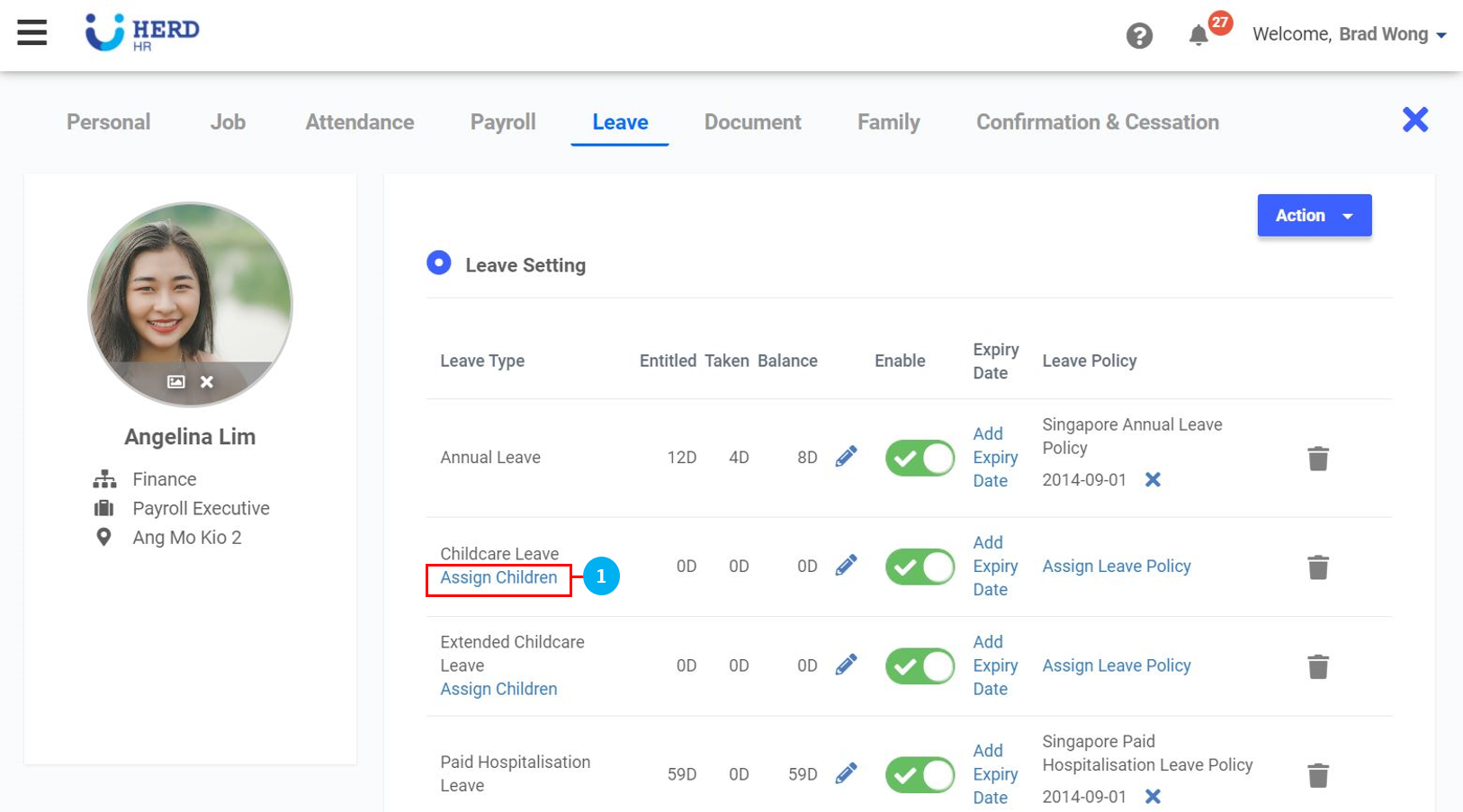
Assign Children
- Click on Assign Children.
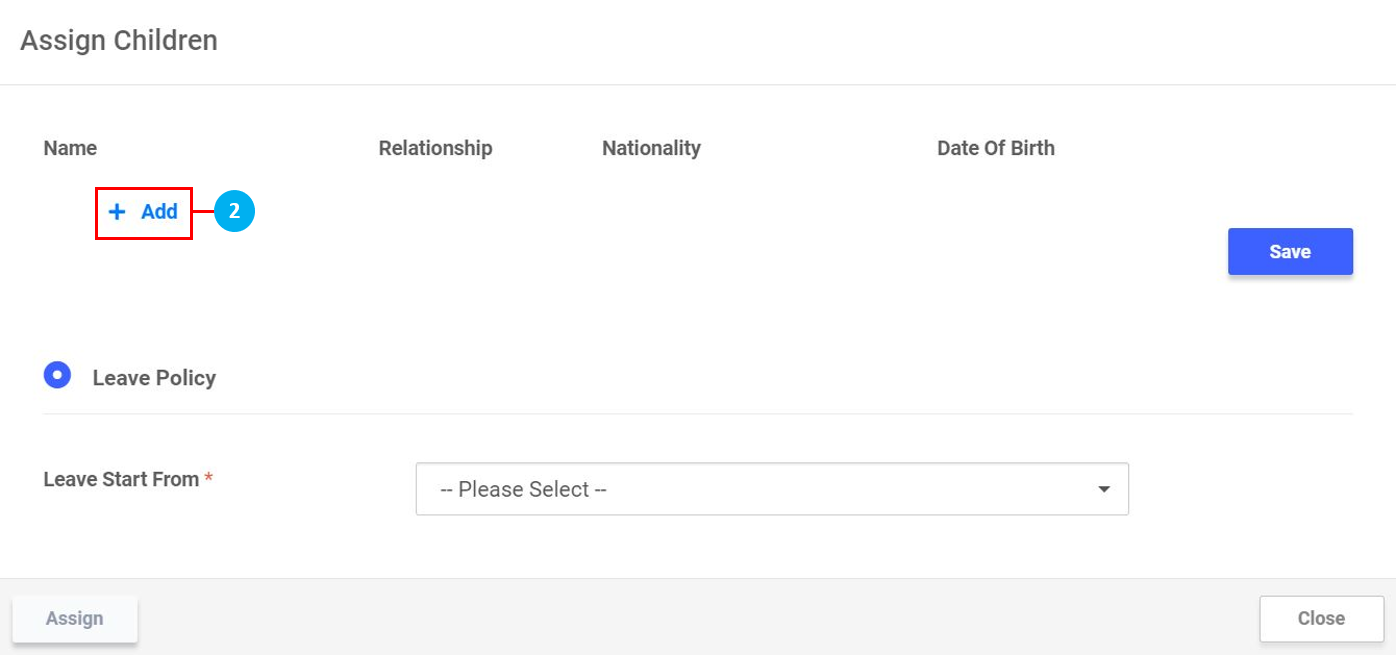
- Click "+ Add".
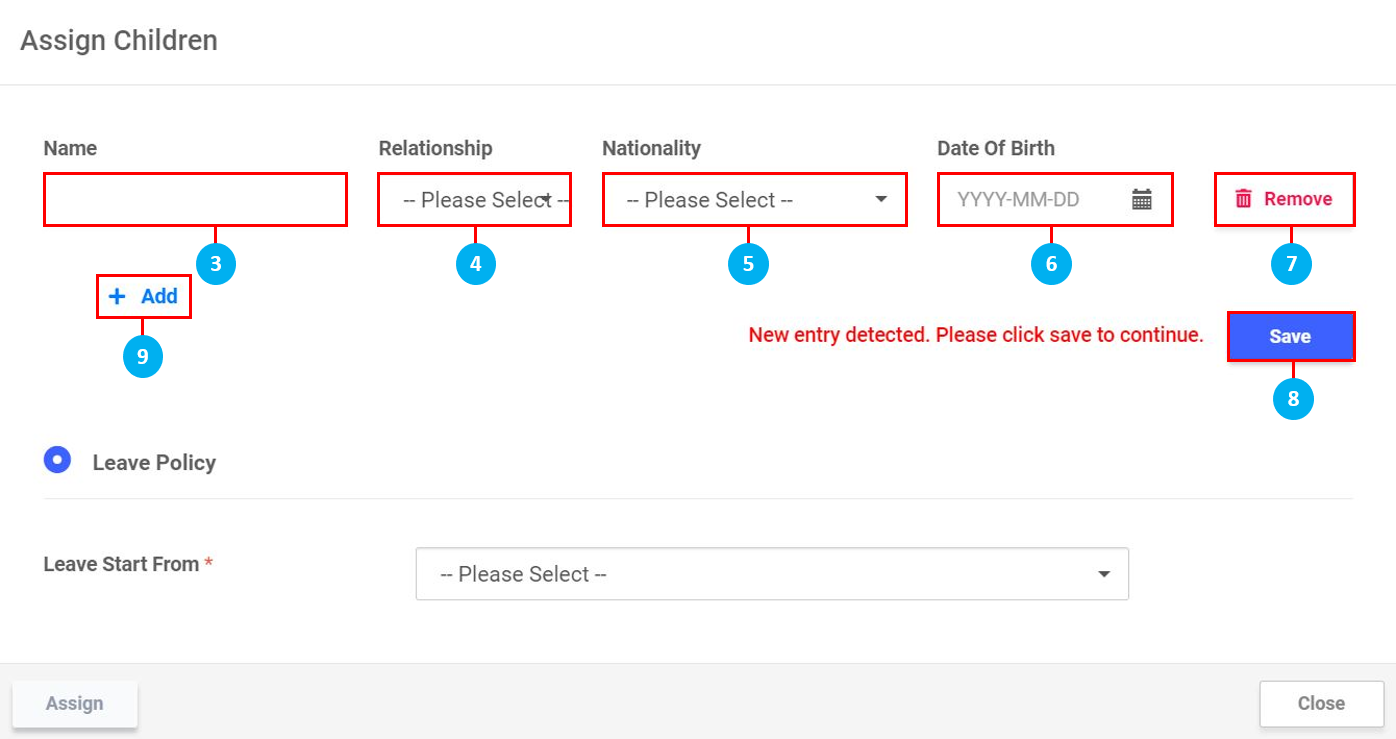
- Key in the Name of the child.
- Select Son / Daughter from the drop down list.
- Select the Nationality of the child from the drop down list.
- Select the Date of Birth of the child.
- Click Remove to delete this entry.
- Once done, click Save. (*Note: This is required to continue.)
- Click "+ Add" to add another child.
- Select when Childcare Leave Start From - Current Year / Next Year.
- Once Leave Start From has been selected, the Age of Youngest Child will be reflected here.
- Select Leave Policy from the drop down list.
- Select the Policy Start Date and Policy Expiry Date. (*Note: Based on the selections made earlier, the Policy Expiry Date will be system generated).
- Once done, click Assign.
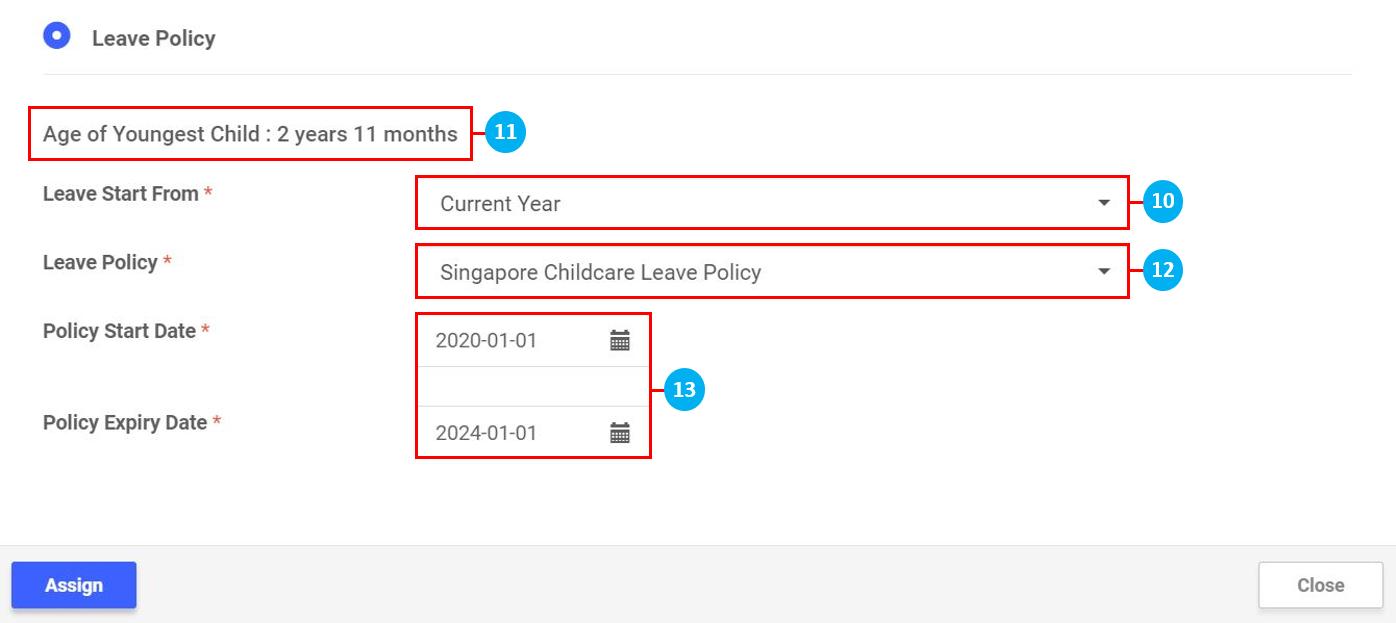
*Note: The system will assign the Singapore Childcare Leave Policy automatically based on the child's / children's age once you Assign Children, and will also automatically update the Leave Balance under the Childcare Leave Type. When the child turns 7 years old, this policy will expire, and the system will prompt you to assign the child under Extended Childcare Leave.
Other Leave Settings
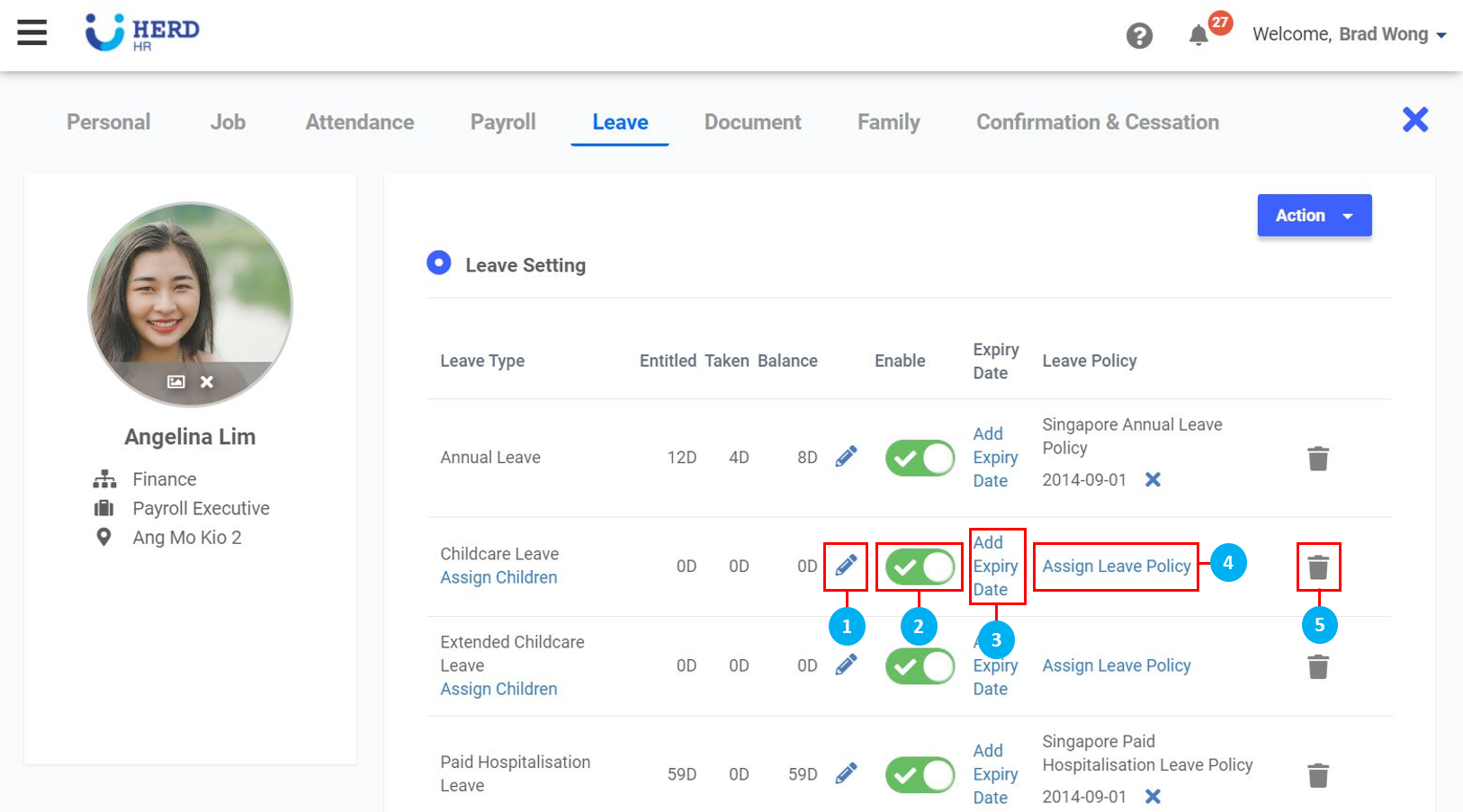
- Click on the
 icon to edit the Leave balance. Select whether to Add / Subtract, key in the number of days, leave a remark under "Note" (required) and click Save.
 - Use the toggle button to Enable / Disable this Leave Type.
- Click to Add Expiry Date for this Leave Type, if required. Once done, click Add.
- Click to Assign Leave Policy, if required. Select the Leave Policy from the drop down list, and select the Policy Start Date. Once done, click Assign.
- Click on the
 icon to delete the Leave Type. Click Confirm to proceed.