To configure an employee's confirmation or cessation, simply click Employee on the left sidebar menu > click Profile > select the desired Employee > click on the Confirmation & Cessation tab at the top.
Confirmation
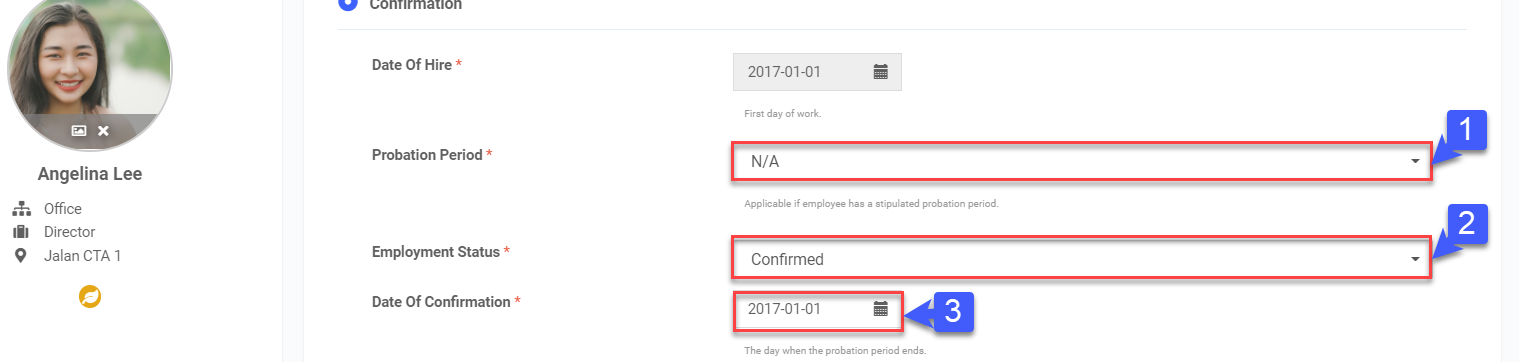
- Select the Probation Period from the drop down list. If you select "Custom", key in the number of months in the box.
- Select the Employment Status from the drop down list.
- Select the Date Of Confirmation.
- Once done, click Save.
Cessation
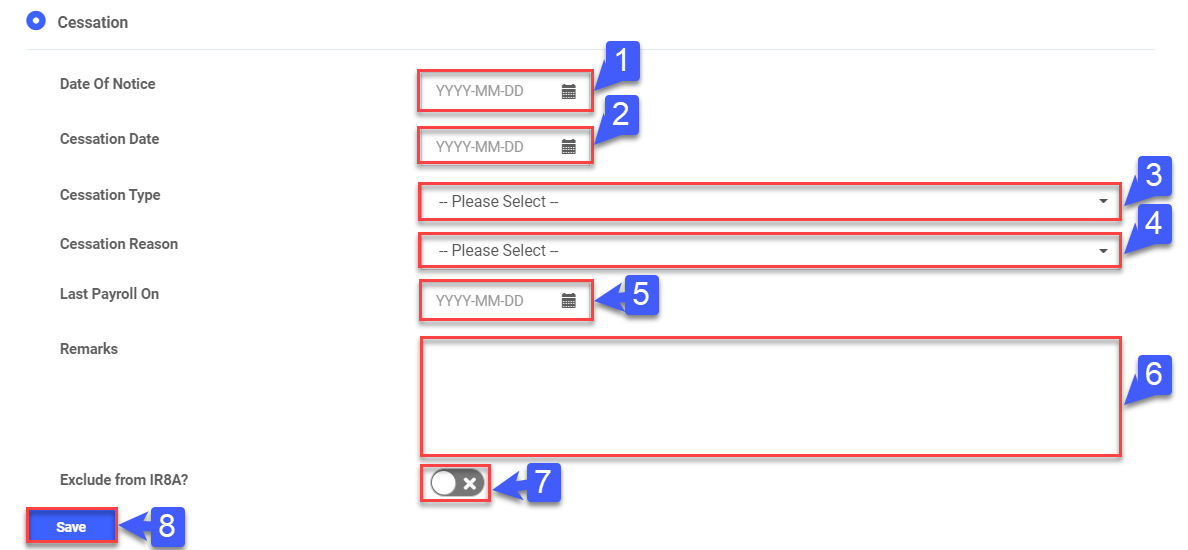
- Select the Date Of Notice.
- Select the Cessation Date.
- Select the Cessation Type from the drop down list.
- Select the Cessation Reason from the drop down list.
- Select the Last Payroll On date.
- Key in Remarks, if required.
- Use the toggle switch to Exclude from IR8A.
- Once done, click Save.