Managing Leave - Approve & Rejecting leave
Approving/Rejecting Leave Application via Herd Web
Approving Leave Application
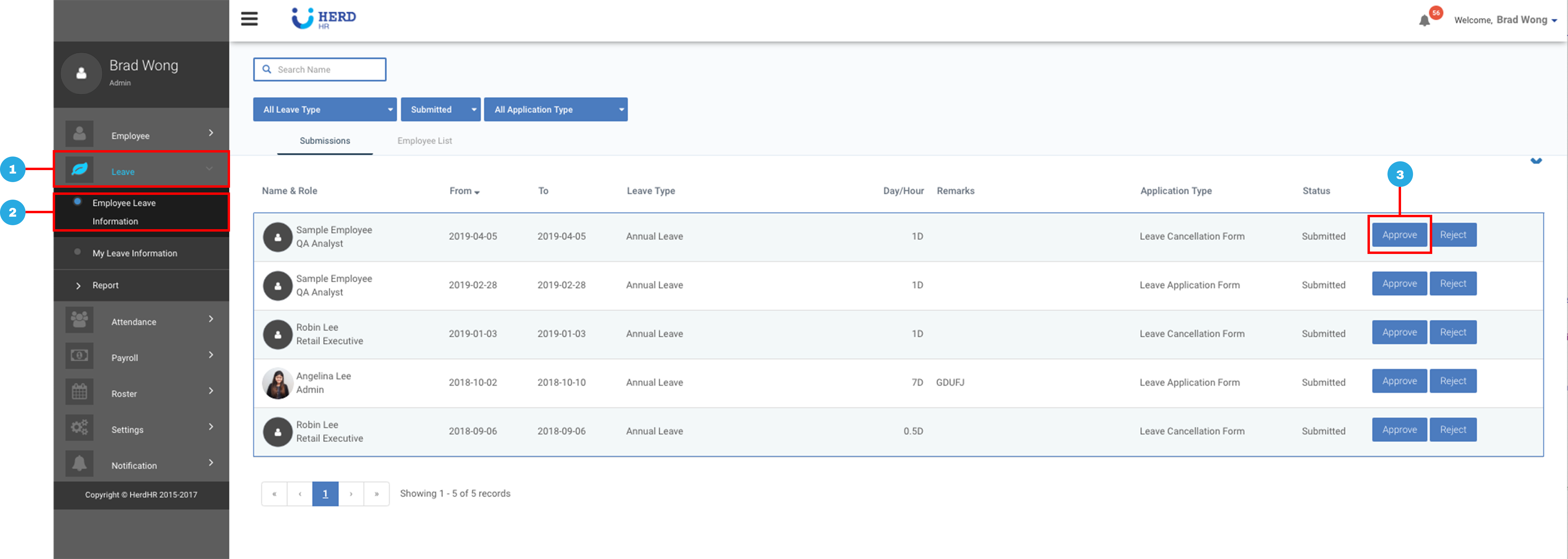
- On the left sidebar menu, Click Leave
- Click Employee Leave Information
- Click Approve
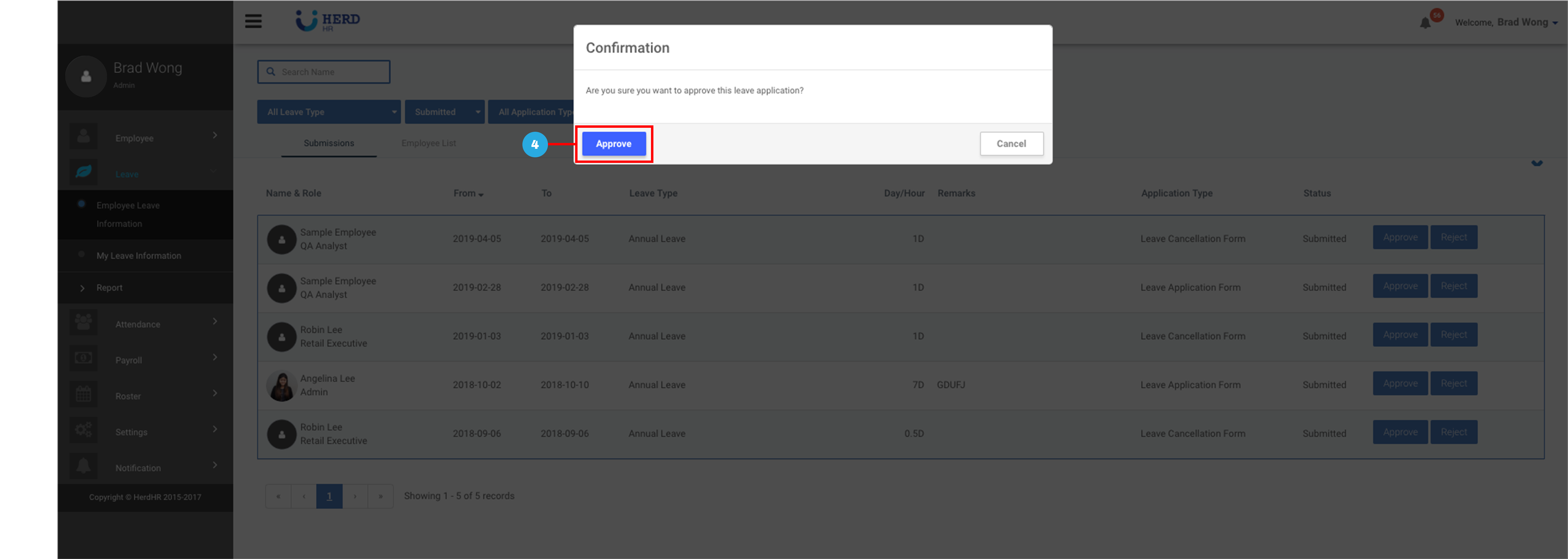
- Click Approve to confirm
Rejecting Leave Application
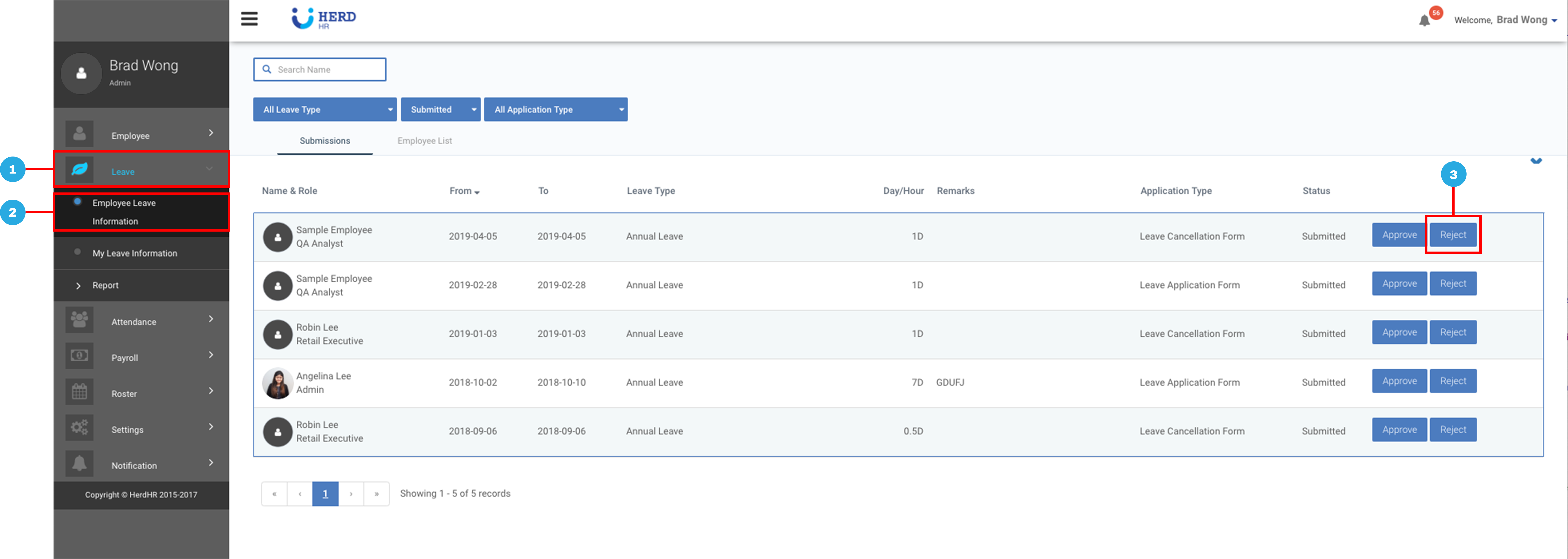
- On the left sidebar menu, Click Leave
- Click Employee Leave Information
- Click Reject
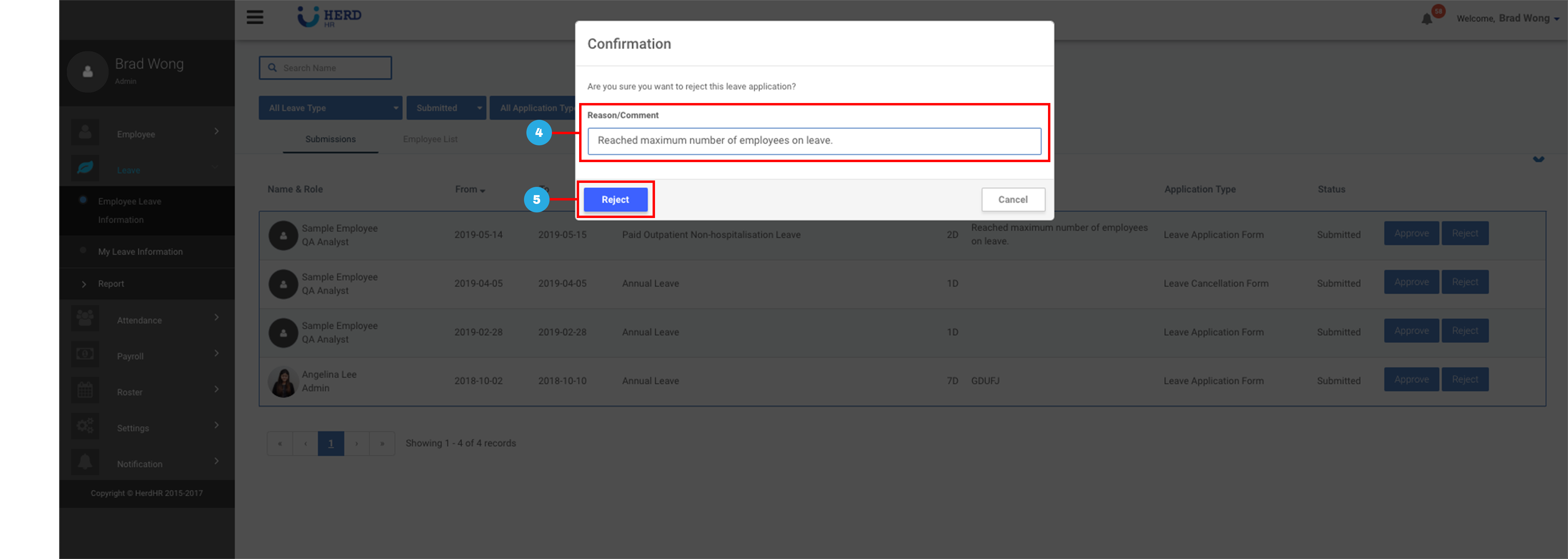
- Enter Reason/Comment for rejection of leave application
- Click Reject to confirm