Managing Leave - Cancelling Leave
Cancelling leave
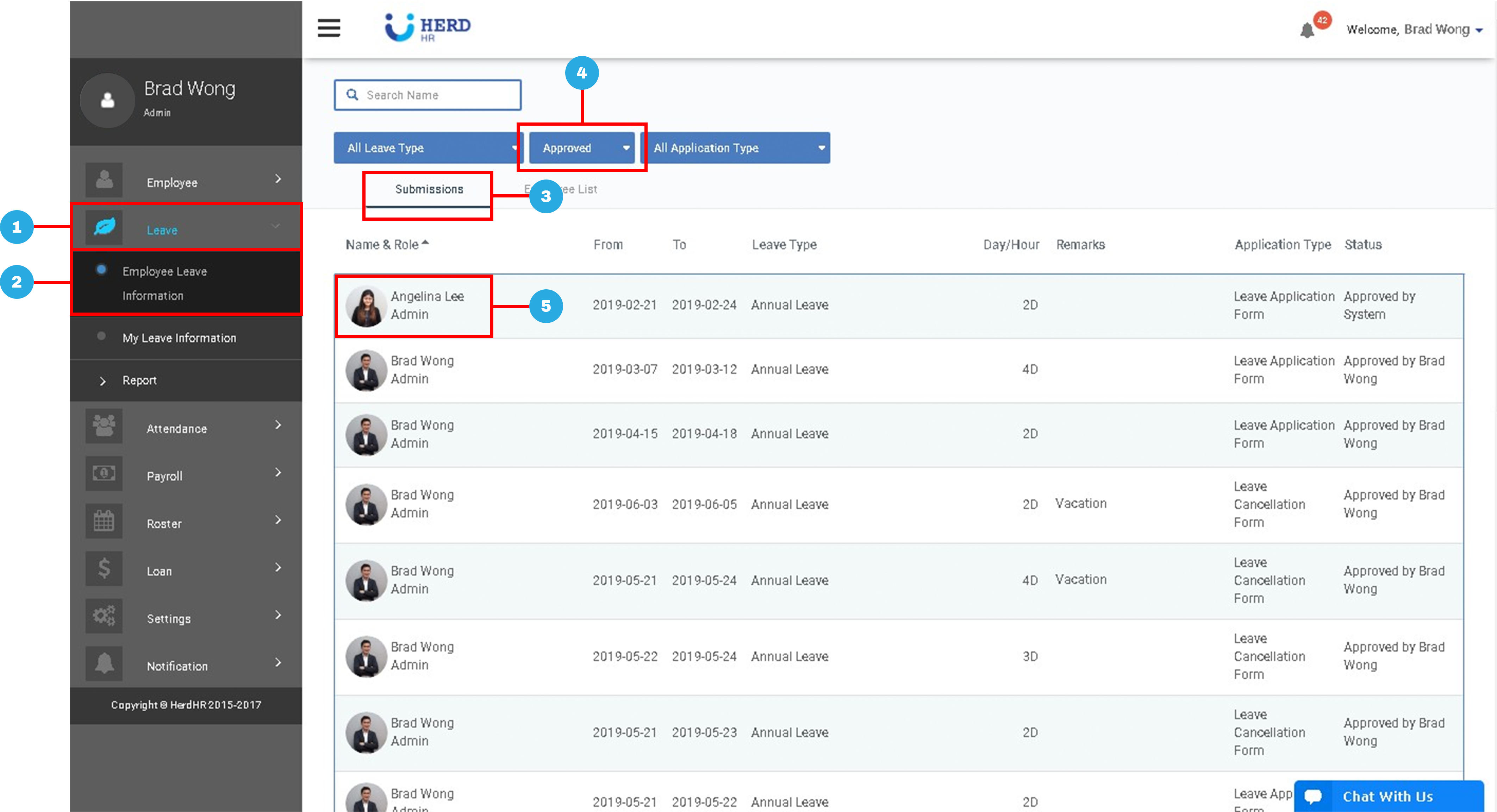
- On the left sidebar menu, Click Leave
- Click Employee Leave Information
- Click Submissions tab
- Change filter to Approved
- Select desired employee
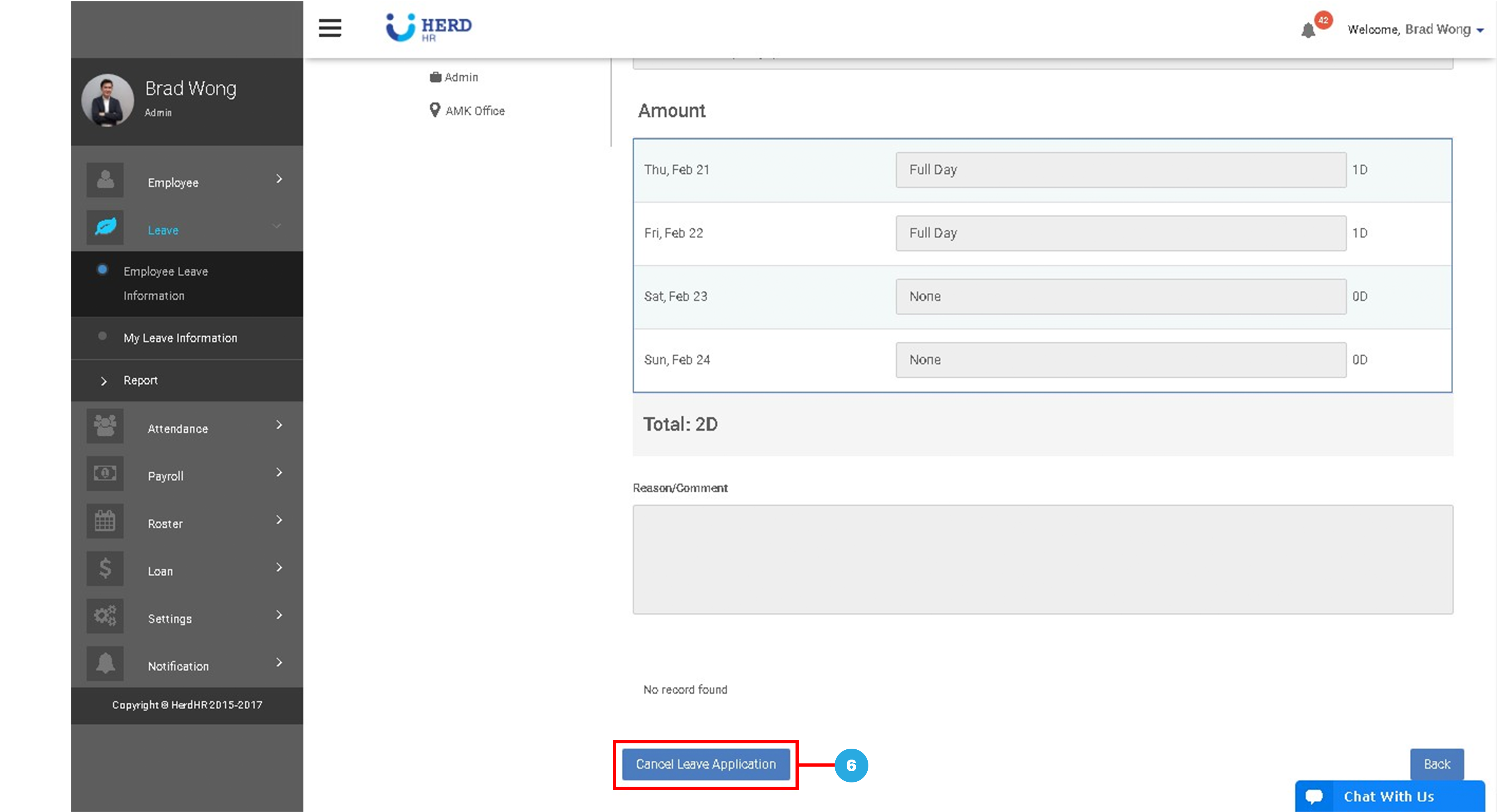
- Scroll to bottom, click Cancel Leave Application
Managing Leave - Cancelling Leave