MY 6.8: How to perform Bulk Adjustment of Leave Balances?
Follow
How to perform Bulk Adjustment of Leave Balances?
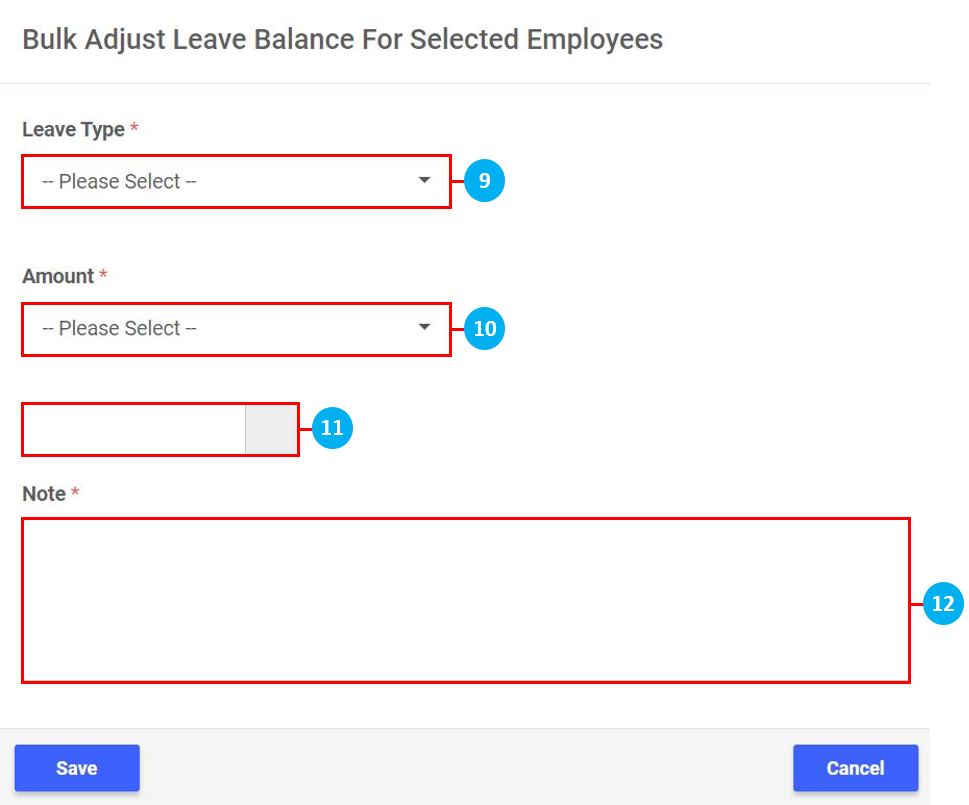
- On the left sidebar menu, click “Leave”.
- Click "Employee Leave Information".
- Click on Employee List.
- Key in the name of the Employee in the search bar (if required).
- Use the filters to sort the Employees by Location / Departments / Roles / Employment Status / Employment Type (if required).
- Click to select all Employees.
- Click to select individual Employees.
- Once Employees have been select, click on Bulk Adjust Leave Balance.
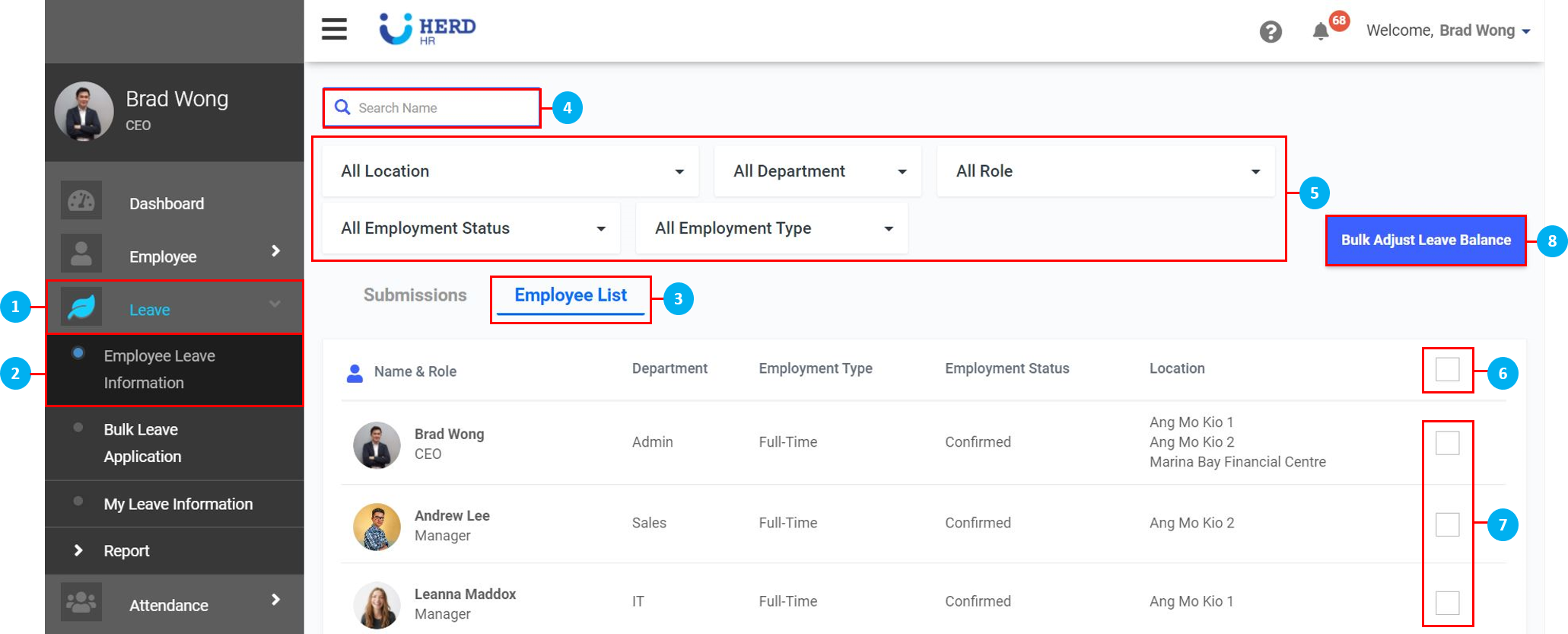
- Select the Leave Type from the drop down list.
- Select whether to Add / Subtract days.
- Key in the number of days.
- Key in remarks. Once done, click Save.