Managing Users - Passwords
Reset and change your password in these 2 steps
Step 1: Reset Password
Step 2: Change Password
Step 1: Reset Password
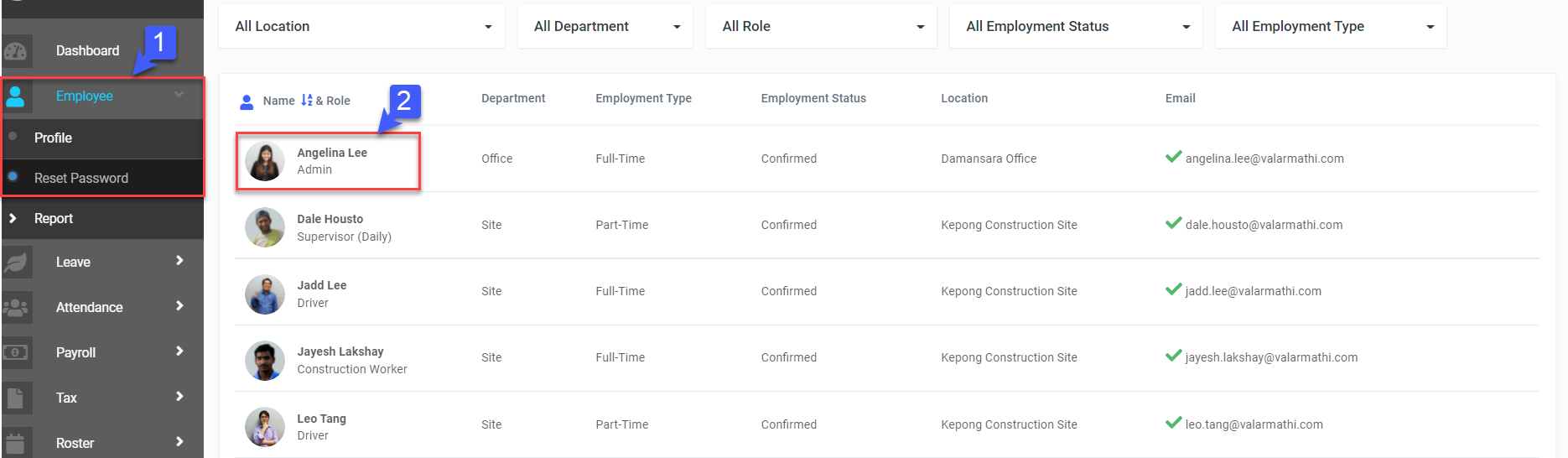
- On the left sidebar menu, Click Employee>Reset Password
- Select desired Employee
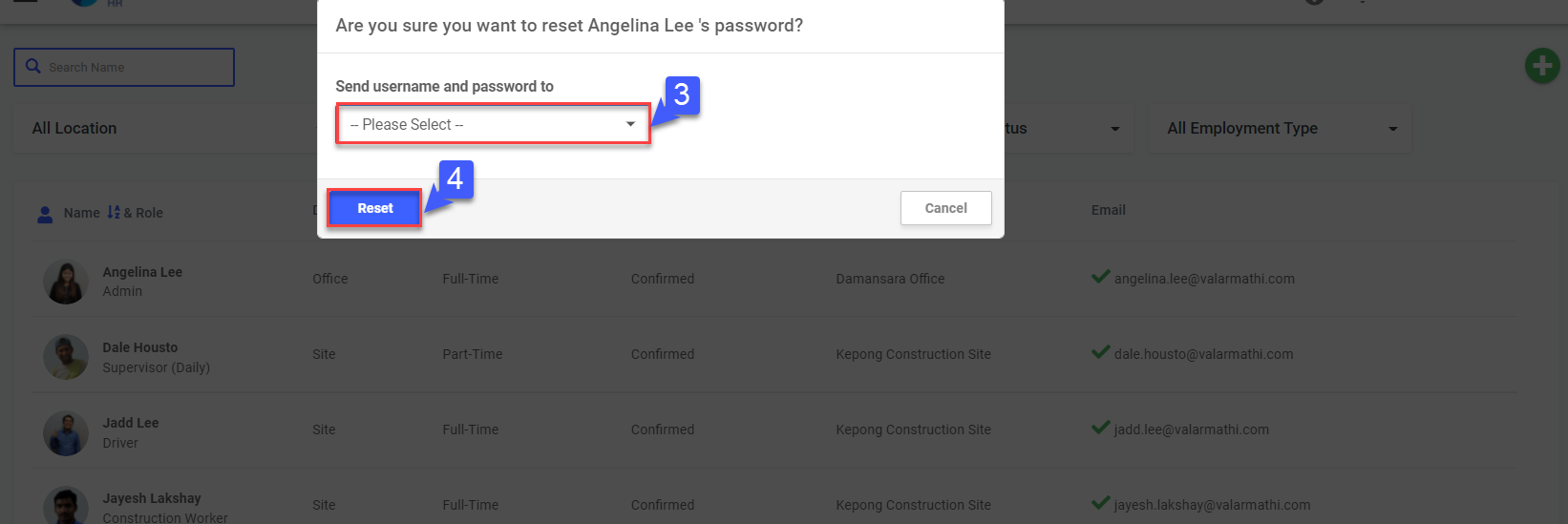
- Select where to Send username and password to
- Click Reset
Step 2: Change Password
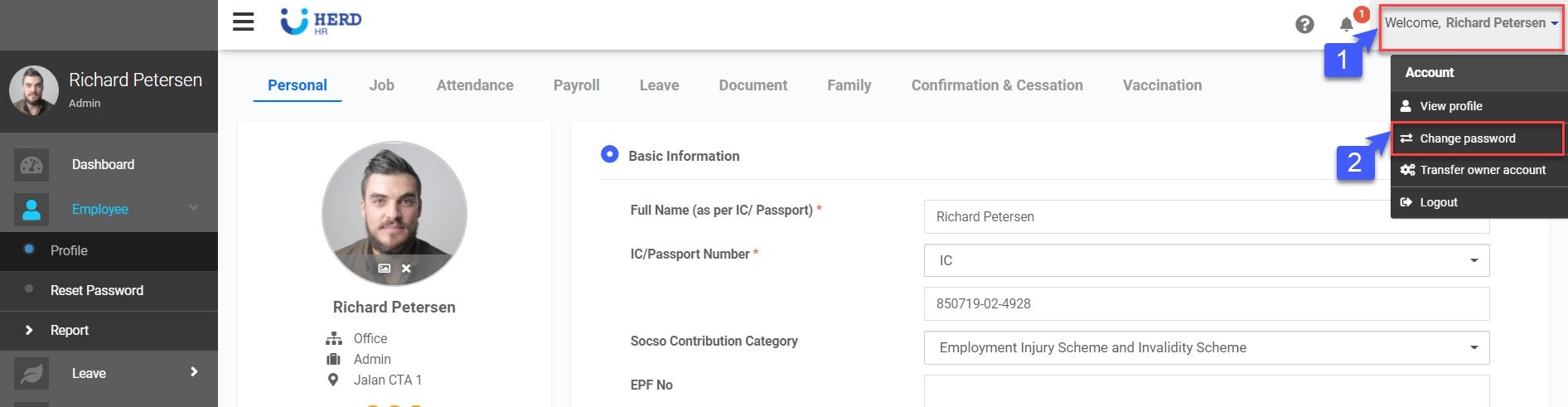
- On the left sidebar menu, Click on your profile picture
- Click Change Password
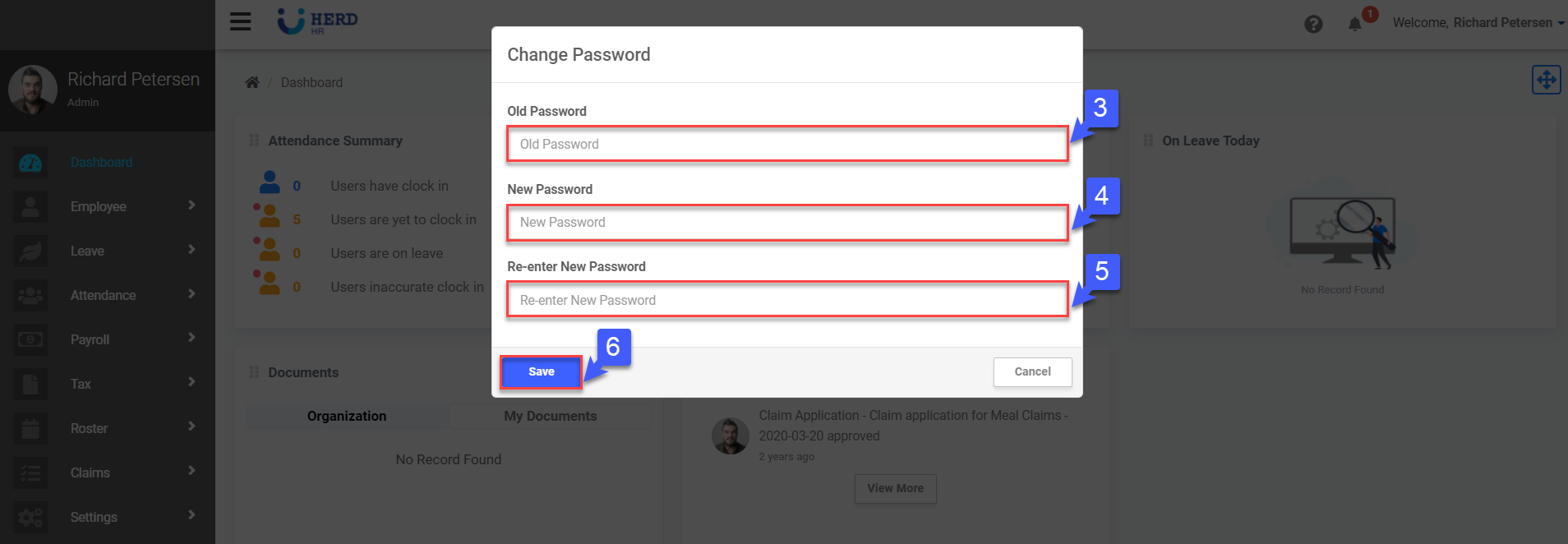
- Key in Old Password
- Key in New password
- Re-enter New Password
- Click Save