Managing users - Cease Employment
Cease Employment
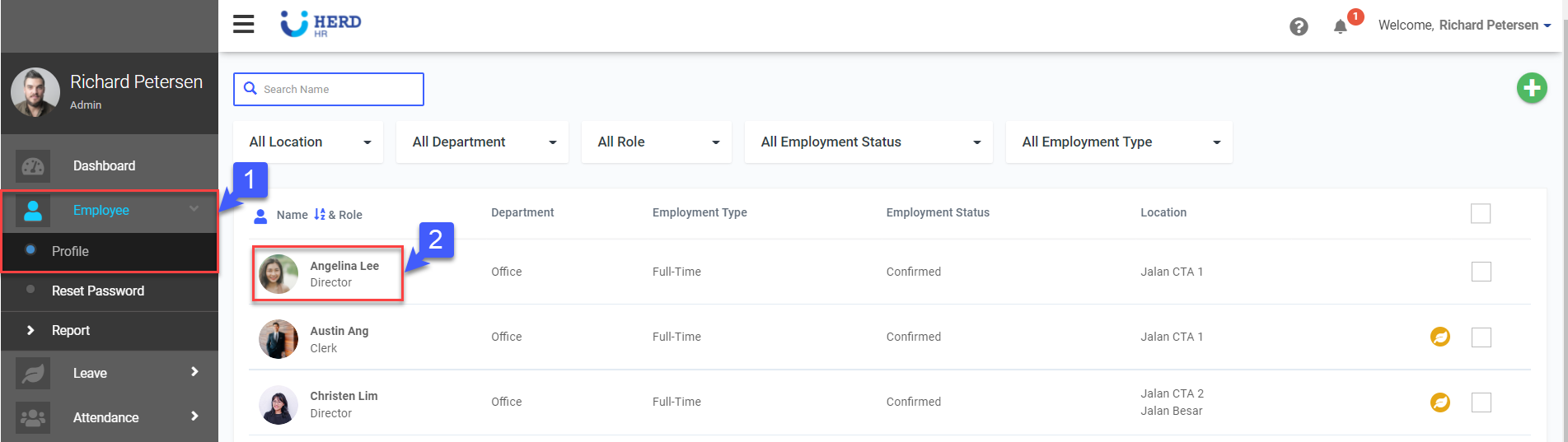
- On the left sidebar menu, Click Employee>Profile
- Select desired Employee
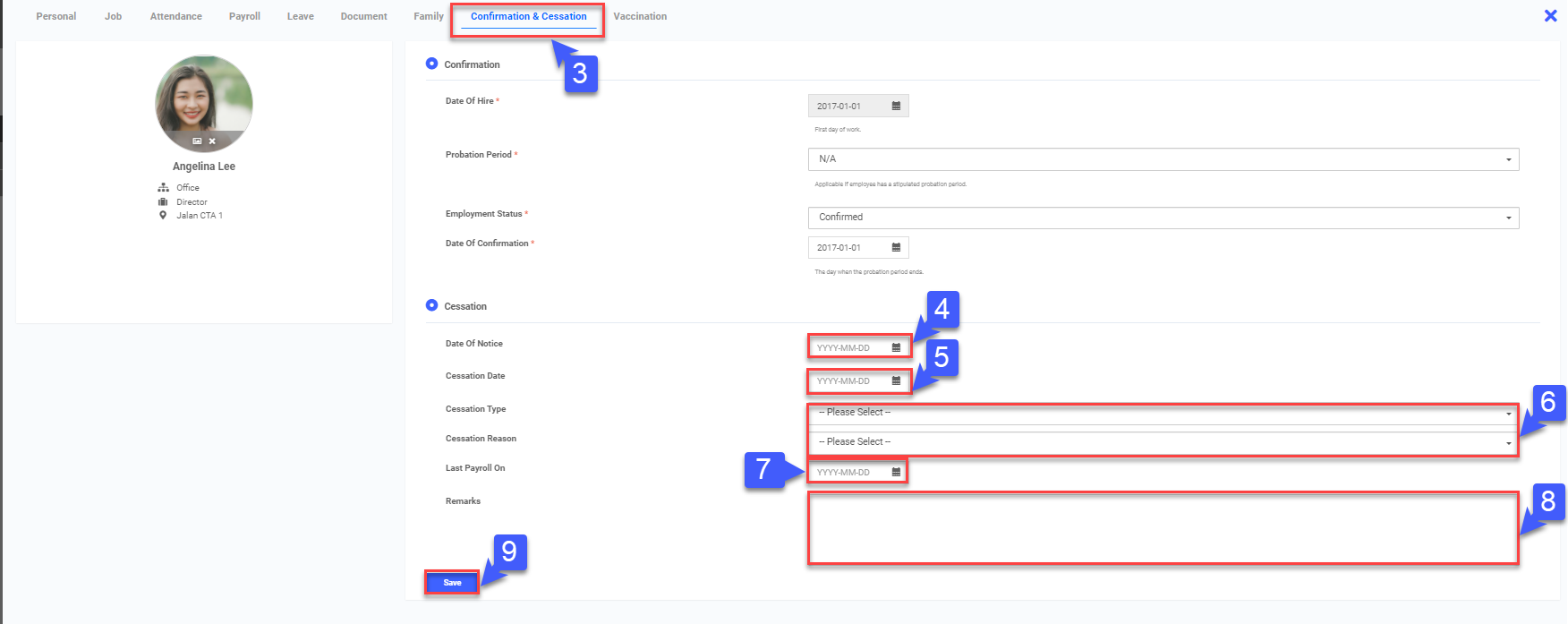
- Click on Confirmation & Cessation
- Key in Date of Notice
- Key in Cessation Date
- Select Cessation Type (Resignation/Termination)
- Enter Last Payroll date
- Enter Cessation Reason
- Click Save