Once employee’s profile picture is deleted, the next clock in picture the employee takes will become the new profile picture.
Changing Employee picture
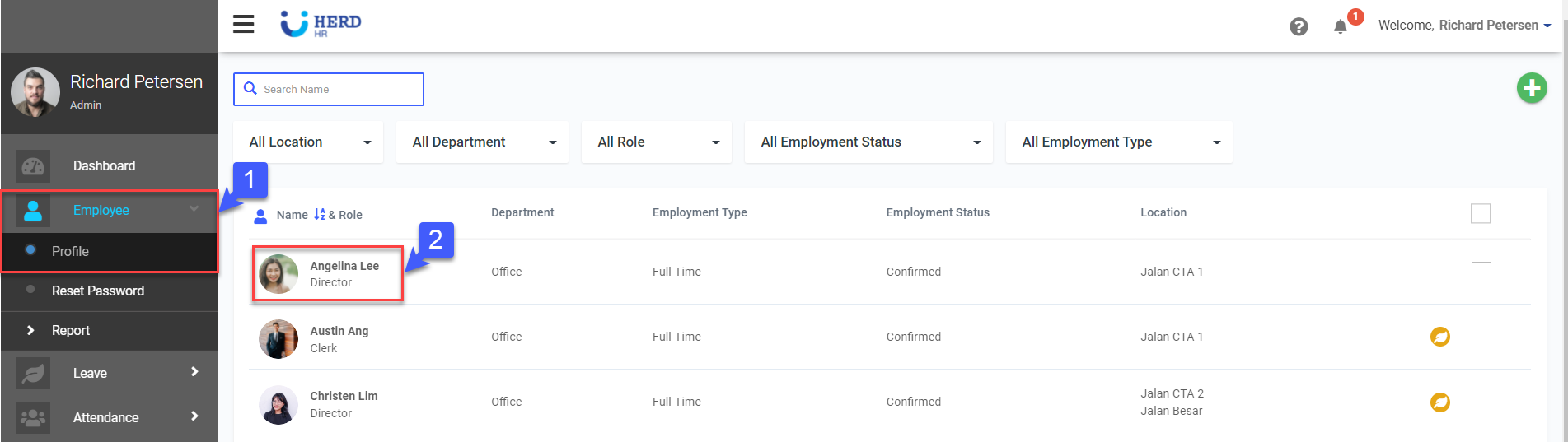
- On the left sidebar menu, Click Employee>Profile
- Select desired Employee
- Click
 to upload employee’s profile picture
 - Click x to remove image, if required
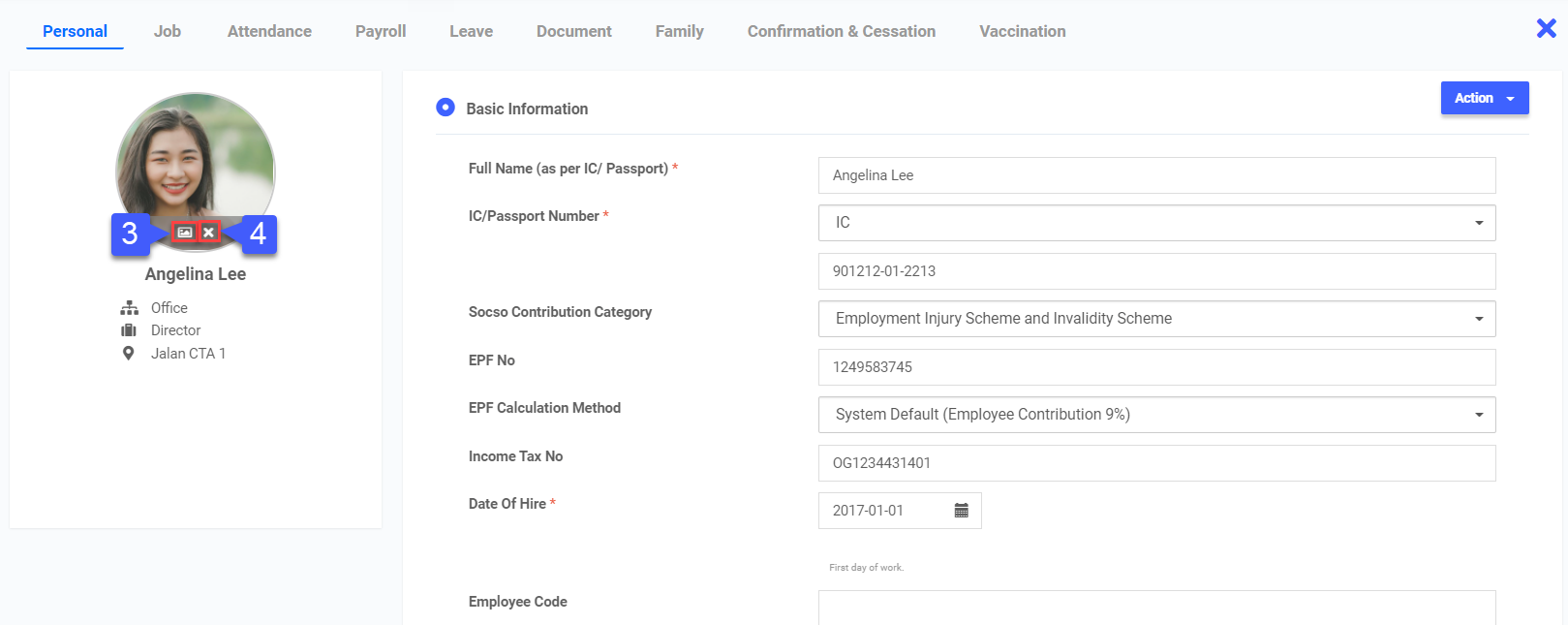 *Note: The image file should be one of the following file types: .png, .jpg, .jpeg, or .tiff. We recommend the resolution of the picture to be 800x600 pixels and no larger than 5MB
 - At the bottom of the page, click Save