Running Payroll - Generation of Documents
Generating Payroll Documents, if required
- Monthly Payroll Batch
- Bank File
- Monthly Tax E-Submission
- HRDF Submission
- Form E
- Generating Payslips
- Statutory Forms - CP21, CP22, CP22A
Monthly Payroll Batch
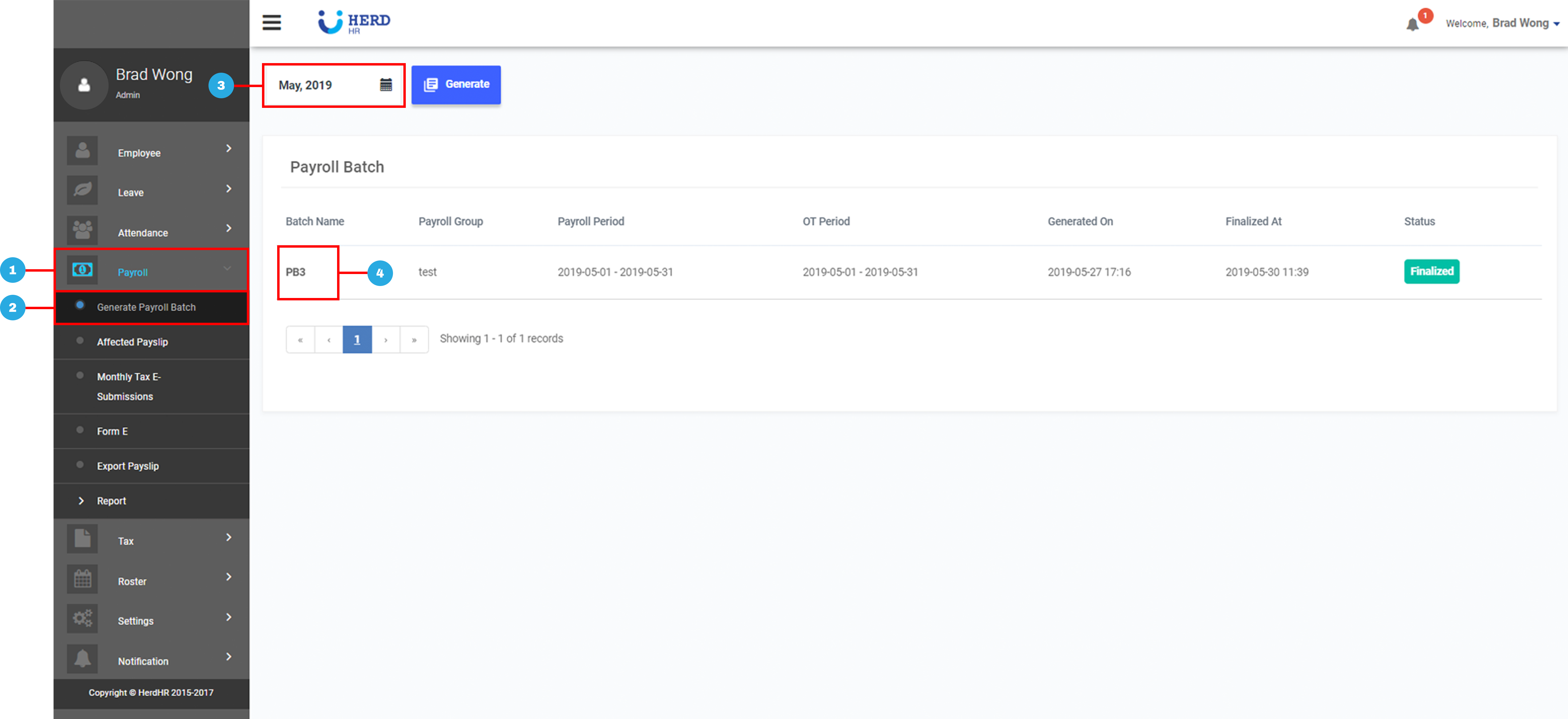
- On the left sidebar menu, Click Payroll
- Click Generate Payroll Batch
- Select desired month
- Click on desired Finalized Payroll Batch
- Click Export to Excel, if required
- Click Generate all PDF, if required
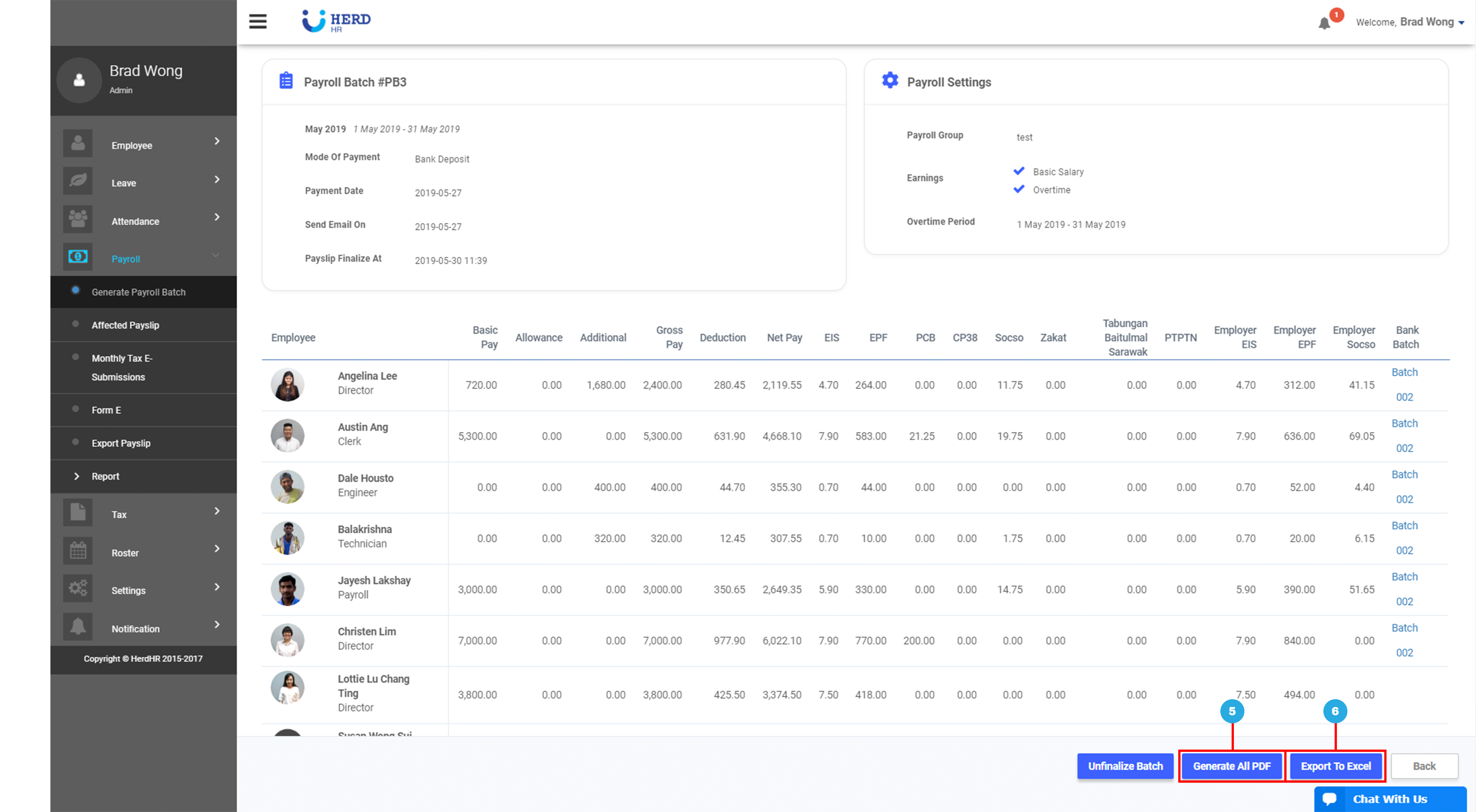
*Note: Ensure that pop-up blocker is turned off
Bank File
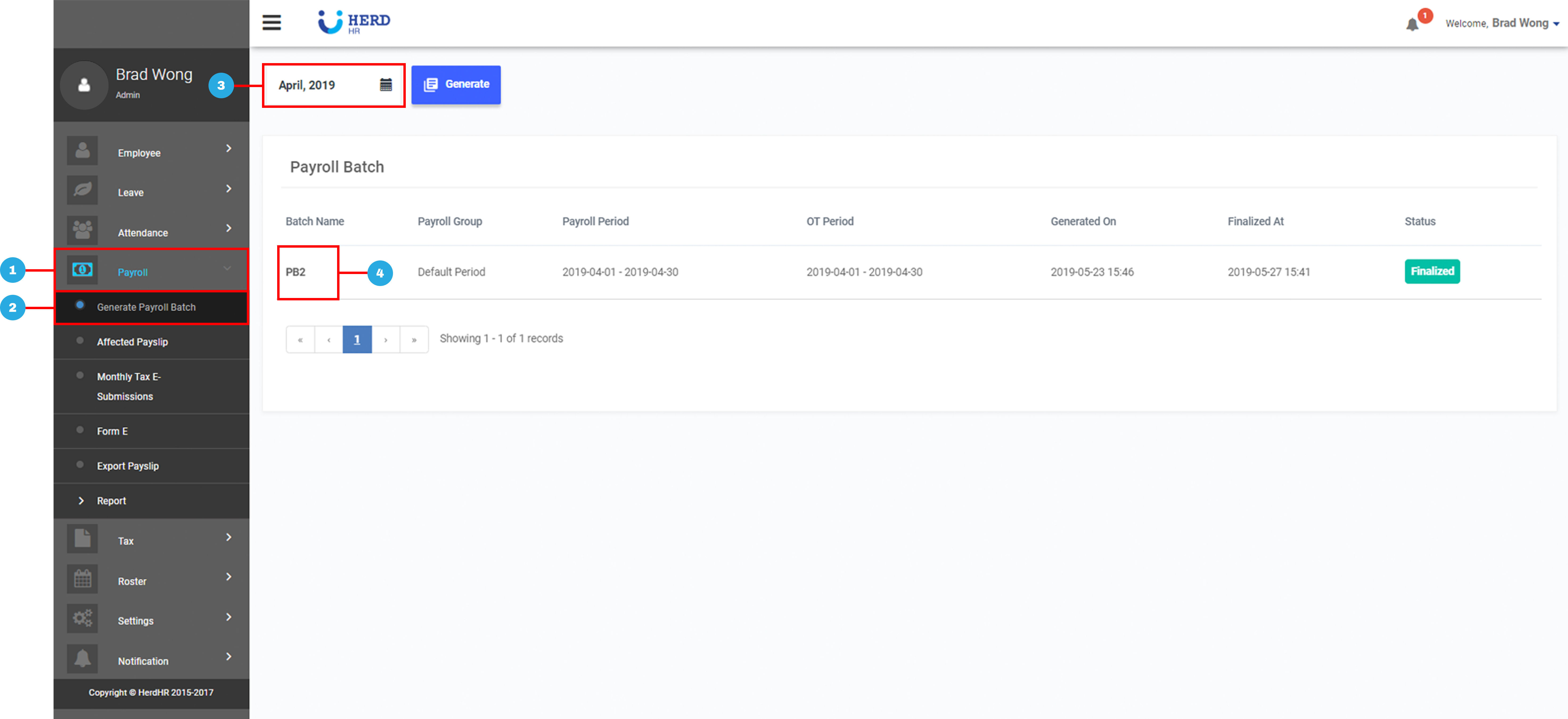
- On the left sidebar menu, Click Payroll
- Click Generate Payroll Batch
- Select desired month
- Click on desired Finalized Payroll Batch
- Select Bank
- Select Bank Account No.
- Click Generate Bank File
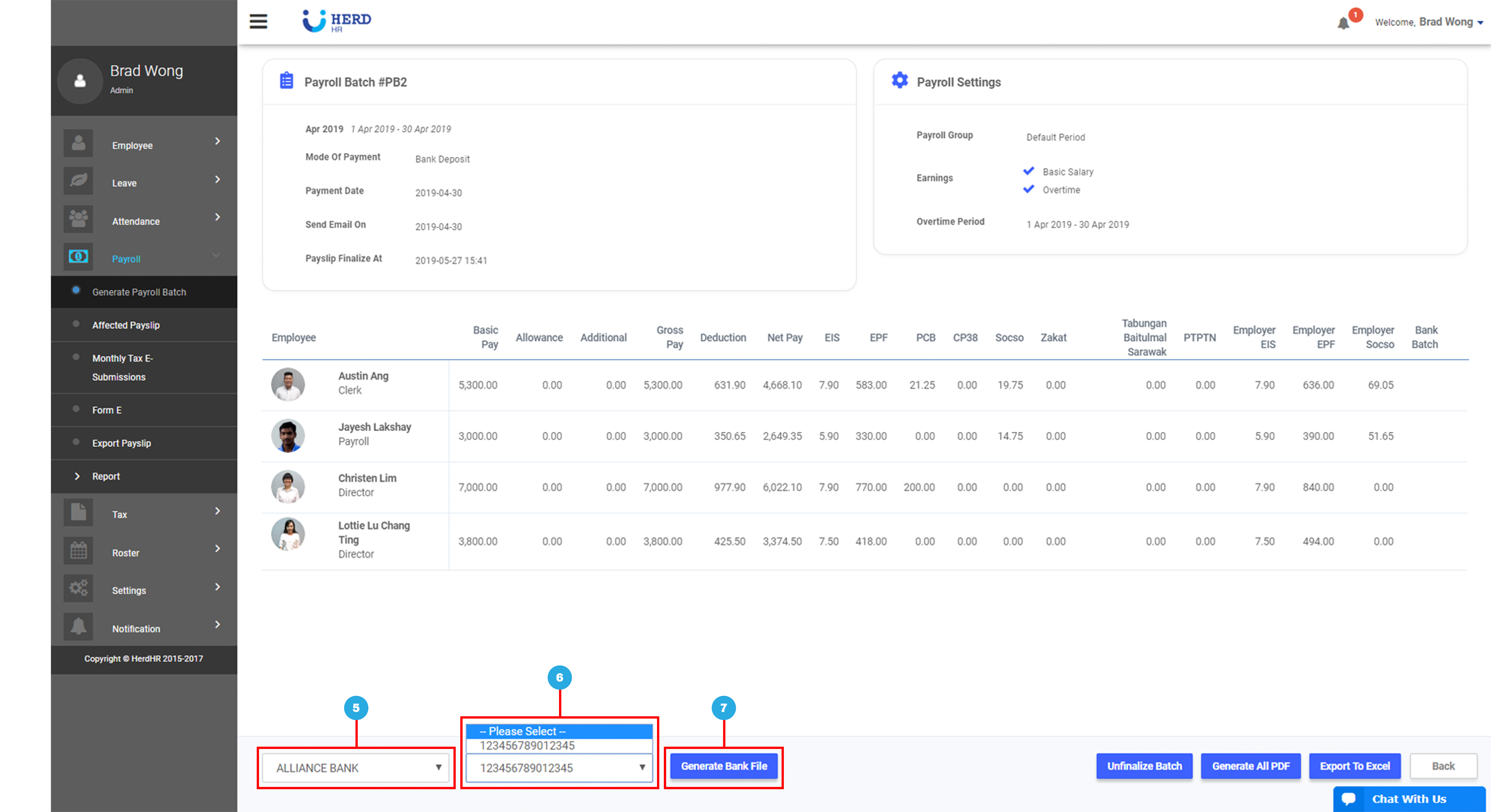
- Generate TXT File or Export to Excel, if required
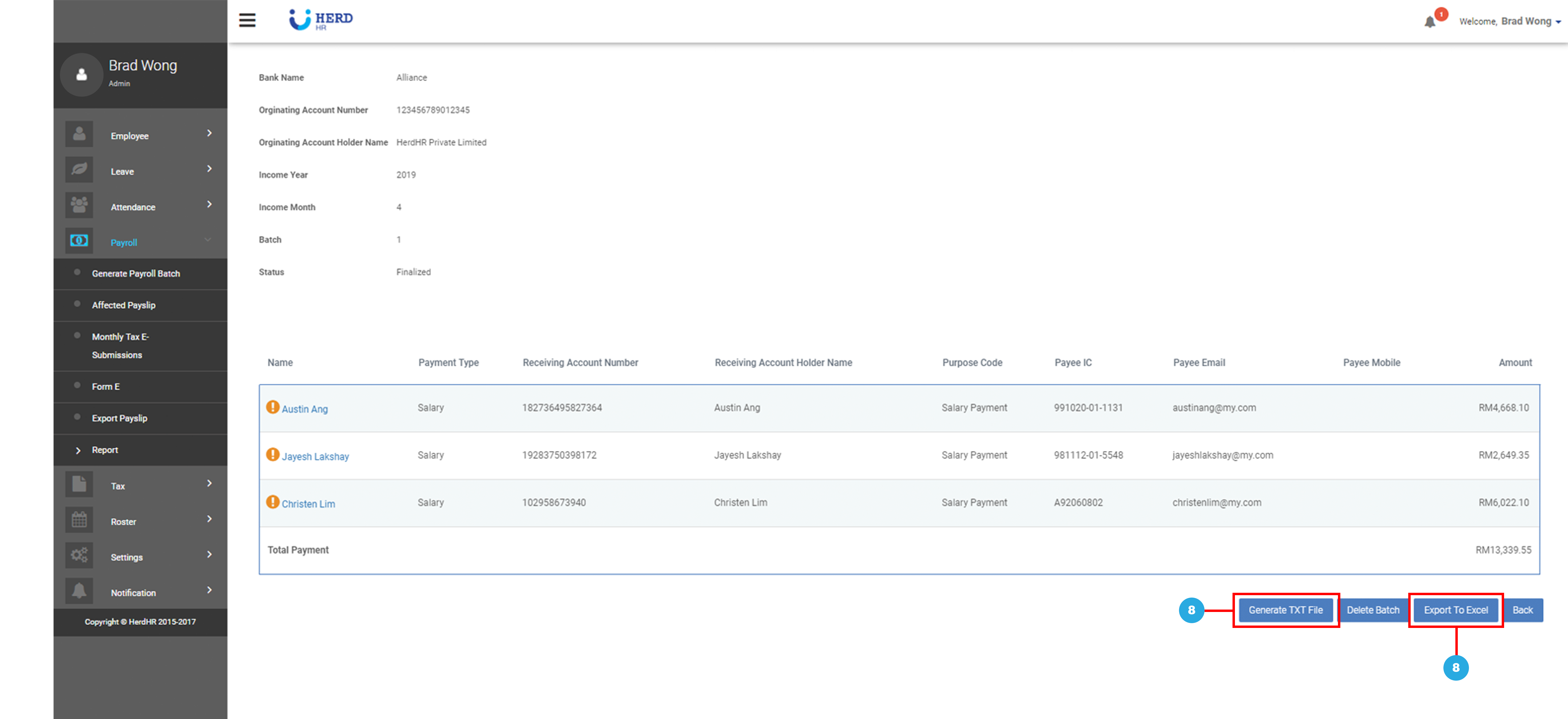
*Note: Ensure that pop-up blocker is turned off
Monthly Tax E-Submission
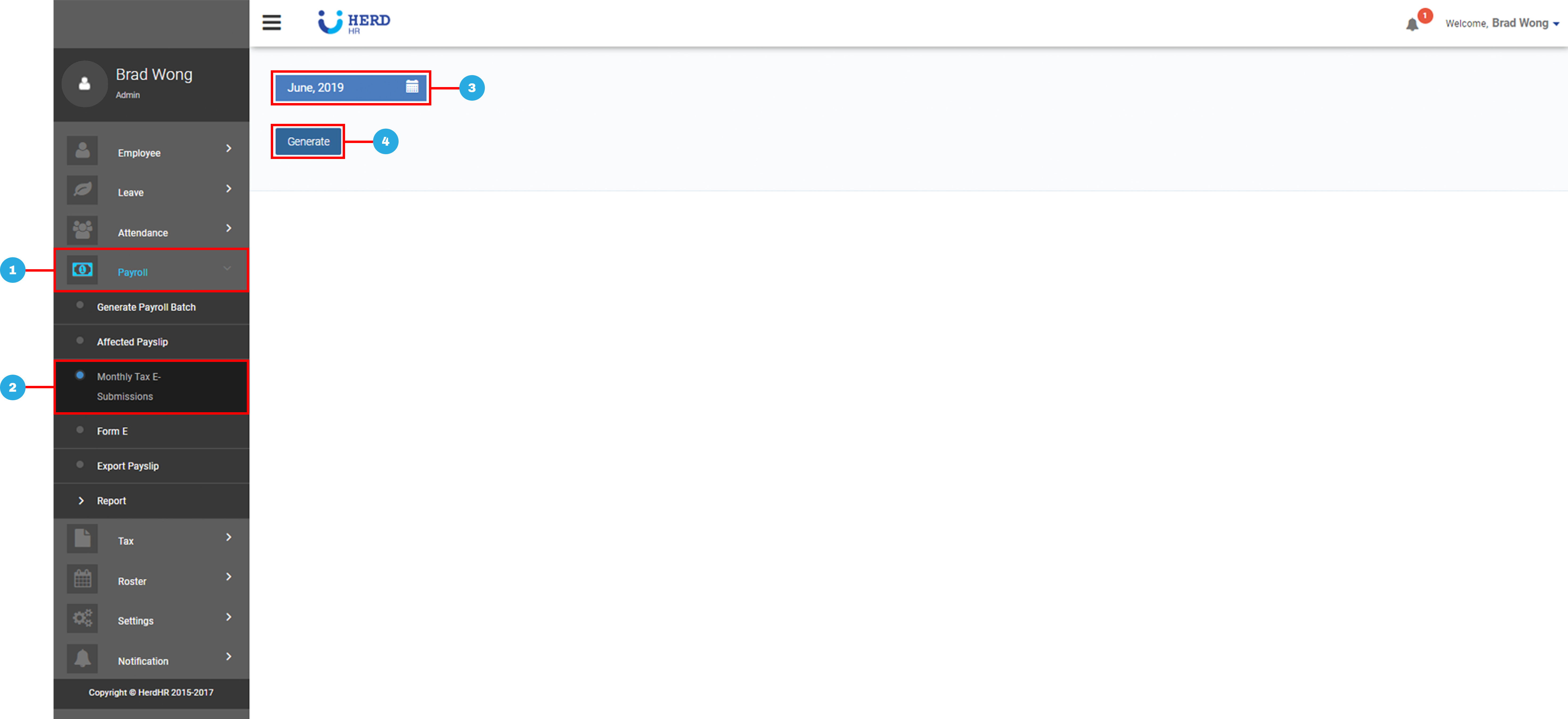
- On the left sidebar menu, Click Payroll
- Click Monthly Tax E-Submission
- Select Month
- Click Generate
- Download desired E-Submissions Files, if required
- Download desired Manual Submissions Files, if required
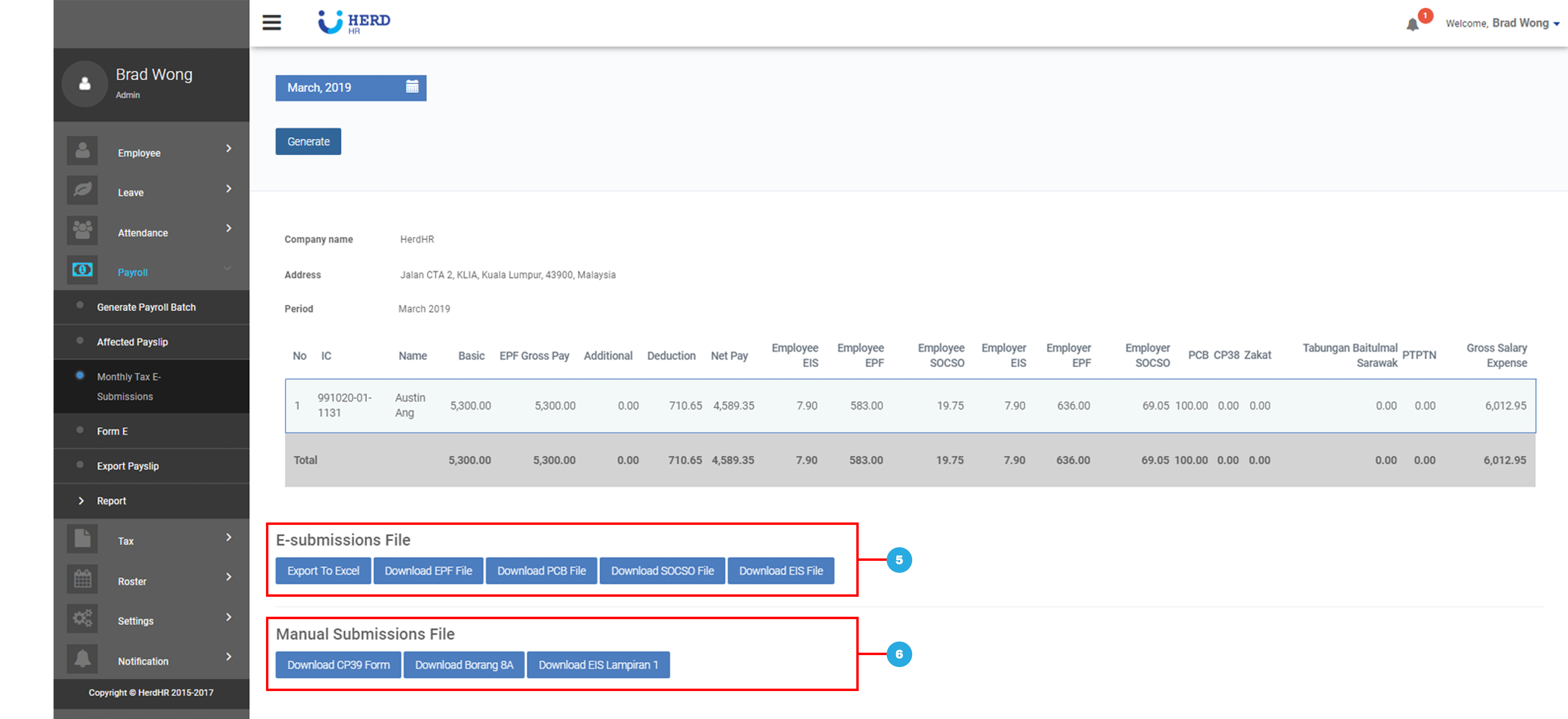
*Note: Ensure that pop-up blocker is turned off
HRDF Submission
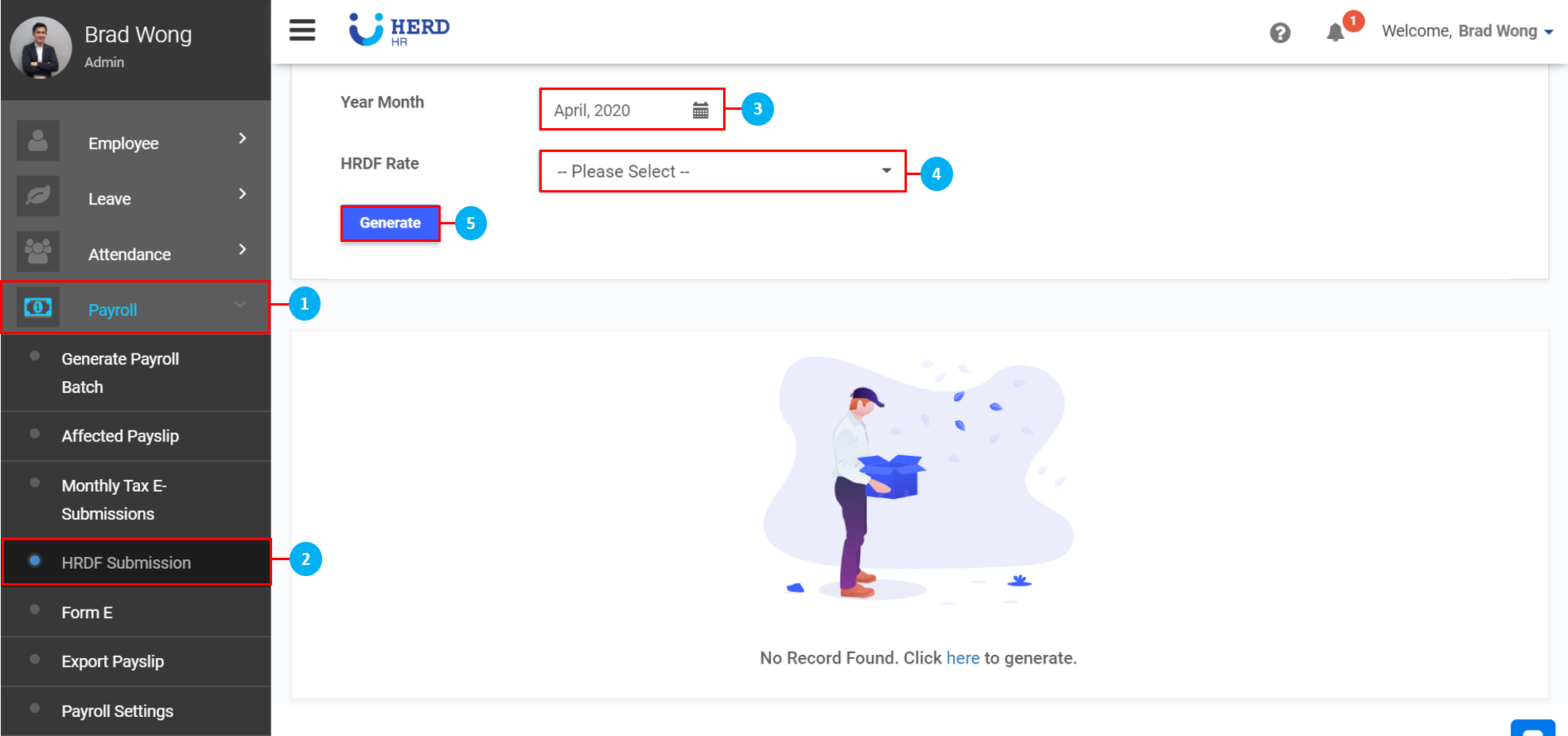
- On the left sidebar menu, Click Payroll
- Click HRDF Submission
- Click on the
 icon to select the Year and Month
 - Select the HRDF Rate from the drop down list
- Click Generate
Form E
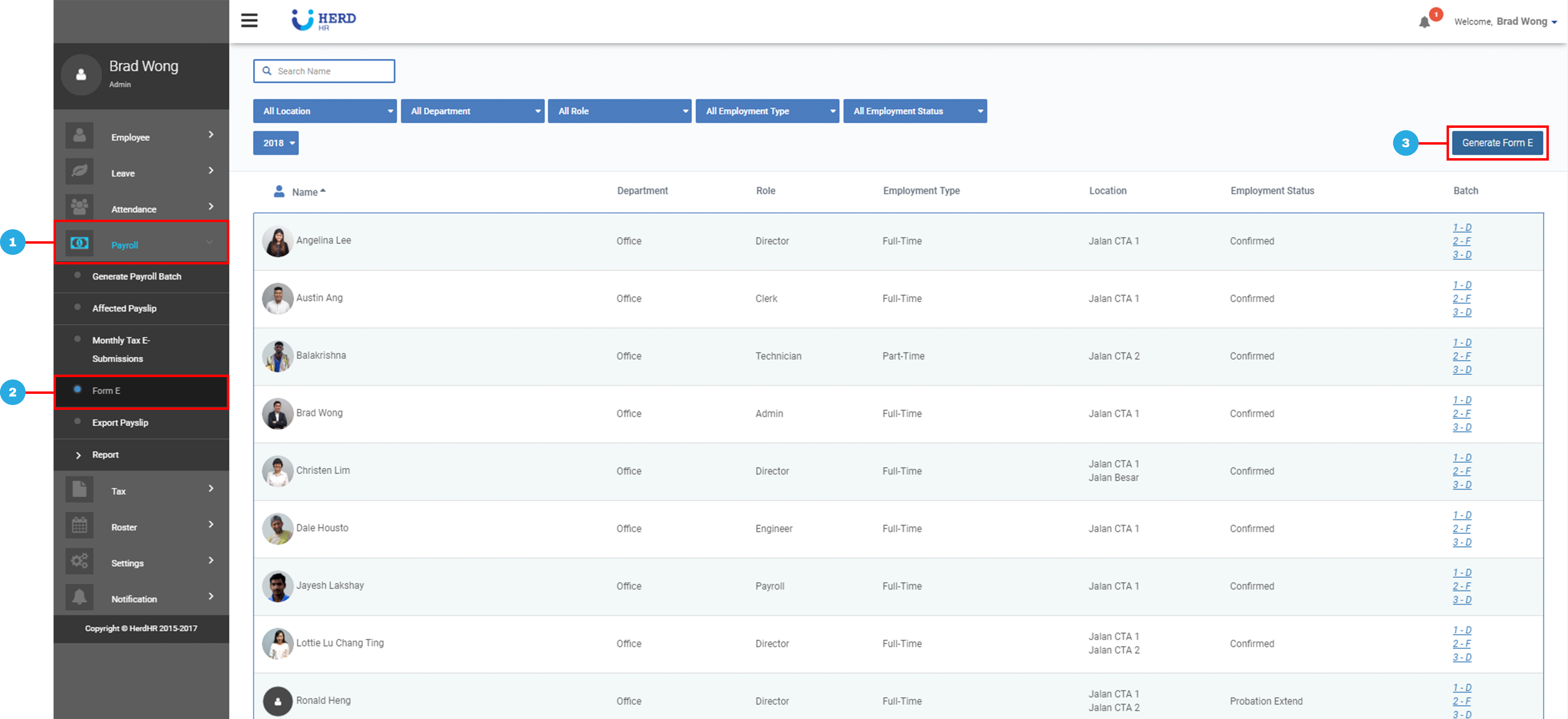
- On the left sidebar menu, Click Payroll
- Click Form E
- Click Generate Form E
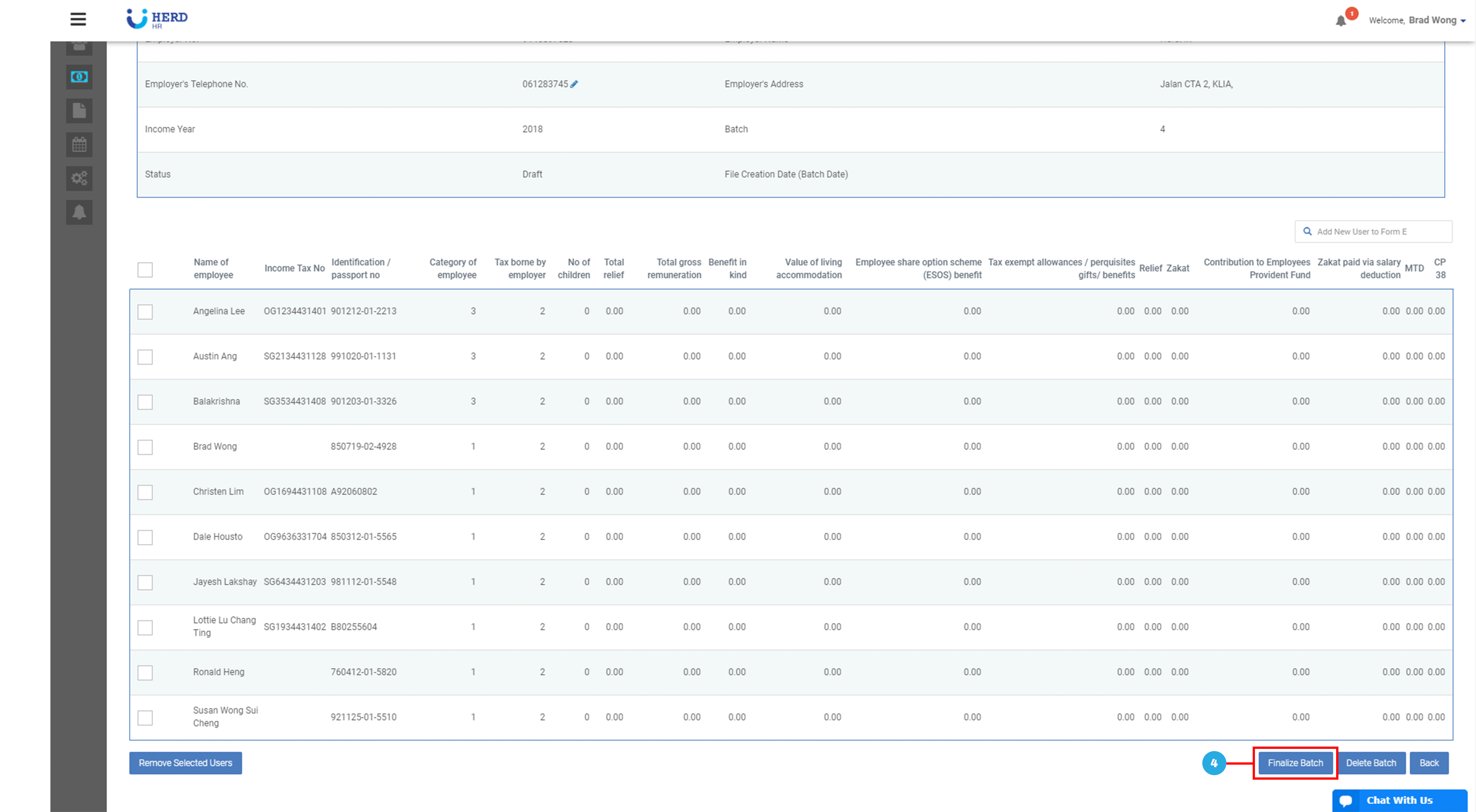
- Click Finalize Batch
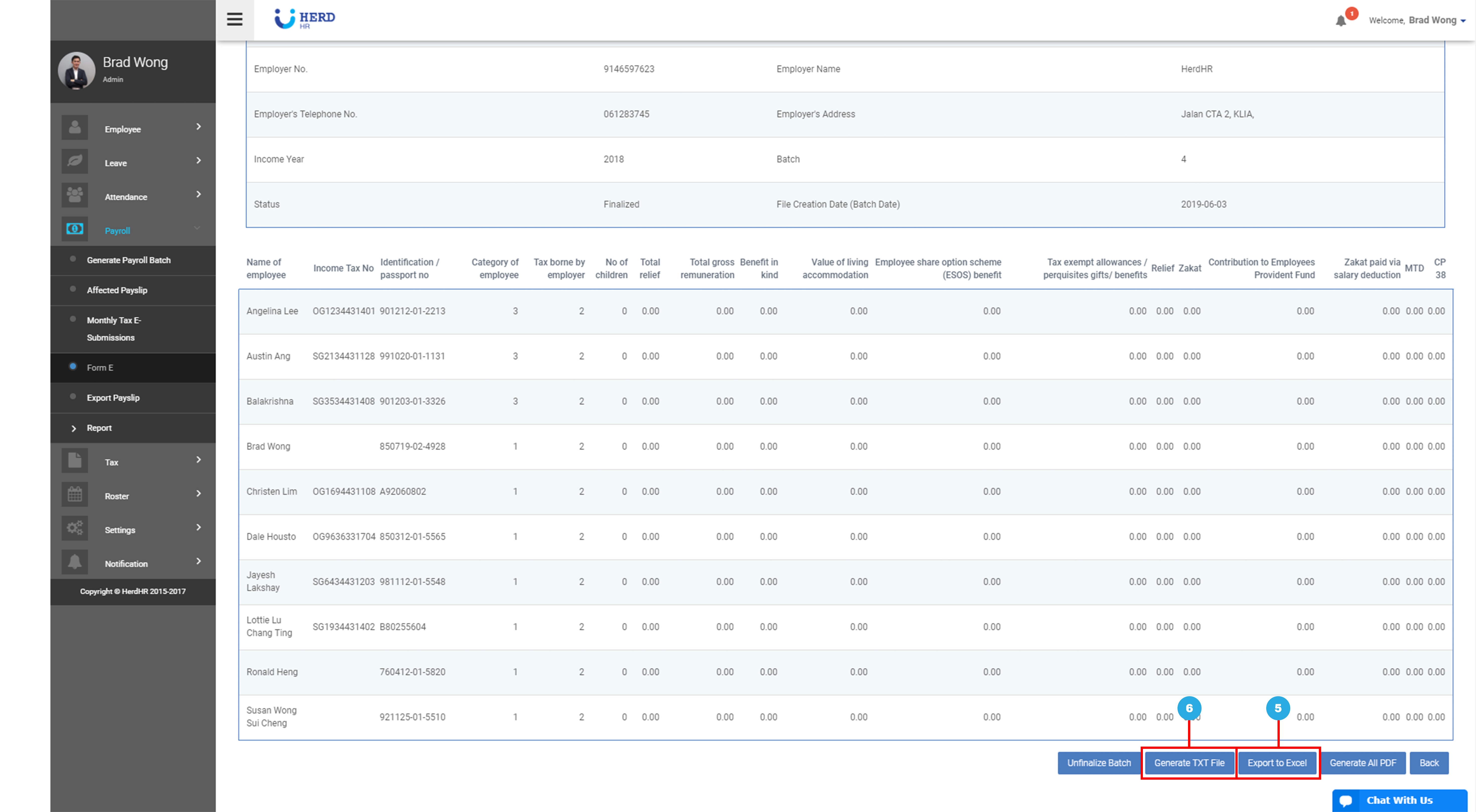
- Click Export to Excel, if required
- Generate PDF or TXT File, if required
Generating Payslips
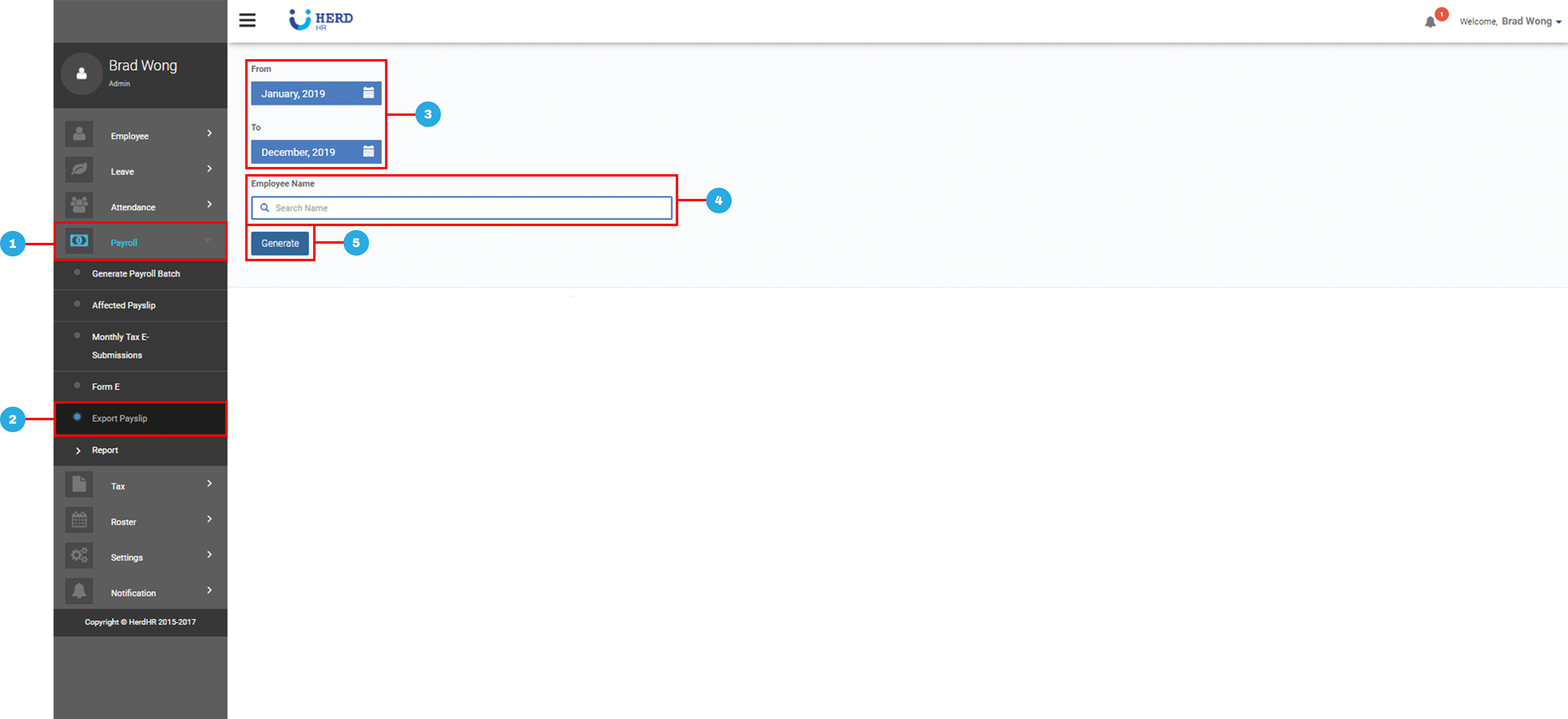
- On the left sidebar menu, Click Payroll
- Click Export Payslip
- Select Start and End Month
- Key in Employee’s Name
- Click Generate
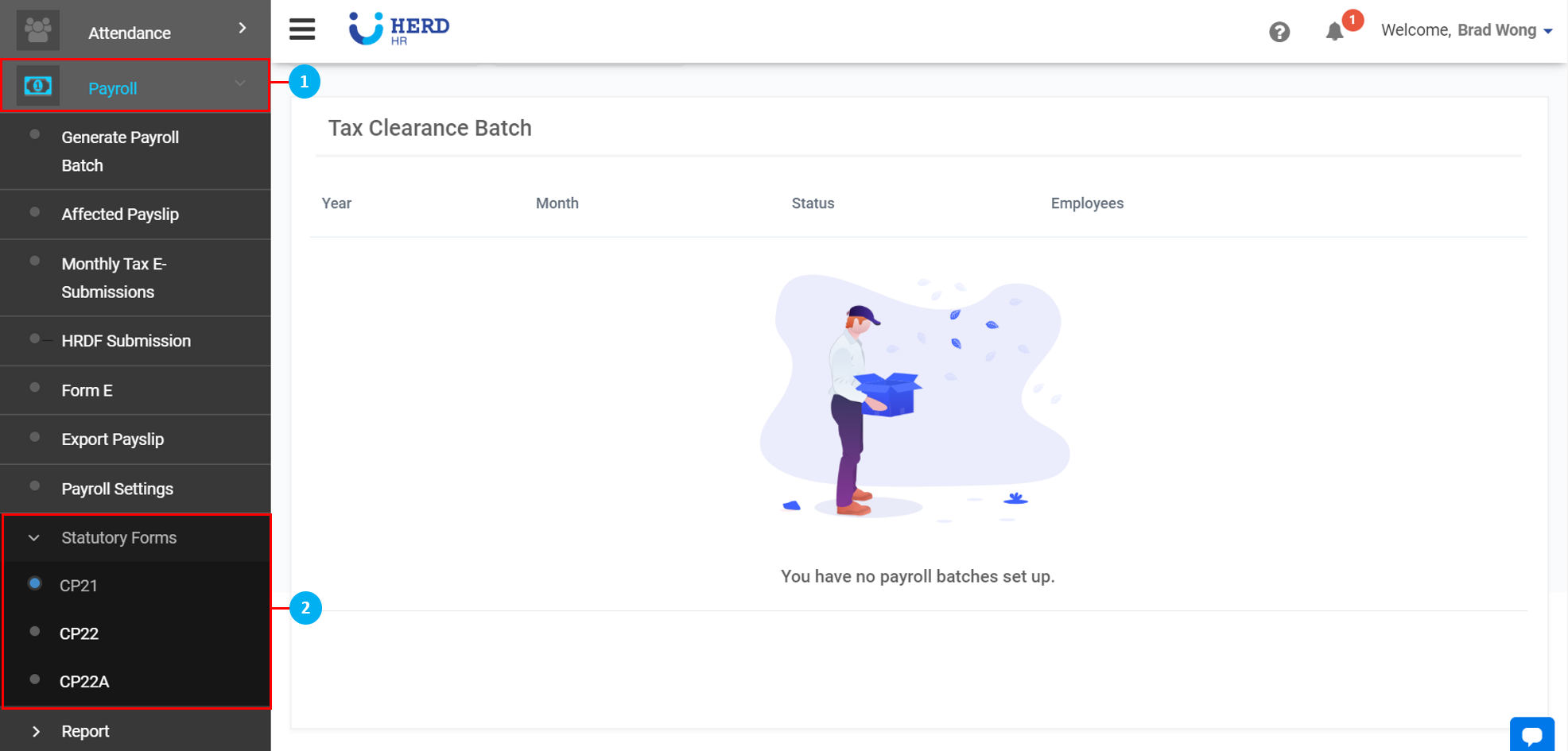
Statutory Forms - CP21, CP22, CP22A
- On the left sidebar menu, Click Payroll
- Click Statutory Forms and select CP21 / CP22 / CP22A
- Key in Employee’s Name
- Select Year and Month
- Click Generate
