How to disable the editing of Statutory Items?
This is to disable / lock the edit function of Statutory Items in Payroll in order to prevent the User from making any changes and for the system to calculate the statutory items automatically.
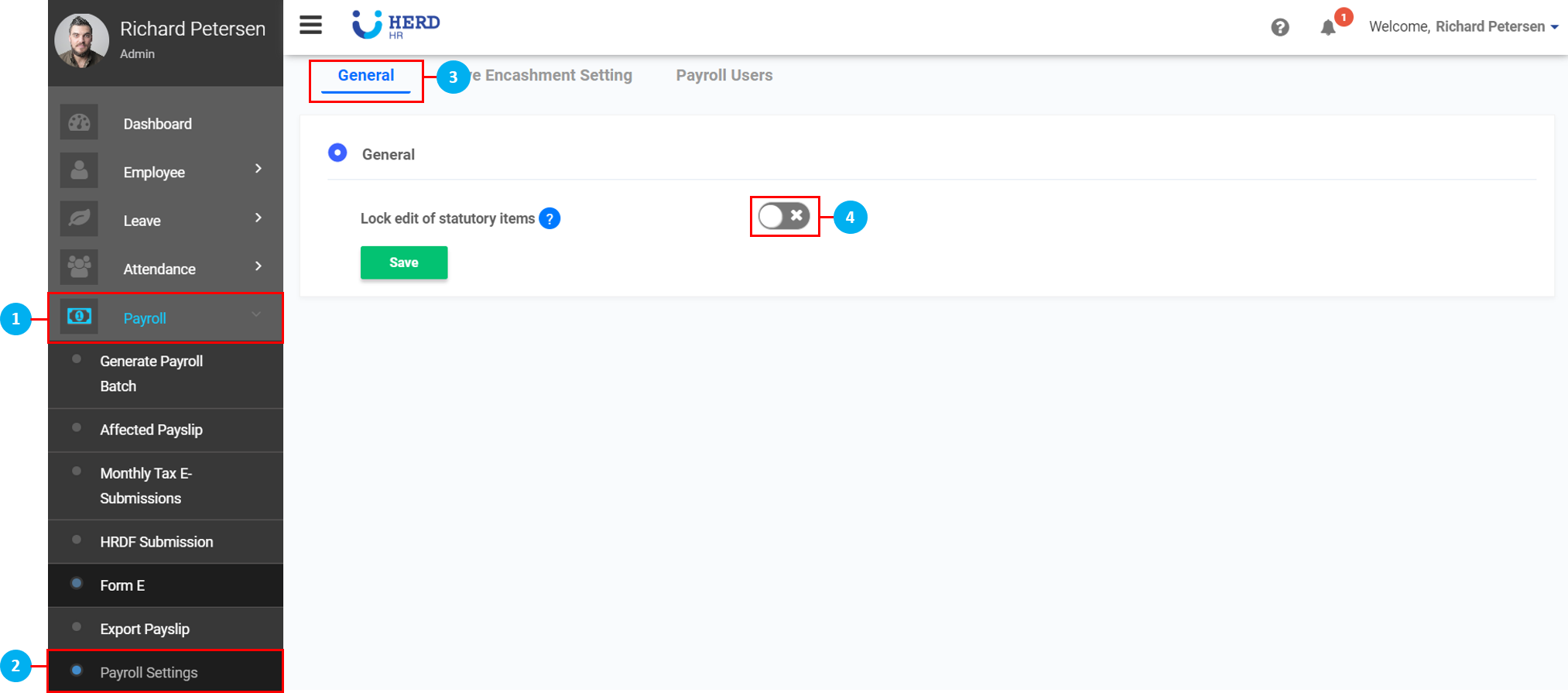
- On the left sidebar menu, click “Payroll”.
- Click "Payroll Settings".
- Click "General".
- Click on the toggle switch to disable / lock the edit of Statutory Items.
- Once done, click Save.