Excluding users from Payroll generation, if required
This setting will exclude selected users from every Payroll batch until they are reinstated.
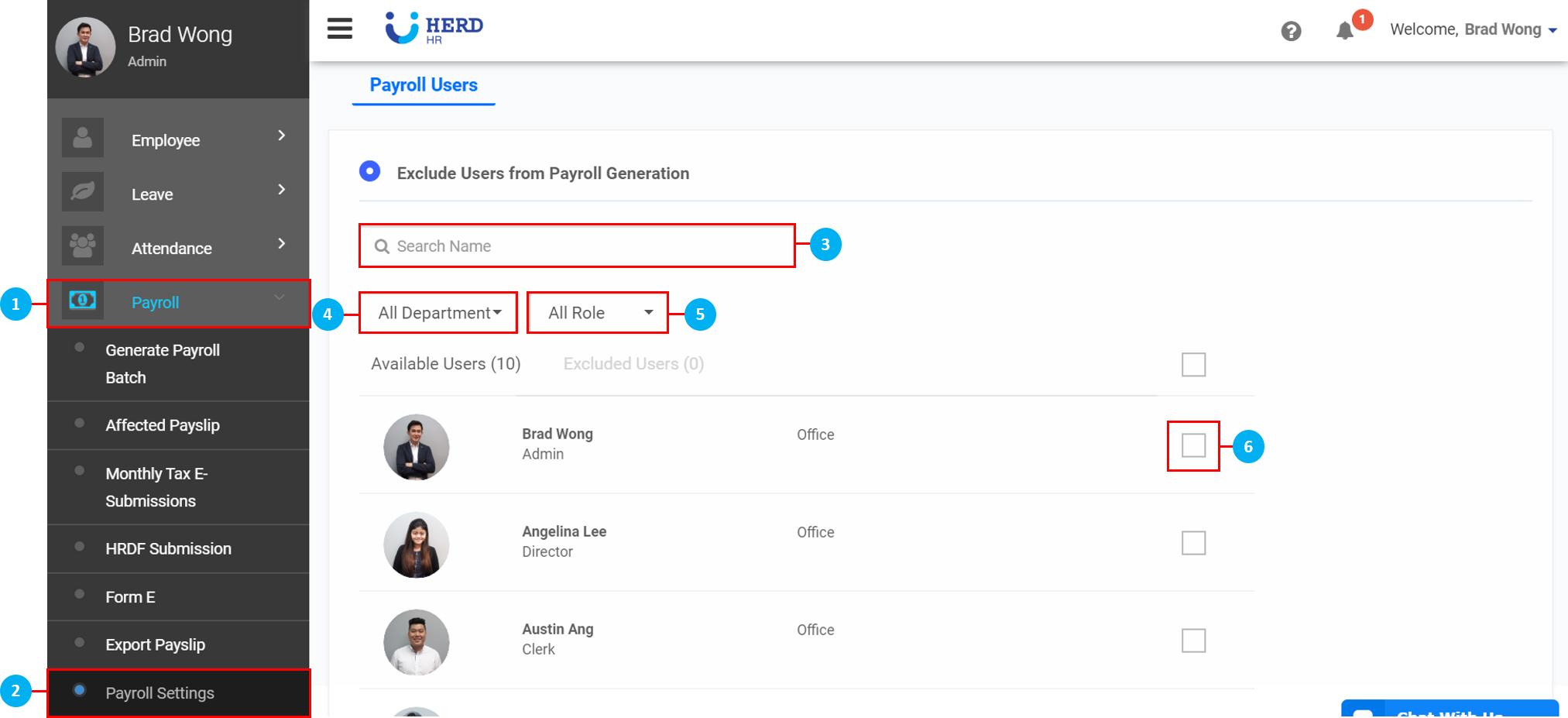
Excluding users from Payroll generation
- On the left sidebar menu, Click Payroll
- Click Payroll Settings
- Search for users using the search bar if necessary
- Filter by Departments
- Filter by Roles
- Select which employees to exclude
- Once done, click Exclude
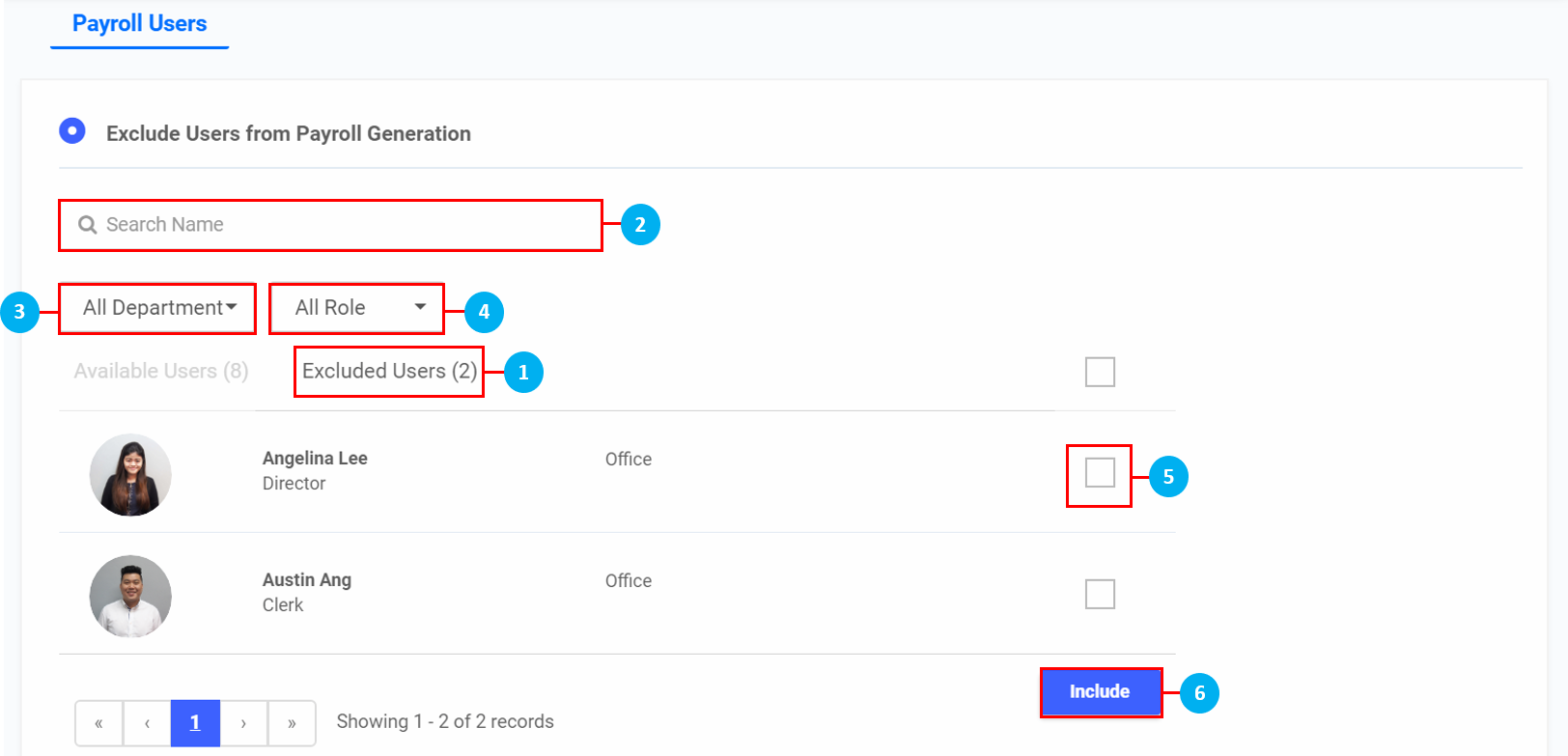
Reinstating Users to Payroll generation
- Click on the Excluded Users tab
- Search for users using the search bar if necessary
- Filter by Departments
- Filter by Roles
- Select which employees to include
- Once done, click Include