How to configure Leave Encashment?
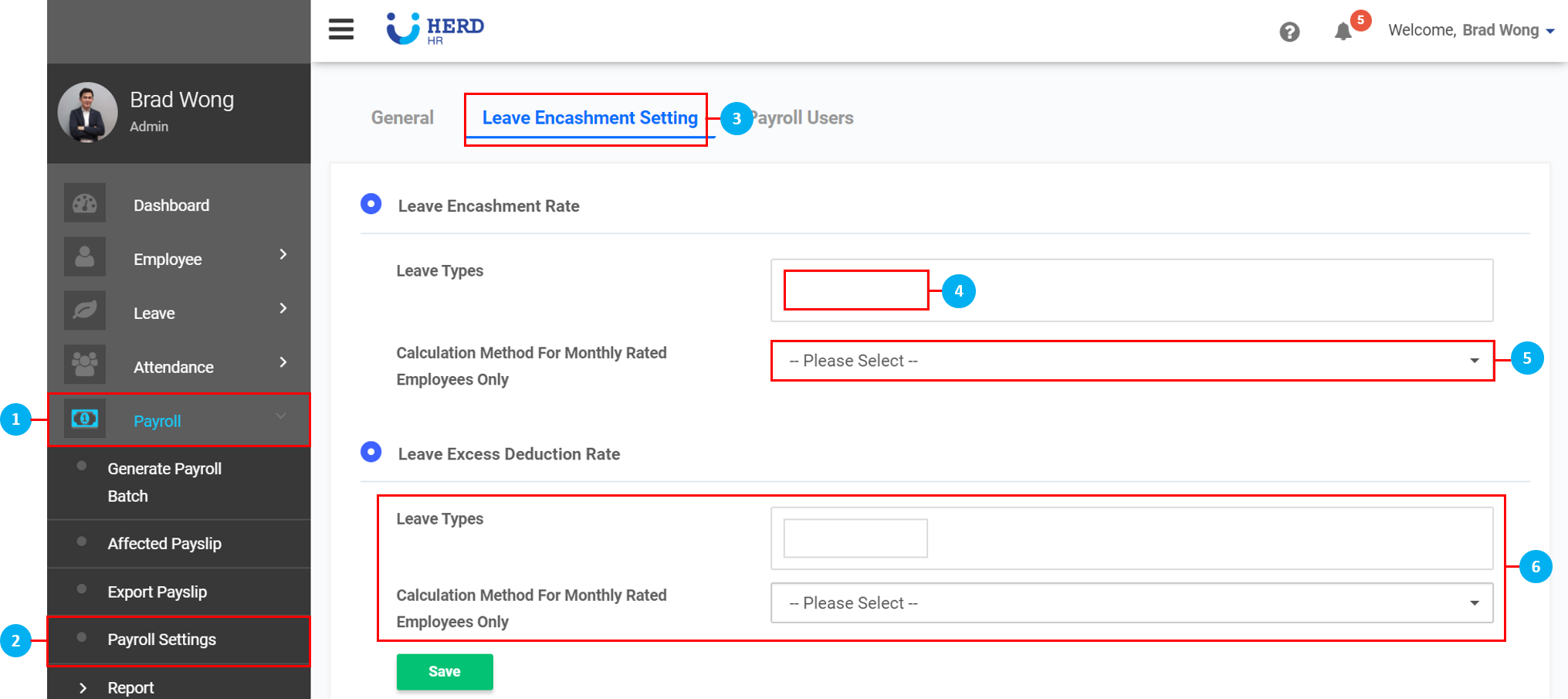
- On the left sidebar menu, click “Payroll”.
- Click "Payroll Settings".
- Click "Leave Encashment Setting".
- Click on the box and select Leave Types from the drop down list that appears.
- Click to select the formula for the Calculation Method For Monthly Rated Employees Only.
- Repeat Steps 4 and 5 to set the Leave Excess Deduction Rate.
- Once done, click Save.
*Note: Encashment rates for daily and hourly rated employees are based on calculated rates in Employee's payroll tab.