This feature allows easy conversion of OT hours earned into Off In Lieu for users.
Prerequisites
Before using the function, ensure the leave type; where the Off In Lieu will be held is created and assigned to users in employee profile.
Note: Please ensure that the option ‘Off In Lieu’ is turned on when leave type is created (Off In Lieu can only be turned on when there is no policy attached to the leave type)
If the above steps have not been performed, please follow the guides below.
Preparation
Ensure timesheets have been acknowledged for the accurate OT hours to be reflected in the Off In Lieu feature. For further guidance on acknowledging timesheets, please click here.
Converting OT into Off In Lieu
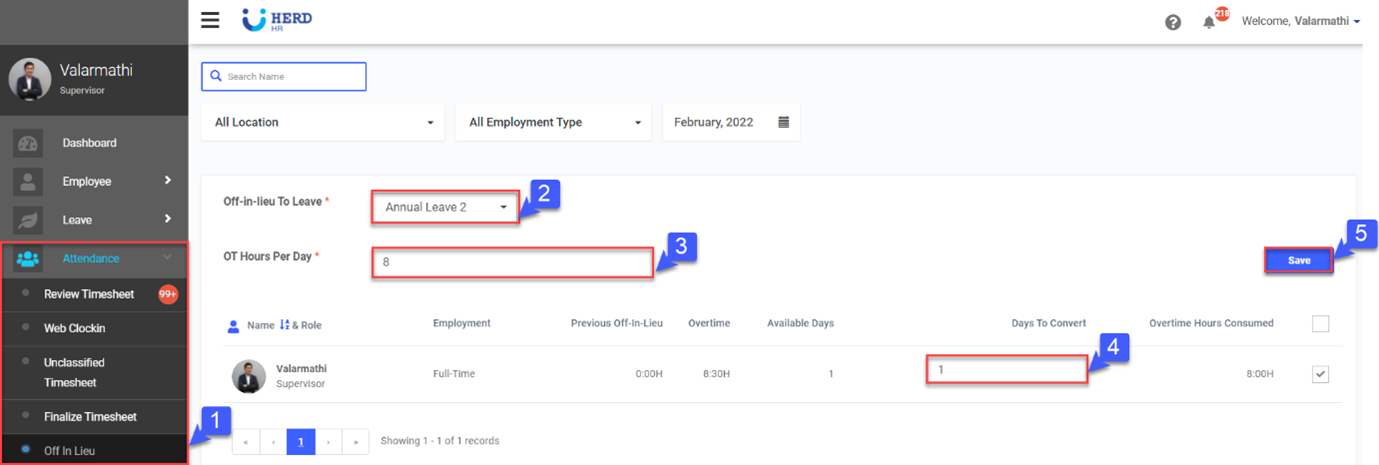
- Go to Attendance > Off In Lieu
- Select the leave type which Off In Lieu converted will be added to.
- Insert OT Hours Per Day. Note: OT Hours Per Day indicates the total OT hours that is needed for users to be entitled for 1 day leave.
- Key in Days to Converted.
- Click Save. Off In Lieu will now be added to the selected leave type.
To Undo the conversion
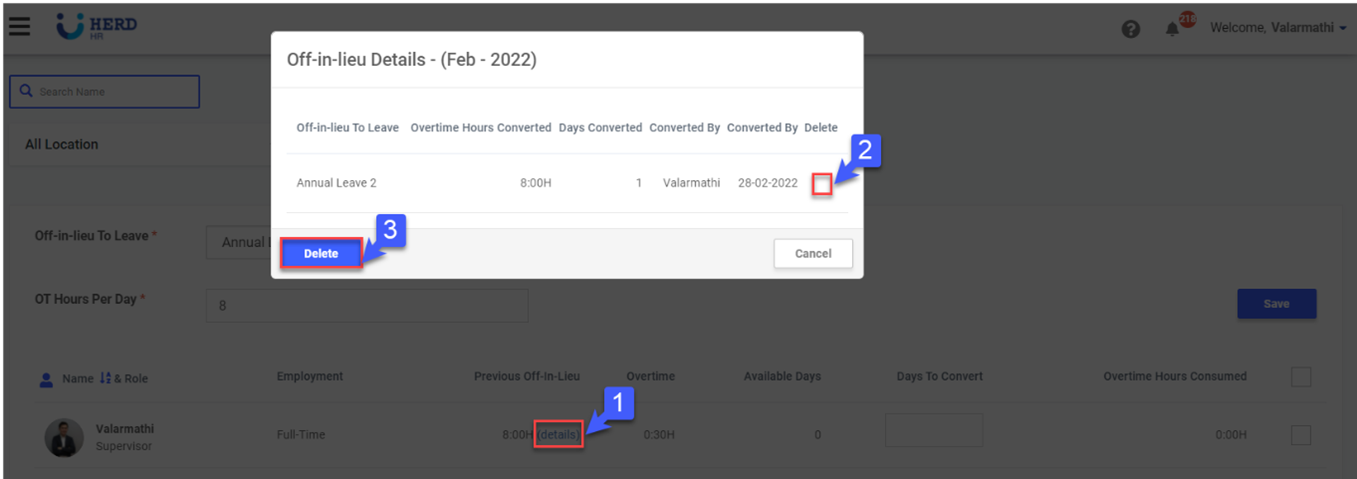
- To undo the record, click details
- Select the record to undo.
- Click delete and confirm. (This will also delete all the leave days allotted to users).