Account Set Up - Pay Items
You can customize the type of Pay Items that you want to include as an additional payment.
To add more Pay Items:
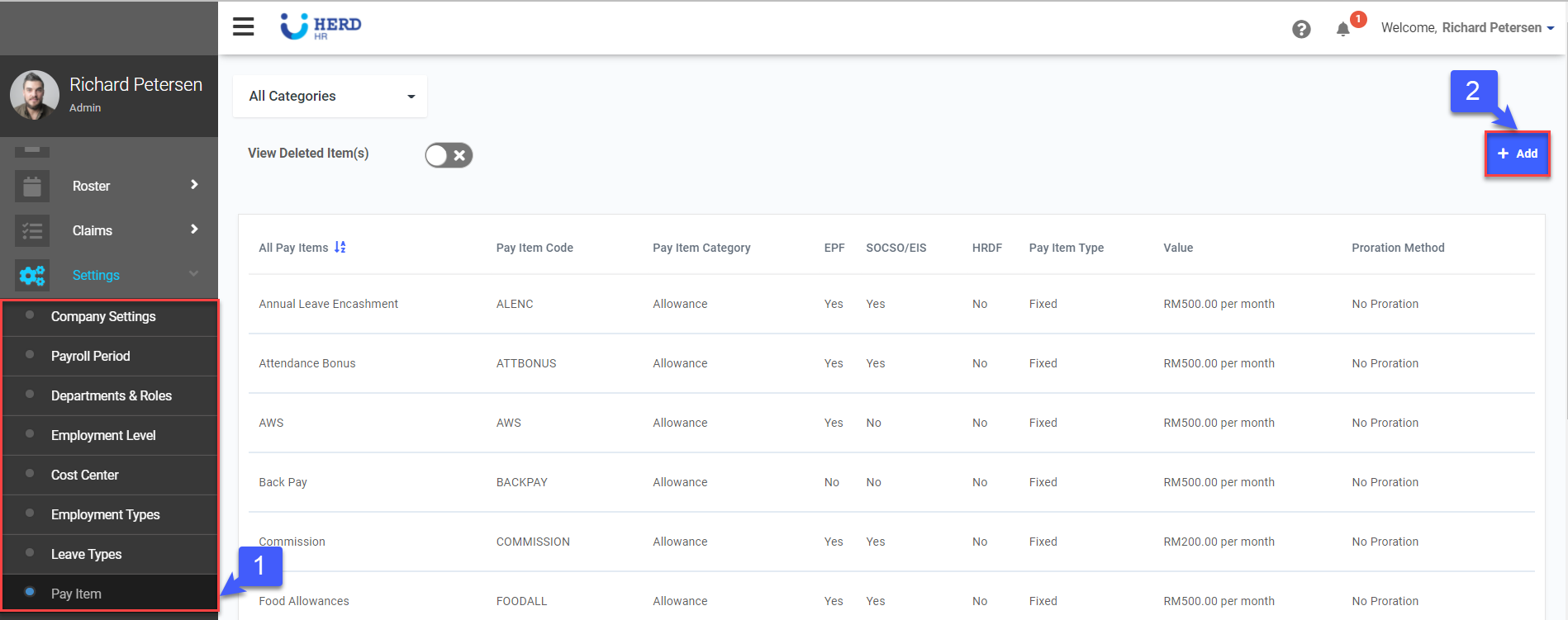
- On the left sidebar menu, Click Settings > Pay Item.
- Click + Add to create a new Pay Item.
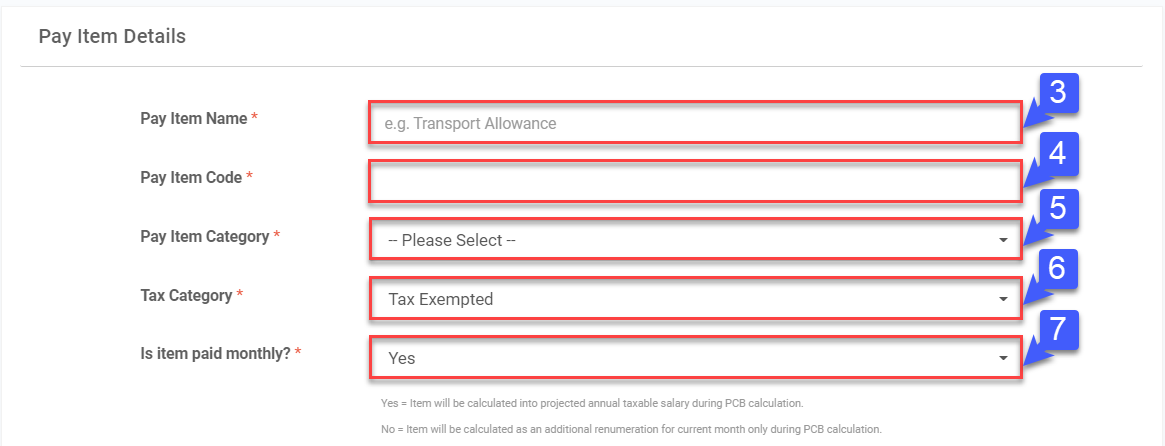
- Key in the Pay Item Name.
- Key in the Pay Item Code.
- Select the Pay Item Category (Allowance, Deduction, Additional Item, Non Payment Item).
- Select the Tax Category (Tax Exempted, Pension, Benefits in Kind, etc.).
- Select whether Pay Item will be paid monthly.
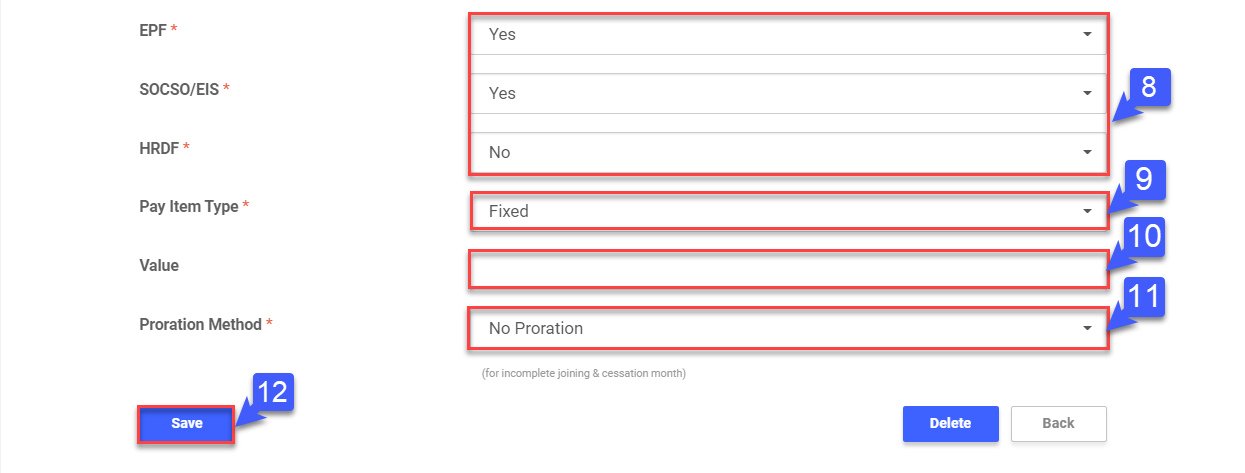
- Select whether Pay Item amount will be included in EPF, SOCSO / EIS, HRDF calculation.
- Select whether Pay Item Type is Fixed / Variable.
- If Pay Item Type is "Fixed", key in the Value for the Pay Item monthly.
- Select the Proration Method for the Pay Item, if any.
- Once done, click Save.
*Note: Items must be created here before they can be used in Payroll profile and Payslip.