Account Set Up - Company Payroll Period
Populate Date will allow you to Select the Start date for your Payroll/OT period and auto populate remaining dates
Creating Payroll Period
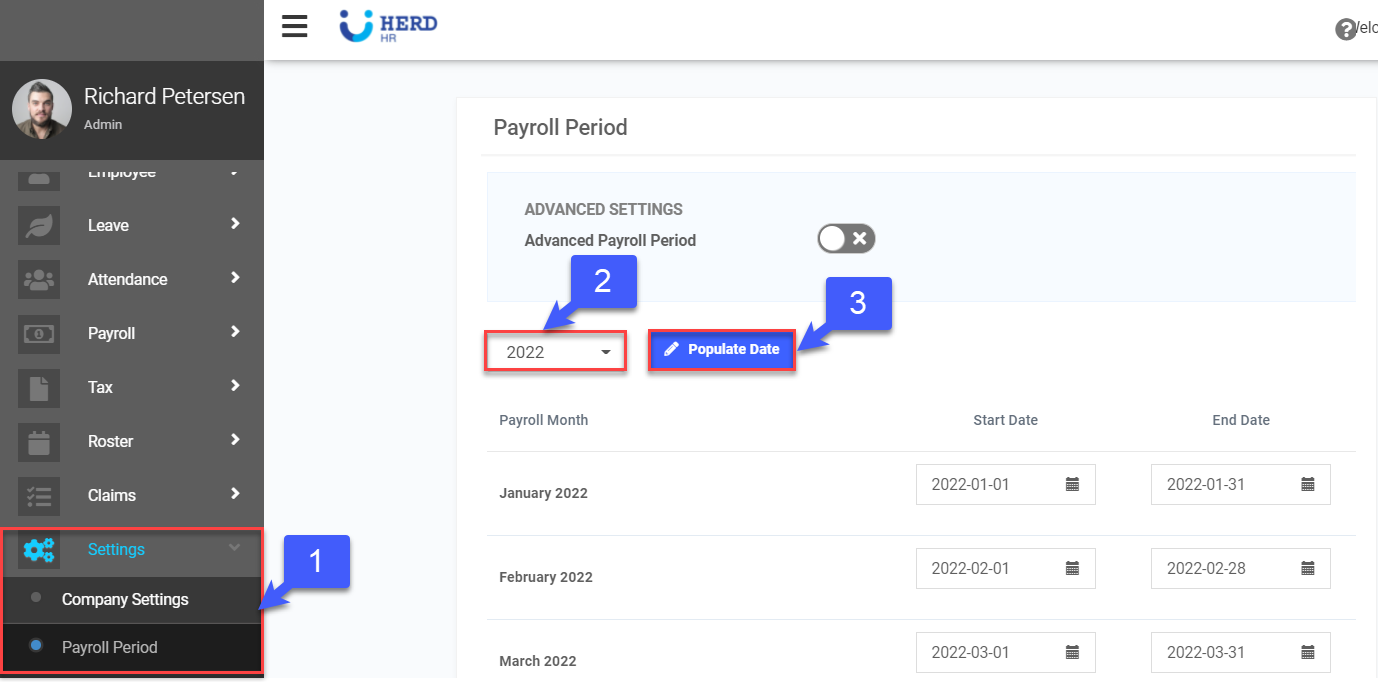
- On the left sidebar menu, Click Settings > Payroll Period
- Select the year from the drop down menu
- Click Populate Date
- Select the Start Date
- Click Confirm to populate date. Once done, click Save at the bottom of the page.
