Account Set Up - Locations
Employees have to be assigned with locations. They will only appear on HERD TIME when APP is set to a location they are assigned to.
Setting multiple office/outlet locations
Adding office/outlet Location
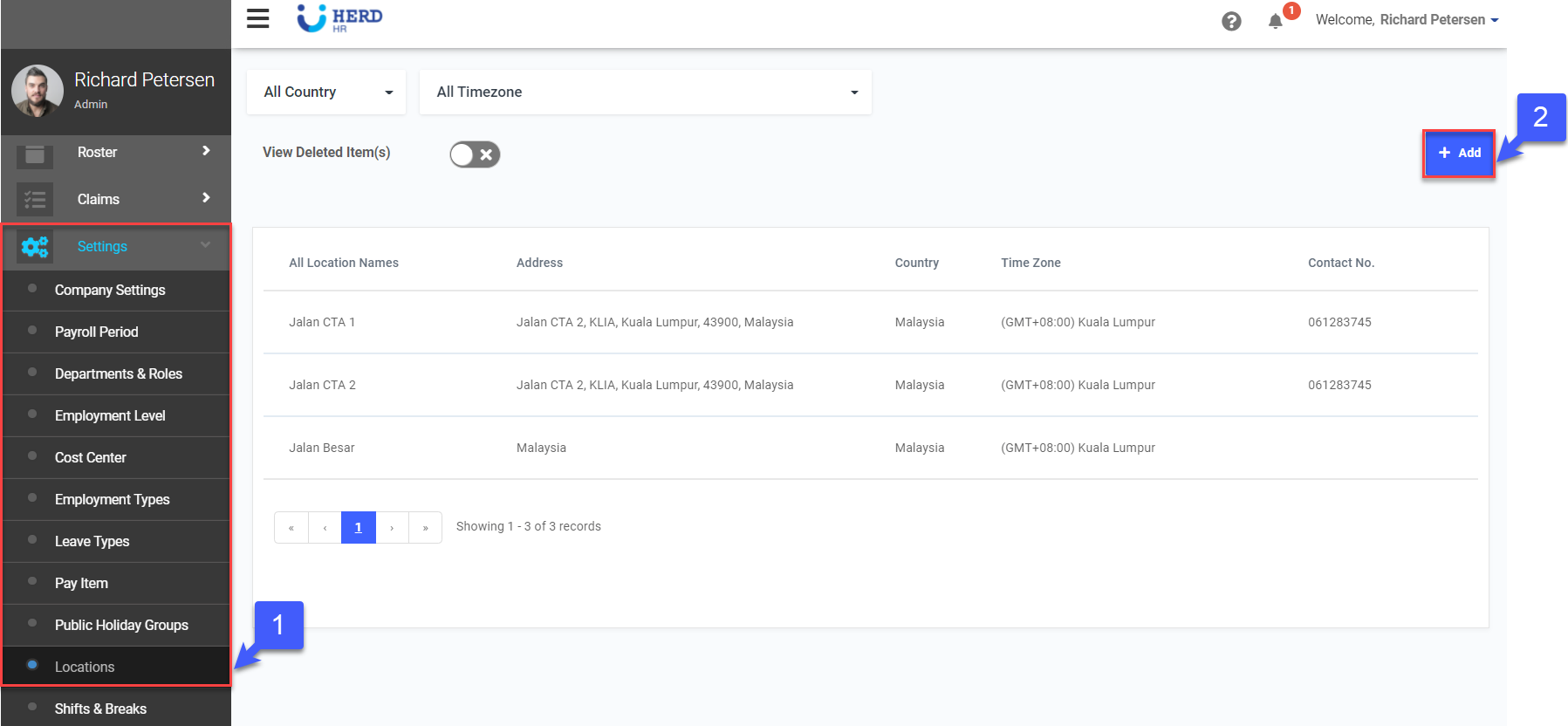
- On the left sidebar menu, Click Settings > Locations
- Click + Add to add new locations
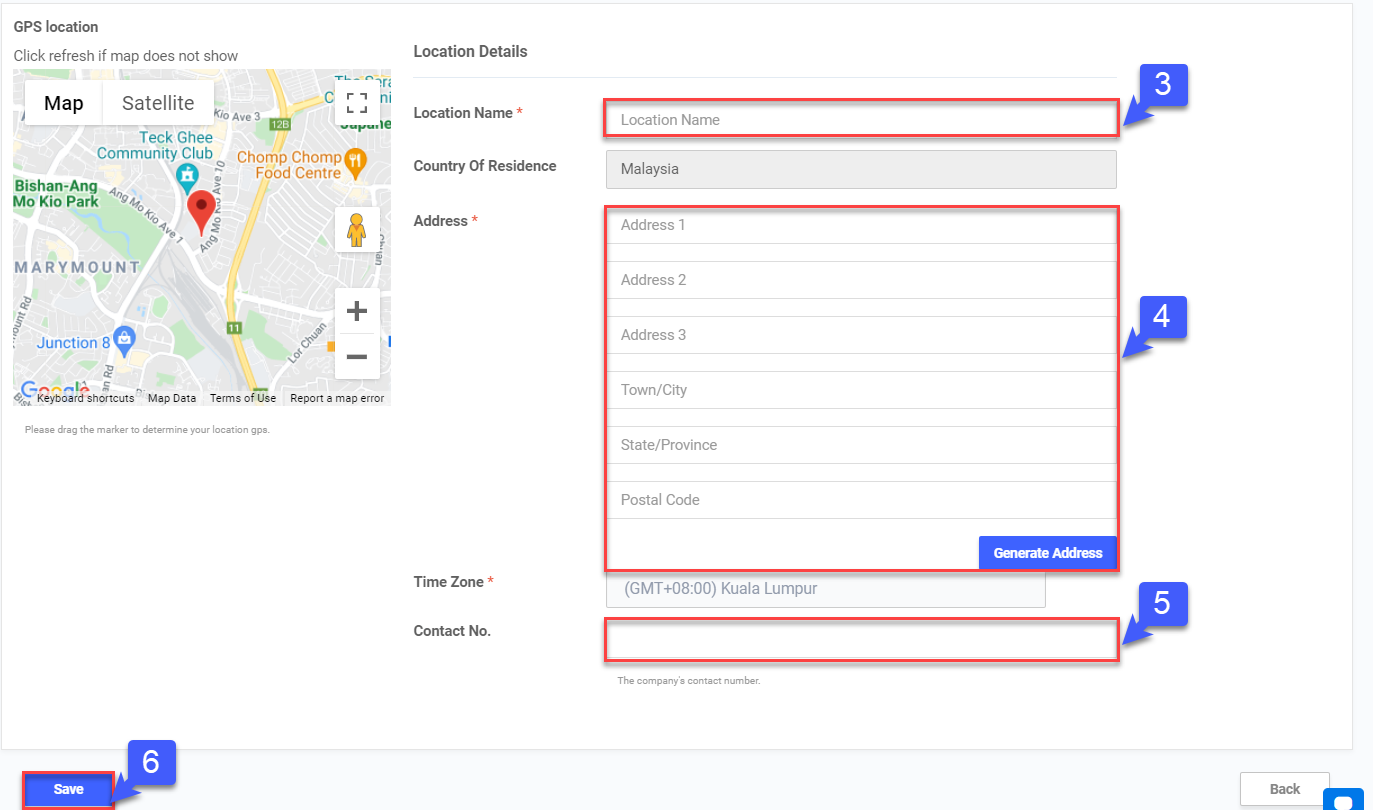
- Key in Location Name
- Key in Address and click on generate address so it captures on the map
- Key in Contact No.
- Click Save
Deleting office/outlet Location
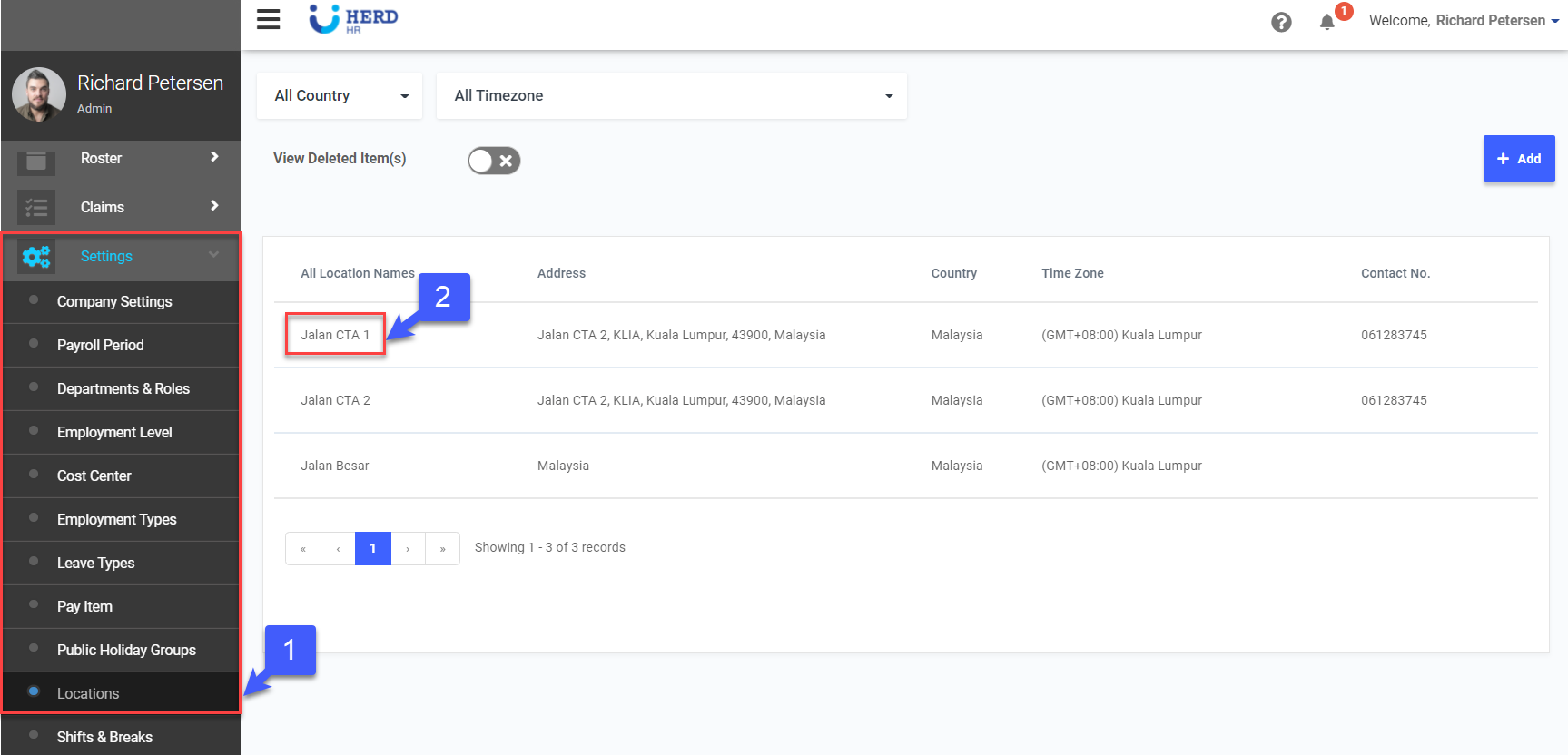
- On the left sidebar menu, Click Settings > Locations
- Select Location to delete
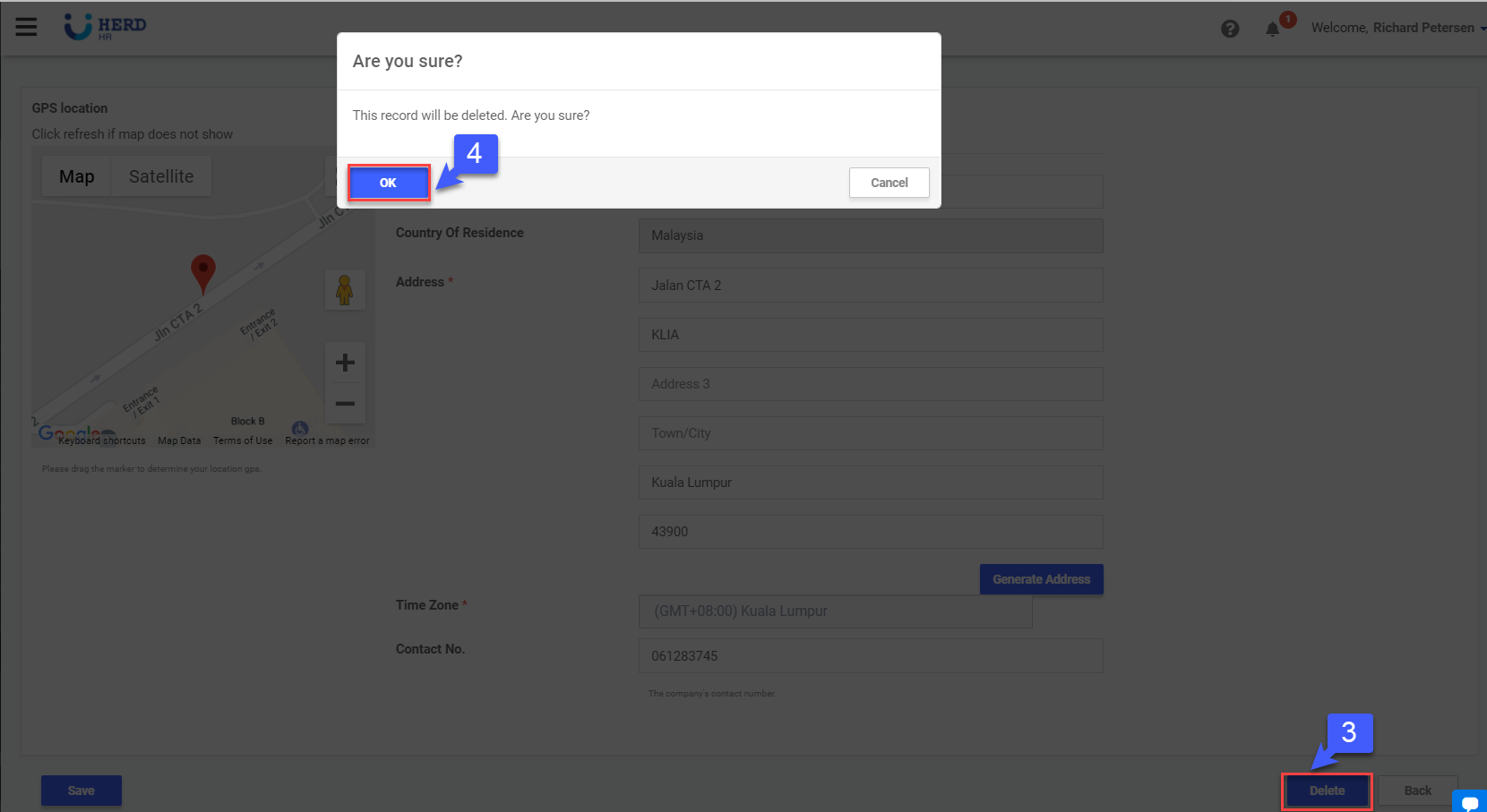
- Click Delete to remove location
- Click OK to confirm
- Toggle View Deleted Item(s) to view deleted records, if required
- Click
 to restore deleted records, if required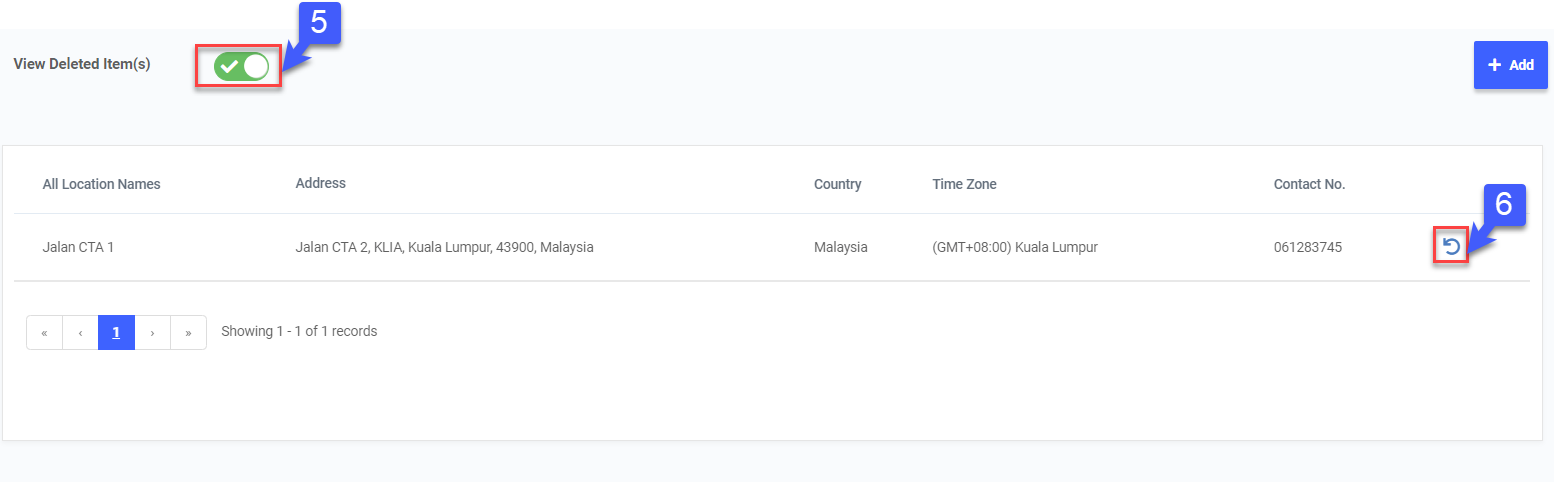
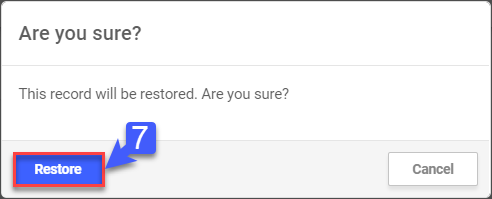
- Click Restore to confirm